GPU bottlenecking gaming FPS? When to upgrade for peak performance vs. budget.
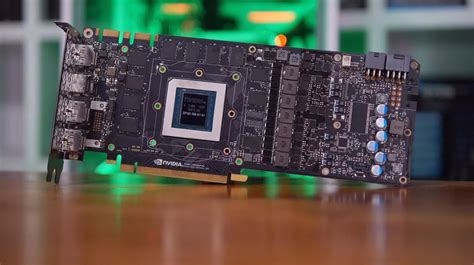
For any serious gamer, achieving smooth, high frame rate gameplay is paramount. But often, despite owning what feels like a powerful system, you might find your frames per second (FPS) lagging behind expectations. This frustrating scenario often points to a single culprit: a GPU bottleneck. Understanding what this means and how to address it is crucial for maximizing your gaming experience without overspending.
What Exactly is a GPU Bottleneck?
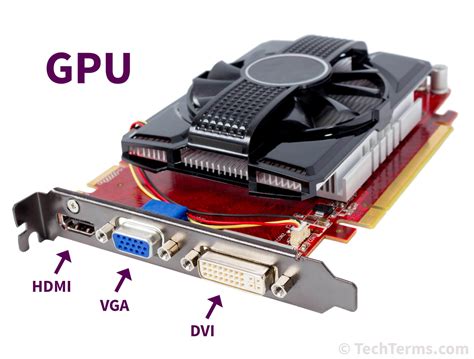
A bottleneck occurs when one component in your PC limits the performance of others. In gaming, a GPU bottleneck happens when your graphics card isn’t powerful enough to keep up with the demands placed on it by your CPU and the game itself. Your CPU might be churning out frames at a rapid pace, but if your GPU can’t render them fast enough, your overall FPS will be capped by the graphics card’s limitations. This typically manifests in your GPU usage hitting 99-100% while your CPU usage remains relatively low (e.g., below 70-80%).
How to Identify a GPU Bottleneck in Your System
The easiest way to diagnose a GPU bottleneck is through real-time monitoring software. Tools like MSI Afterburner, HWiNFO64, or the built-in Windows Task Manager can display your GPU and CPU utilization during gameplay. If your GPU utilization consistently hovers near 99-100% while your CPU usage is significantly lower (say, 50-70% or even less), then your GPU is almost certainly the bottleneck. Conversely, if your CPU is at 99-100% and your GPU is lower, you have a CPU bottleneck.
Another tell-tale sign is when lowering graphical settings (like resolution, texture quality, or anti-aliasing) significantly boosts your FPS. This indicates your GPU was struggling to render those higher settings, confirming its role as the limiting factor.
The Upgrade Dilemma: Performance vs. Budget
Once you’ve identified a GPU bottleneck, the next step is deciding if and when to upgrade. This decision hinges on a crucial balance: your desired performance goals and your available budget. Not every bottleneck requires an immediate, top-tier upgrade. Sometimes, a more modest step can provide significant improvements for less.
When to Upgrade for Peak Performance
If your goal is to play the latest AAA titles at maximum settings, high resolutions (1440p, 4K), and/or high refresh rates (144Hz, 240Hz), then a high-end GPU upgrade is likely necessary. This scenario typically involves:
- Demanding New Games: You want to experience upcoming titles with all the bells and whistles, including ray tracing and DLSS/FSR technologies.
- High Resolution Gaming: Pushing pixels at 1440p or 4K requires immense GPU power.
- High Refresh Rate Monitors: To truly benefit from a 144Hz or 240Hz monitor, your GPU needs to consistently push frames at or near that rate.
- Professional or Content Creation Needs: If your PC doubles as a workstation for demanding tasks like video editing or 3D rendering, a powerful GPU offers significant acceleration.
In these cases, aim for the latest generation’s top-tier or enthusiast-grade graphics cards (e.g., RTX 4080/4090, RX 7900 XT/XTX equivalents). Be mindful that such upgrades often necessitate a strong CPU to avoid simply shifting the bottleneck.

When to Upgrade for Budget-Conscious Performance
Not everyone needs to chase the absolute highest FPS or resolutions. For many gamers, a solid 1080p or 1440p experience at 60-120 FPS is perfectly sufficient. If this describes you, a more budget-friendly approach to upgrading might be better:
- Older GPU Generation: If your GPU is several generations old (e.g., GTX 10-series, RX 500-series), even a mid-range card from a newer generation can provide a massive leap in performance for less money.
- Targeting Specific FPS/Resolution: You’re aiming for a consistent 60 FPS at 1080p or 1440p, which many mid-range cards can comfortably achieve in most games.
- Value-Oriented Upgrades: Look for cards from the current or previous generation that offer excellent price-to-performance ratios (e.g., RTX 4060/4070, RX 7700 XT/7800 XT).
- Used Market: For the truly budget-conscious, exploring the used market for previous-generation high-end cards can yield significant savings, though with inherent risks.
Before making a purchase, always check benchmarks for the specific games you play at your desired resolution. This ensures you’re investing in a card that meets your needs without overspending.

Beyond the GPU: Other Factors to Consider
While a GPU bottleneck is common, remember that other components can also limit performance. Ensure your CPU isn’t too weak to feed a new, powerful GPU. Adequate RAM (16GB is the current standard for gaming) and a fast SSD for game storage can also contribute to a smoother experience, reducing loading times and texture pop-in.
Conclusion
Diagnosing a GPU bottleneck is the first step towards optimizing your gaming rig. Whether you decide to chase peak performance with a top-tier card or opt for a more budget-friendly upgrade, the key is to align your investment with your actual gaming habits and expectations. By understanding your system’s limitations and setting realistic goals, you can make an informed decision that ensures many more hours of enjoyable, high-FPS gaming.