Guide to vetting trustworthy game mods for quality and security?
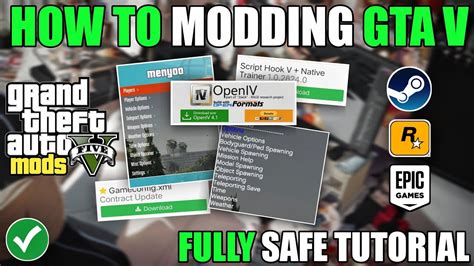
Game modifications, or mods, can breathe new life into your favorite titles, offering everything from graphical enhancements and new characters to entirely new quests and gameplay mechanics. However, the open nature of mod development also presents potential risks, including game instability, corrupted save files, and even malicious software. To fully enjoy the benefits of modding without compromising your system or game experience, it’s crucial to know how to vet trustworthy mods for both quality and security.
The Allure and The Pitfalls of Game Mods
Players turn to mods for a myriad of reasons. They can extend replayability, fix developer-overlooked issues, introduce quality-of-life improvements, or even transform a game into something entirely different. The creativity and dedication of modding communities often enrich the gaming landscape significantly.
However, with this freedom comes responsibility. An improperly developed mod can lead to crashes, performance drops, or conflicts with other mods. More concerning are the rare but present risks of mods containing malware, keyloggers, or other malicious code designed to harm your computer or steal your personal information. Identifying red flags early is key to a safe modding journey.

Step 1: Research the Mod Source and Developer
The first line of defense is knowing where your mods come from. Prioritize official or highly reputable modding platforms like Nexus Mods, Mod DB, Steam Workshop, or specific game-publisher-approved sites. Be wary of obscure websites or direct downloads from forums without substantial community backing.
Investigate the mod developer. Do they have a history of creating well-received mods? Are their other projects actively maintained and free of major issues? Look for a consistent presence and engagement with the community. A transparent developer who responds to feedback and bug reports is often a good sign.
Step 2: Read Reviews and Community Feedback
The collective wisdom of the modding community is invaluable. Before downloading, thoroughly read user reviews, comments, and bug reports. Pay attention to the overall rating and the nature of the feedback. Are users reporting consistent issues like crashes, save corruptions, or conflicts?
Look for discussions about the mod’s stability, performance impact, and compatibility with other popular mods. Be suspicious of mods with an abnormally high number of generic positive reviews with little detail, or those that suddenly become inactive after initial release with no updates despite reported bugs.

Step 3: Scrutinize Mod Files and Permissions
Once you’ve decided to download a mod, exercise caution before installation. Most legitimate mods consist of archive files (ZIP, RAR, 7z) containing game assets, scripts, or configuration files. Be highly suspicious of mods that primarily consist of executable (.exe) files, especially if they claim to be a simple texture pack or minor tweak.
Before extracting or installing, consider running the downloaded archive (not just the extracted contents) through a reputable online virus scanner like VirusTotal. While not foolproof, it can sometimes catch obvious malware signatures. Also, be mindful of any unusual permissions requested by an installer – legitimate mods rarely need extensive system access beyond the game’s directory.
Step 4: Backup Your Game and Saves
This step is non-negotiable. Before installing any new mod, especially one you’re unsure about, always create a backup of your game installation folder and, more critically, your save game files. Many games automatically save to a specific location in your Documents folder or AppData. Knowing how to restore your game to a pre-modded state can save you immense frustration if something goes wrong.
Step 5: Test Mods in a Controlled Environment
For games with robust modding scenes, consider using a mod manager. These tools help organize, install, and uninstall mods, and often allow for easy enabling/disabling, which is vital for troubleshooting. When introducing new mods, install them one at a time and test thoroughly. Don’t add a dozen mods at once, as it becomes impossible to pinpoint the culprit if an issue arises.
Create a dedicated ‘testing’ save game file that you don’t mind potentially corrupting. This allows you to experiment with new mods without risking your primary playthrough. Load the game, play for a bit, try out the mod’s features, and check for any immediate crashes or performance issues.

Step 6: Stay Updated and Engage with the Community
Modding is an evolving landscape. Mod authors frequently release updates to fix bugs, improve performance, or add new features. Keep an eye on the mod’s page for these updates and apply them as necessary. Being part of the mod’s community forums or Discord servers can also provide early warnings about potential issues or compatibility conflicts.
Conclusion
Modding can significantly enhance your gaming experience, but it requires a degree of diligence. By thoroughly researching sources, reading community feedback, scrutinizing files, backing up your data, and testing judiciously, you can confidently navigate the world of game mods. A little caution goes a long way in ensuring both the quality of your gameplay and the security of your system, allowing you to enjoy the incredible creativity of mod developers without worry.