





How can I customize my gaming news feed for specific genres or console updates?
In the vast and ever-evolving world of video games, staying on top of the news can feel like an overwhelming task. With thousands of games across countless genres and multiple console ecosystems constantly releasing updates, announcements, and new titles, a generic news feed can quickly become cluttered. Customizing your gaming news feed is key to efficiently tracking what matters most to you, whether it’s the latest RPG releases, competitive esports updates, or specific console firmware changes.
Why Personalize Your Gaming News?
The primary benefit of a tailored news feed is relevance. Instead of wading through articles about mobile games when you only play PC, or sifting through sports game announcements when you prefer horror, a customized feed brings the content you care about directly to you. This saves time, reduces information overload, and ensures you don’t miss crucial updates about your favorite titles, developers, or platforms. Personalization also helps you dive deeper into niche interests, fostering a more informed and enjoyable gaming experience.
Leveraging Dedicated Gaming News Platforms
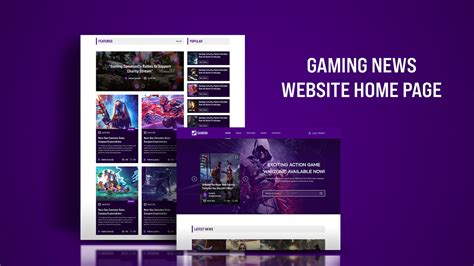
Many popular gaming news websites offer personalization features. Sites like IGN, GameSpot, or Eurogamer often allow users to create accounts and specify their preferred genres, consoles, or even specific game titles to follow. These platforms typically use algorithms based on your viewing history and explicit preferences to curate a personalized homepage or news section.
- User Accounts & Preferences: Sign up for accounts on major gaming news sites. Most have settings where you can select your favorite genres (e.g., RPG, FPS, Indie), platforms (PC, PlayStation, Xbox, Nintendo), and even specific franchises or developers to receive tailored updates.
- Follow Features: Look for ‘follow’ or ‘subscribe’ buttons on game pages or genre sections. This directly adds content related to those selections to your personalized feed.
- Email Newsletters: Subscribe to newsletters from these sites, making sure to select your preferred categories during registration if the option is available.
Utilizing Social Media and Content Aggregators
Social media platforms and news aggregators are powerful tools for creating highly specific news feeds, provided you set them up correctly.
- Twitter: Follow official developer accounts, specific game hashtags, and reputable gaming journalists or news outlets. Create Twitter Lists to group these sources by genre (e.g., ‘Indie Games Devs’, ‘PlayStation News’) for easy, focused browsing.
- Reddit: Subscribe to subreddits dedicated to specific games (r/Cyberpunk2077), genres (r/RPG), consoles (r/PS5, r/XboxSeriesX), or developers. Reddit’s front page will then become a highly customized news stream.
- YouTube: Subscribe to channels that specialize in your preferred content, such as channels for specific console news, game reviews, or genre deep dives.
- News Aggregators (e.g., Feedly, Flipboard): These services allow you to pull content from various sources (RSS feeds, Twitter accounts, YouTube channels) into one centralized, customizable interface. You can create ‘boards’ or ‘collections’ for different genres or platforms.
Exploring RSS Feeds and Browser Extensions
For those who prefer a more technical or hands-on approach, RSS feeds and browser extensions offer excellent customization options.
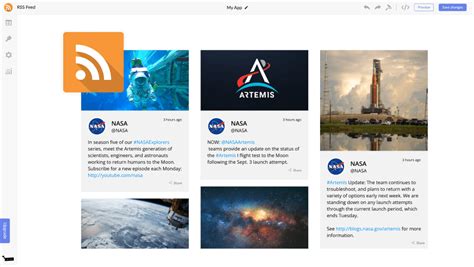
- RSS Feeds: Many gaming websites offer RSS feeds for specific categories or tags. You can use an RSS reader to subscribe to these feeds, creating a highly granular news stream. For example, you might find an RSS feed just for ‘PlayStation 5 Firmware Updates’ or ‘PC RPG Releases’.
- Browser Extensions: Extensions like ‘News Feed Eradicator’ (for social media) or specialized news aggregators can help filter out unwanted content or consolidate news from various sources into a single, manageable view.
Pro Tips for Advanced Customization
- Set Up Google Alerts: Create Google Alerts for very specific keywords like “Nintendo Switch Pro rumors” or “Next-gen PSVR 2 games” to get email notifications for new articles containing those phrases.
- Discord Servers: Join official game or console-specific Discord servers. Many developers and communities share news and updates directly within these channels, often before they hit major news sites.
- Filter Keywords: Some news aggregators or email clients allow you to set up rules to filter or highlight content based on keywords, ensuring you see specific terms or hide irrelevant ones.
- Regular Review: Periodically review your follow lists and subscriptions. As your interests change or new games emerge, adjust your settings to keep your feed fresh and relevant.

By taking a proactive approach and utilizing a combination of these strategies, you can transform your generic gaming news feed into a finely tuned instrument that delivers exactly the information you need, precisely when you need it. This not only keeps you informed but enhances your overall engagement with the gaming world, making sure you never miss a beat on your favorite genres or console developments.



