





How can I reduce network latency and ping for stable online gaming performance?
Understanding Network Latency and Ping
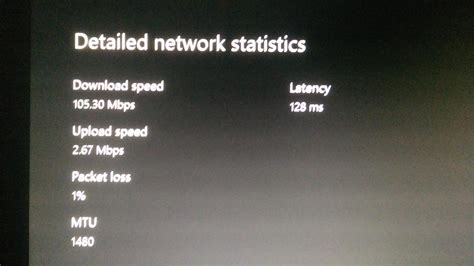
For any avid online gamer, the terms “latency” and “ping” are all too familiar, often serving as the primary culprits behind frustrating in-game delays. Ping, measured in milliseconds (ms), indicates the time it takes for a data packet to travel from your computer to a game server and back. Latency is the general term for any delay in the network. High ping means your actions take longer to register on the server, leading to a noticeable disadvantage, often called “lag.” Reducing this delay is crucial for a smooth, responsive, and ultimately more enjoyable gaming experience.

Prioritize a Wired Connection
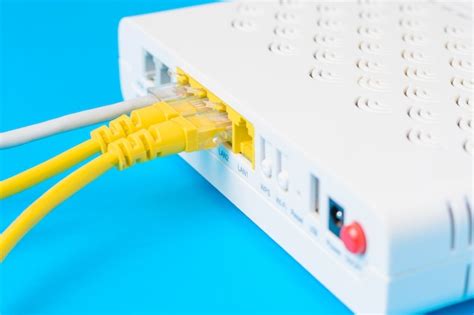
The single most effective step you can take to reduce latency is to ditch Wi-Fi for an Ethernet cable. Wireless connections are inherently less stable and more prone to interference, which can cause significant ping spikes. A direct Ethernet connection provides a consistent, high-speed data path, dramatically lowering your ping and improving stability.
Upgrade Your Ethernet Cable
Ensure you’re using a modern Ethernet cable, ideally Cat5e or Cat6, for optimal performance. Older, damaged, or lower-category cables can introduce unnecessary impedance and data loss.
Optimize Your Router Settings
Your router is the gateway to your internet connection, and its configuration plays a vital role in network performance.
Update Firmware
Always keep your router’s firmware updated. Manufacturers frequently release updates that improve performance, security, and stability.
Enable Quality of Service (QoS)
Many modern routers offer Quality of Service (QoS) settings. This feature allows you to prioritize network traffic for specific applications, like online games. By giving your gaming traffic higher priority, your router will ensure that critical game data gets precedence over other activities like streaming or downloads, even if other devices are using the network.
Router Placement and Wi-Fi Optimization (If Wireless is Unavoidable)
If a wired connection isn’t feasible, optimize your Wi-Fi: Place your router centrally and away from obstructions. Utilize the 5GHz band if available, as it offers faster speeds and less interference than 2.4GHz, though its range is shorter. Reduce the number of connected devices if possible, or ensure they aren’t bandwidth-hogging.
System and Software Optimizations
Even with a perfect network setup, your computer’s configuration can impact latency.
Close Background Applications
Before launching a game, close any unnecessary background applications, especially those that consume significant bandwidth like torrent clients, streaming services, or large download managers. These can compete for network resources and increase your ping.
Update Network Drivers
Ensure your network adapter drivers are up to date. Outdated drivers can lead to inefficiencies and connection issues.
Flush DNS and Renew IP
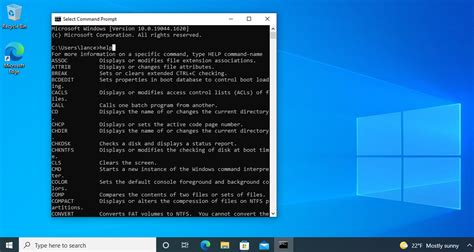
Sometimes, simply resetting your network configuration can help. Open Command Prompt as an administrator and use commands like ipconfig /flushdns and ipconfig /renew.
Use a Faster DNS Server
Your Domain Name System (DNS) server translates website names into IP addresses. Using a faster, more reliable DNS server (like Google Public DNS or Cloudflare DNS) can slightly reduce the time it takes to connect to game servers, though its impact on in-game ping is usually minimal compared to other factors.
Consider Your Internet Service Provider (ISP) and Game Servers
Sometimes, the issue isn’t on your end.
ISP Reliability
A reliable ISP with a stable connection is paramount. Even high bandwidth won’t compensate for a poor, inconsistent connection. If you consistently experience high ping despite optimizing your setup, contact your ISP to check for line issues or routing problems.
Choose Closer Game Servers
Distance significantly impacts ping. Always try to select game servers that are geographically closest to your location. Most modern games allow you to see server ping before joining, or at least select a region.

Advanced Considerations
Powerline Adapters
If running a long Ethernet cable is impractical, powerline adapters can be a viable alternative. They transmit network data through your home’s electrical wiring, offering a more stable connection than Wi-Fi, though performance can vary based on your home’s electrical circuitry.
Upgrade Your Modem/Router
If your current hardware is old, it might be a bottleneck. Newer modems and routers offer better processing power, advanced features, and improved network efficiency.

Conclusion
Achieving stable, low-latency online gaming performance is a multifaceted endeavor that combines hardware optimization, smart network configuration, and diligent system maintenance. By systematically addressing these areas, from preferring wired connections and optimizing router settings to managing background applications and selecting appropriate game servers, you can significantly reduce ping and enjoy a much smoother, more competitive gaming experience. Don’t let lag be the reason you lose; take control of your network today.


