How can I verify if a game mod is safe and malware-free before installing?

Game mods can dramatically enhance your gaming experience, adding new features, improving graphics, or even creating entirely new gameplay loops. However, the unregulated nature of modding also presents risks, with malicious software sometimes hidden within seemingly innocent files. Protecting your system and personal data requires a diligent approach to mod verification.
Choose Reputable Sources
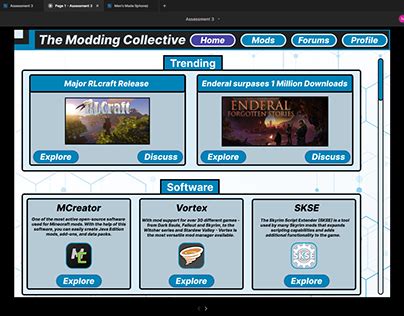
The first and most crucial step in ensuring mod safety is to download from trusted platforms. Official modding sites for specific games, well-established community hubs like Nexus Mods, Mod DB, or the Steam Workshop, often have moderation teams and user review systems that help filter out dangerous content. Avoid downloading mods from obscure forums, direct links shared by unknown users, or sites that look suspicious, as these are common vectors for malware distribution.
Scrutinize Community Feedback and Developer Reputation
Before downloading, thoroughly check the mod’s comment section, user reviews, and forum discussions. Look for red flags such as reports of crashes, unexpected software behavior, or warnings about malware. Positive, consistent feedback from a large user base is a good indicator of safety. Additionally, investigate the mod developer’s history. Do they have other popular, well-regarded mods? Are they responsive to user questions and bug reports? A reputable developer with a transparent history is generally a safer bet.

Perform File Scans and Analysis
Even with reputable sources and positive reviews, a final check of the mod files themselves is paramount. After downloading (but before installation), use a robust antivirus program to scan the downloaded archive (e.g., .zip, .rar). Some advanced users might even consider running the files through online scanners like VirusTotal, which checks them against multiple antivirus engines. For executable files or scripts, using a virtual machine or a sandbox environment can provide an extra layer of protection, allowing you to run the mod in isolation to observe its behavior without affecting your main system.
Understand Mod Permissions and Contents
Be aware of what a mod is actually doing. Does a simple texture pack really need administrative privileges or access to your network? If a mod asks for unusual permissions upon installation or during gameplay, question why. For more technically inclined users, inspecting the mod’s file structure can also be revealing. While not always straightforward, looking for unexpected executables (.exe), scripts (.js, .vbs), or unusual file types in a mod that should only contain assets (textures, models) can be a sign of hidden malicious content.

Practice Safe Installation and Backup Strategies
Always back up your game files and save data before installing any new mod, especially major overhauls. This ensures that if a mod causes issues or is malicious, you can easily revert to a stable state. Use mod managers whenever possible, as they streamline the installation process and often provide better conflict resolution and uninstallation capabilities. If a mod requires manual installation, follow the instructions meticulously and be wary of steps that seem overly complex or require bypassing standard security features.
Stay Vigilant and Update Your Defenses
Modding communities are dynamic, and even previously safe mods can sometimes be compromised or updated with malicious code. Regularly update your antivirus software and operating system. Stay informed about security advisories within your specific game’s modding community. By combining careful source selection, community vetting, file analysis, and safe installation practices, you can significantly reduce the risk of encountering malware and safely enjoy the vast world of game modifications.