





How do I efficiently filter new gaming updates for only my most-played titles?
In the vast and ever-expanding universe of video games, staying updated can feel like a full-time job. With countless new releases, patch notes, seasonal events, and developer announcements, the sheer volume of information can quickly become overwhelming. For dedicated players, the goal isn’t to block out all news, but rather to efficiently filter it, ensuring you only receive relevant updates for the games you actively play and love most. This guide will walk you through practical strategies to cut through the noise and streamline your gaming news consumption.
Leverage Platform-Specific Features
Your primary gaming platforms are often your first and best line of defense against information overload. Most modern platforms offer robust tools to help you track games you’re interested in.
Steam
- Follow Games: On Steam, simply navigate to a game’s store page and click the “Follow” button. This ensures updates for that game appear prominently in your Steam News Hub.
- Library Management: Utilize categories and filters within your library. Create a “Most Played” category and prioritize checking news directly from games within this section.
- Customizable News Hub: The Steam News Hub can be customized to show news from followed games, wishlist titles, and games you own. Take the time to refine these settings.
Epic Games Store, Xbox, PlayStation & Nintendo
Similar functionalities exist across other platforms. Epic Games Store allows you to manage your wishlist and browse news directly. Console platforms like Xbox, PlayStation, and Nintendo Switch often have official companion apps or dedicated news feeds that you can tailor by ‘following’ or ‘liking’ specific games, ensuring their updates populate your dashboard or notifications.

Harness Third-Party Aggregators & News Sites
Beyond individual platforms, several third-party services can help you consolidate and filter gaming news.
Custom News Feeds
- Google News/Feedly: Set up custom alerts or RSS feeds for specific game titles or developers. This allows you to pull news from a variety of sources directly into a single, manageable feed.
- Dedicated Gaming Sites: Many major gaming news outlets (IGN, PC Gamer, GameSpot) have specific sections or tags for popular games. Bookmark these or use their internal search to quickly find updates for your titles.
Email Subscriptions
While often seen as spam, official developer newsletters can be incredibly valuable. Subscribe only to the newsletters of your most-played games and set up email filters to direct these specifically into a “Game Updates” folder, keeping your main inbox clutter-free.

Dive Into Community & Official Channels
Sometimes, the most direct and timely updates come from the communities themselves or directly from the developers.
Discord Servers
Many popular games have official or large community-run Discord servers. These often feature dedicated channels for patch notes, announcements, and developer Q&As. Join only for your most-played titles and mute channels that aren’t critical to stay focused.
Subreddits & Forums
Game-specific subreddits on Reddit are fantastic sources for quick updates, community discussions, and even leaks or datamines. Similarly, official game forums remain a valuable, albeit sometimes slower, source of information.
Social Media
Follow the official Twitter (or X) accounts of your favorite game developers, publishers, and community managers. Create a dedicated list on the platform to view only these accounts, avoiding a noisy main feed.

Advanced Filtering Techniques
For those who want to take filtering to the next level, a few advanced methods can provide even finer control.
RSS Feed Readers
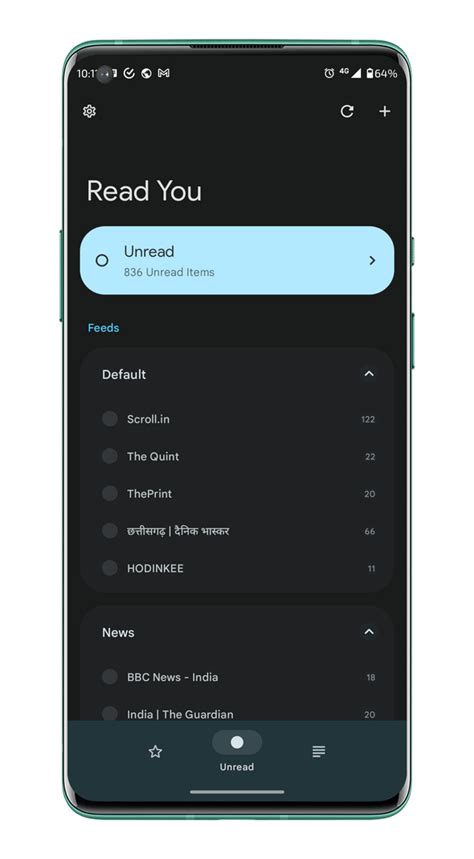
Many developer blogs, patch note pages, and even gaming news sites offer RSS feeds. Services like Feedly or Inoreader allow you to aggregate these feeds into a single, highly customizable dashboard, ensuring you never miss a beat for your chosen titles.
Browser Extensions
Consider browser extensions that offer news filtering capabilities or allow you to create custom dashboards of content from specific URLs. While less common for gaming specifically, general-purpose content aggregators can be adapted.
Regularly Curate Your Follow List
The most effective filtering strategy is not a one-time setup; it requires periodic maintenance. As your gaming habits evolve, so too should your news sources.
- Unfollow Old Games: If you’ve stopped playing a game, unfollow it on all platforms and channels.
- Review Subscriptions: Periodically audit your email subscriptions, Discord servers, and social media follows.
- Adjust Filters: Refine your Google News alerts or RSS feeds as new games enter your “most played” rotation.

By implementing a combination of these strategies, you can transform a chaotic stream of gaming news into a highly efficient and personalized update system. Spend less time sifting through irrelevant information and more time enjoying the latest content in your most cherished titles.



