How do I report a broken or malicious mod without negatively impacting creators?

Navigating the Modding Landscape Responsibly
Modding enriches countless gaming experiences, bringing new life, features, and challenges to our favorite titles. The passionate individuals who create these modifications dedicate countless hours, often for free, to enhance the community’s enjoyment. However, like any software, mods can sometimes be broken, buggy, or, in rare and unfortunate cases, even malicious. The challenge then becomes: how do you report these issues effectively without unfairly damaging a creator’s reputation or discouraging their valuable work?
The Importance of Responsible Reporting
Reporting issues isn’t about shaming creators; it’s about improving the modding ecosystem for everyone. A well-documented bug report can help a creator fix an issue they weren’t aware of, preventing frustration for countless other users. Similarly, identifying truly malicious content is crucial for protecting the entire community. The key is understanding the difference between a simple bug and a harmful exploit, and then choosing the appropriate method of communication.

Distinguishing Between Broken and Malicious Mods
Broken Mods
These are mods that don’t work as intended. They might cause crashes, introduce graphical glitches, conflict with other mods, or simply not function at all. Most broken mods are the result of honest mistakes, oversights, or compatibility issues that arise with game updates or other installed content. The creator usually wants to fix these problems.
Malicious Mods
These are mods intentionally designed to cause harm. This could include:
- Malware/Spyware: Hidden executables or scripts that steal data, install viruses, or compromise your system.
- Griefing/Exploits: Mods designed to give an unfair advantage in online play or harass other players.
- Harmful Content: Mods that surreptitiously inject inappropriate, illegal, or offensive material into your game or system.
Malicious intent is the crucial differentiator here. Reporting these requires a very different approach.
Reporting Broken Mods: Supporting Your Creators
When you encounter a broken mod, your primary goal should be to assist the creator in identifying and resolving the issue. This approach fosters a positive relationship and helps the mod get fixed.
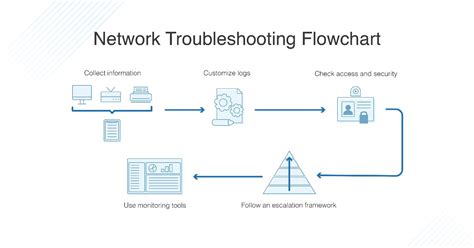
1. Before You Report: Troubleshoot First
Many issues can be user-side. Before contacting the creator:
- Check for Conflicts: If you use multiple mods, disable others to see if the problem persists.
- Read the Mod Description: Ensure you’ve followed all installation instructions and met dependencies.
- Update Everything: Make sure your game, mod, and any required frameworks (e.g., Script Extenders) are up to date.
- Reproduce the Bug: Can you make it happen again consistently? What steps lead to the issue?
2. Choose the Right Channel for Communication
Most mod creators specify their preferred method for bug reports. This could be:
- A dedicated bug report section on the modding website (e.g., Nexus Mods, CurseForge).
- A specific channel on their Discord server.
- An issue tracker on GitHub.
- A forum thread or comment section.
Avoid sending private messages unless explicitly invited, as public channels often allow others to contribute or confirm issues.
3. Provide Detailed and Actionable Information
A good bug report is clear, concise, and complete. Include:
- Exact Mod Name and Version: Essential for identification.
- Game Version: Crucial for compatibility.
- Clear Steps to Reproduce: “It crashed” is unhelpful. “I launched the game, loaded save ‘X’, went to location ‘Y’, and when I interacted with object ‘Z’, the game crashed” is excellent.
- Error Messages/Logs: Screenshots of error messages, crash logs (like papyrus logs for Bethesda games), or console outputs are invaluable.
- List of Other Mods: Especially if you suspect a conflict.
- System Specifications: Your OS, CPU, GPU, and RAM can sometimes be relevant.
4. Be Patient and Polite
Remember that mod creators are often hobbyists with limited time. Be respectful, patient, and assume good intent. Avoid demanding fixes or complaining aggressively. A “thank you” goes a long way.
Reporting Malicious Mods: Protecting the Community
When you encounter a mod you genuinely believe to be malicious, the approach changes significantly. Your priority is to protect yourself and others by alerting the platform.
1. Confirm Your Suspicions and Gather Evidence
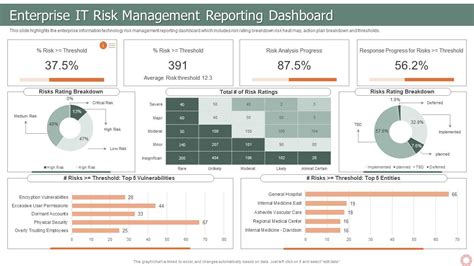
Malicious claims are serious and require strong evidence. Look for:
- Unusual file extensions or unexpected executables within the mod archive.
- Antivirus warnings upon downloading or installing.
- Suspicious network activity from your game client when the mod is active.
- Sudden system instability or data corruption after installing the mod.
2. Do NOT Engage the Creator Directly
If a mod is truly malicious, direct contact could alert the perpetrator, allowing them to hide or further exploit vulnerabilities. Your safety and the community’s are paramount.
3. Report Directly to the Platform/Mod Host
Every major modding platform (Nexus Mods, Steam Workshop, CurseForge, Mod DB, etc.) has a dedicated reporting mechanism for malicious content. Use it immediately:
- Look for “Report,” “Flag,” or “Abuse” buttons on the mod’s page.
- Follow their specific guidelines for malicious content reports.
These platforms have moderation teams equipped to investigate such claims securely and take appropriate action, including removing the mod and banning the uploader.
4. Provide All Available Evidence
When reporting, include:
- Links to the mod in question.
- Detailed descriptions of your observations (e.g., “my antivirus flagged X file with Y threat upon extraction”).
- Screenshots of antivirus alerts, network monitoring tools, or system logs.
- Any relevant technical data.
5. Protect Your System
If you’ve installed a potentially malicious mod, consider running a full system scan with reputable antivirus software, backing up important data, and potentially isolating your system or changing passwords if you suspect a serious compromise.

General Principles for a Healthy Modding Community
- Assume Good Intent: Most creators are trying their best.
- Avoid Public Shaming: Unless a mod is officially confirmed malicious, avoid public accusations or witch hunts. This can unfairly damage reputations.
- Understand Risks: Modding always carries some inherent risk. Always download from trusted sources and exercise caution.
- Be Constructive: Your feedback, whether positive or negative, should always aim to be helpful and constructive.
Conclusion
Responsible reporting is a cornerstone of a thriving modding community. By understanding how to differentiate between broken and malicious content, and by utilizing the correct channels with appropriate information, you can play a crucial role in improving mod quality, ensuring community safety, and supporting the incredible work of mod creators. Your efforts help make the modding world a better place for everyone.