





How often should I update my GPU drivers for max gaming performance & stability?

The Balancing Act: Performance, Stability, and GPU Drivers
For any PC gamer, the graphics card (GPU) is the heart of their visual experience. And just like any complex component, it relies on software—specifically, drivers—to communicate effectively with your operating system and games. But the question many gamers grapple with is: how often should these drivers be updated to achieve the best gaming performance and stability?
There’s no single, universally perfect answer, as the ideal frequency is a careful balancing act between gaining performance enhancements and avoiding potential new bugs. However, understanding the pros and cons can help you develop a smart update strategy.

Understanding the Benefits of Driver Updates
GPU manufacturers like NVIDIA, AMD, and Intel constantly release new driver versions. These updates aren’t just arbitrary; they often come packed with significant improvements:
- Performance Boosts: Especially for new, demanding AAA game titles, driver updates frequently include optimizations that can unlock higher frame rates or reduce stuttering. These are often branded as “Game Ready” (NVIDIA) or “Adrenalin” (AMD) drivers.
- Bug Fixes: Drivers can have bugs that lead to crashes, graphical glitches, or poor performance in specific games or scenarios. Updates often patch these issues, improving overall stability.
- New Features: Sometimes, drivers introduce support for new technologies (like DLSS, FSR, or Ray Tracing), new displays, or enhance existing features (e.g., anti-lag technologies, video encoding improvements).
- Security Patches: Though less common for gaming-specific drivers, security vulnerabilities can sometimes be addressed.

The Risks of Over-Updating or Blindly Updating
While the benefits sound compelling, blindly updating every time a new version drops isn’t always the best strategy:
- Introducing New Bugs: Occasionally, a new driver version might introduce new bugs or regressions that affect certain games or system configurations. What fixes one problem might create another.
- Stability Issues: Some users report reduced stability or even system crashes with very new drivers, especially if their hardware or software setup is older or unusual.
- “If It Ain’t Broke, Don’t Fix It”: If your games are running perfectly smoothly and stably, there’s less urgency to update, especially if you’re risk-averse.

The “Goldilocks” Zone: When to Update
So, what’s the recommended frequency? Here’s a pragmatic approach:
1. The General Recommendation: Every 1-3 Months
For most gamers, checking for updates every 1 to 3 months is a good baseline. This cadence allows you to benefit from cumulative performance optimizations and major bug fixes without constantly exposing yourself to the bleeding edge of potential new issues.
2. Prioritize for New AAA Game Releases
This is arguably the most critical time to update. When a major new game is released, GPU manufacturers often push out “Game Ready” or similar drivers specifically optimized for that title. These can offer significant performance gains or fix launch-day issues, making your gaming experience much smoother.
3. When Experiencing Issues
If you encounter specific problems like game crashes, unexplained frame drops, graphical artifacts, or compatibility issues, checking for a driver update should be one of your first troubleshooting steps. Often, a known issue will have been addressed in a newer version.
4. Avoid Unless Necessary for Older, Stable Setups
If you mostly play older games, your system is stable, and you haven’t bought any new hardware recently, frequent updates might offer diminishing returns and carry unnecessary risk.
How to Update Your Drivers Safely
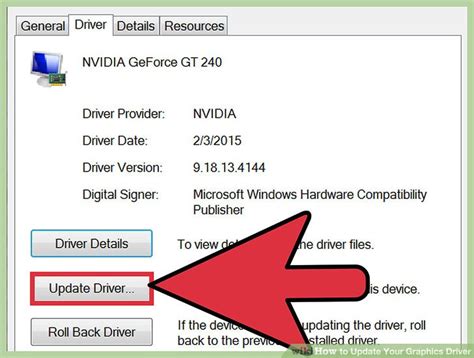
Most modern GPUs come with dedicated software that makes updating straightforward:
- NVIDIA: Use GeForce Experience. It notifies you of new drivers and allows for one-click installation, often with an option for a “clean installation.”
- AMD: Use AMD Software: Adrenalin Edition. Similar to NVIDIA, it provides update notifications and easy installation.
- Intel: Use the Intel Driver & Support Assistant or download directly from their website.
Always download drivers directly from the official manufacturer’s website (NVIDIA, AMD, Intel) if you prefer a manual approach or encounter issues with the software. Consider performing a “clean installation” occasionally, as this removes old driver files that can sometimes cause conflicts.

Conclusion: An Informed Approach is Key
Ultimately, the best approach to GPU driver updates is an informed one. Don’t feel pressured to update every single release, but don’t neglect your drivers either. Prioritize updates for new game releases, when troubleshooting issues, or every few months to ensure you’re benefiting from general improvements. By striking this balance, you’ll keep your gaming rig performing at its peak while maintaining optimal stability.


