How to boost guide engagement and task completion?

Why Guide Engagement Matters
In today’s fast-paced digital world, effective guides are not just helpful – they’re essential. Whether you’re onboarding new users, teaching a complex process, or troubleshooting an issue, the goal remains the same: to help users successfully complete a task. However, a poorly designed or unengaging guide can quickly lead to frustration, abandonment, and missed opportunities. Boosting guide engagement and task completion is key to improving user satisfaction, reducing support queries, and ultimately, achieving your product or service goals.
Understand Your Audience and Their Needs
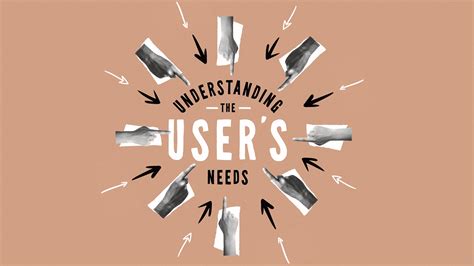
The first step to creating highly engaging guides is to deeply understand who you’re writing for. What are their pain points? What is their existing knowledge level? Are they beginners or experienced users? Tailoring your language, examples, and level of detail to your specific audience can drastically improve relevance and comprehension. Conduct user research, gather feedback, and create user personas to inform your guide design.
Design for Clarity and Simplicity
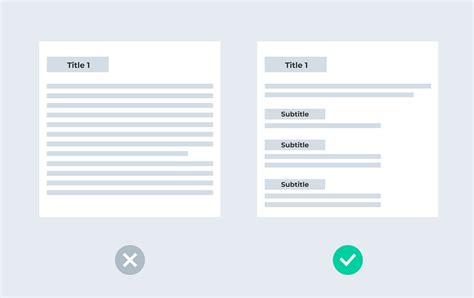
Clarity is king. Overly complex language, jargon, or crowded layouts can deter users. Adopt a ‘less is more’ approach. Use simple, direct language and break down complex information into digestible chunks. Employ headings, bullet points, and numbered lists to improve readability. Ensure a consistent visual hierarchy that guides the user’s eye through the content effortlessly. Think about the ‘flow’ – does each step logically lead to the next?
Incorporate Interactive and Multimedia Elements
Static text guides can be monotonous. Inject life into your guides by incorporating interactive and multimedia elements. Short, well-produced video tutorials can explain complex steps far better than text alone. Animated GIFs can demonstrate quick actions. Interactive checklists, quizzes, or even embedded simulations can provide hands-on experience and reinforce learning, making the process more engaging and memorable.

Provide Context and Show Progress
Users are more likely to stay engaged if they understand the ‘why’ behind the ‘how.’ Always provide context for a task – explain its purpose and the benefits of completing it. Furthermore, showing users their progress can be a powerful motivator. Progress bars, step counters, or visual indicators of completion provide a sense of achievement and encourage users to continue until the end.
Optimize for Accessibility and Mobile Devices
Your guides should be accessible to everyone, regardless of their device or abilities. Ensure your content is responsive, adapting seamlessly to various screen sizes, from desktops to smartphones. Use appropriate alt text for images, provide captions for videos, and consider users who may rely on screen readers or other assistive technologies. A guide that’s difficult to access is a guide that won’t be used.
Gather Feedback and Iterate Constantly
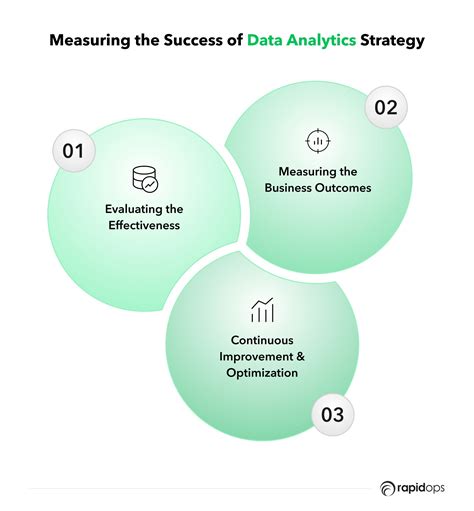
The work doesn’t stop once a guide is published. Implement mechanisms for users to provide feedback directly within the guide – a simple ‘Was this helpful?’ button or a comment section can yield invaluable insights. Monitor guide analytics to see where users drop off, what sections they spend most time on, and which search queries lead them to your guides. Use this data to continuously refine and improve your content, ensuring it remains relevant and effective.
Conclusion
Boosting guide engagement and task completion is an ongoing process that requires a user-centered approach. By understanding your audience, prioritizing clarity, incorporating interactive elements, providing context, optimizing for accessibility, and continuously gathering feedback, you can transform your guides from mere instructions into powerful tools that empower users to achieve their goals. Invest in the quality of your guides, and you’ll see a significant return in user satisfaction and overall product success.