How to effectively report game-breaking mod bugs & contribute to a fix?
The Importance of Quality Bug Reports
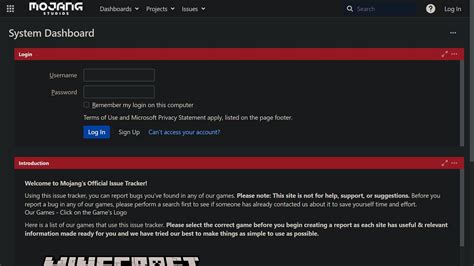
Modding has revolutionized gaming, offering endless possibilities for customization and enhancement. However, with custom content comes the inevitable: bugs. A poorly reported bug can be frustrating for both the user experiencing the issue and the mod author trying to fix it. An effectively reported game-breaking bug, on the other hand, can expedite a fix, enhance the community’s overall experience, and contribute significantly to the stability of your favorite modded games.
This guide will walk you through the process of creating actionable bug reports and even how you can go beyond just reporting to actively contribute to the solution, transforming you from a mere player into a valuable community member.
Before You Report: Essential Troubleshooting Steps
Before you even think about writing a bug report, it’s crucial to perform some preliminary checks. Many issues can be resolved or better understood through a few simple troubleshooting steps, saving both your time and the mod author’s. Remember, a bug that can’t be reproduced is often a bug that can’t be fixed.
Is it Truly the Mod?
- Isolate the Issue: The most critical step. Disable all other mods except the one you suspect is causing the problem. Test if the bug still occurs. If it disappears, reintroduce other mods one by one to identify conflicts.
- Check for Updates: Ensure both your game and the mod in question are updated to their latest versions. Outdated files are a common source of bugs.
- Verify Game Files: Use your game launcher (e.g., Steam, Epic Games Store) to verify the integrity of your game files. Corrupted vanilla files can sometimes manifest as mod-related issues.
- Search Existing Reports: Many platforms (Nexus Mods, GitHub, mod author forums) have dedicated bug sections. Search there first; someone else might have already reported the same issue, and a fix or workaround might exist.
![Please advice on some potential mods conflicts [Unknown error FFFF] : r ...](/images/aHR0cHM6Ly90czMubW0uYmluZy5uZXQvdGg/aWQ9T0lQLm45UkJ4aHZnZXNGVkhlVFJ0Zkd0U3dIYUtTJnBpZD0xNS4x.webp)
Crafting the Perfect Bug Report
Once you’ve confirmed the bug and have some initial findings, it’s time to compile your report. A good bug report is clear, concise, and contains all the necessary information for a mod author to replicate and diagnose the problem.
Key Elements of an Effective Bug Report:
- Clear, Concise Title: Summarize the issue in a few words (e.g., “CTD on save in Whiterun with ModX,” “Weapon Y Texture Missing”).
- Steps to Reproduce (STR): This is the most vital part. Provide a numbered list of exact, sequential actions someone needs to take to encounter the bug. Be as detailed as possible. If it only happens 50% of the time, mention that.
- Expected vs. Actual Behavior: Clearly state what you expected to happen and what actually occurred. This helps the author understand your perspective.
- Error Messages & Logs: If you received an error message, paste the full text (or a relevant excerpt for very long logs). Log files (e.g., Papyrus logs for Skyrim, crash logs) are invaluable. Always specify the exact log file and relevant timestamps.
- Your System & Game Information:
- Operating System (Windows 10, macOS, etc.)
- Game Version
- Mod Version (crucial!)
- List of other active mods (if applicable, especially if you couldn’t fully isolate the issue). Use a mod manager’s export feature if available.
- Relevant hardware specifications (CPU, GPU, RAM) if the bug seems performance-related.
- Screenshots & Videos: Visual evidence is incredibly powerful. A picture is worth a thousand words, and a short video demonstrating the bug can be priceless.
Where and How to Submit Your Report
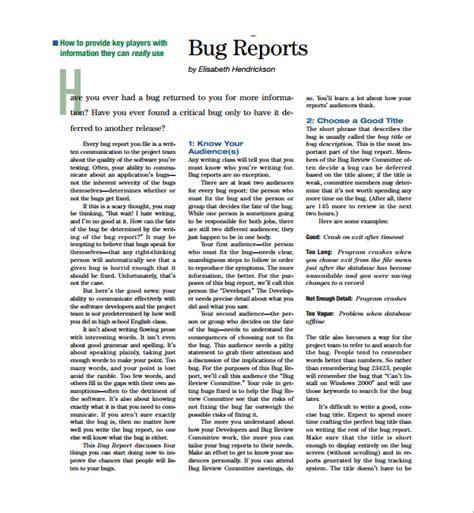
Different mod authors prefer different channels for bug reports. Always check the mod’s description page or documentation for their preferred method before posting. Common places include:
- Mod Hosting Site Bug Trackers: Platforms like Nexus Mods, ModDB, or Steam Workshop often have dedicated ‘Bugs’ or ‘Posts’ sections for each mod.
- Dedicated Forums/Discord Servers: Many larger modding communities or individual mod authors run their own forums or Discord servers with specific channels for bug reports.
- GitHub Issues: For open-source mods, GitHub is a common place to log issues.
Regardless of the platform, maintain a polite and patient demeanor. Mod authors are often hobbyists dedicating their free time, and they appreciate constructive feedback.

Beyond Reporting: Contributing to the Fix
Your involvement doesn’t have to stop at submitting a report. There are several ways you can actively contribute to finding and implementing a fix:
- Provide Additional Information: If the mod author asks for more details (e.g., specific log excerpts, testing a temporary fix), respond promptly and thoroughly.
- Test Proposed Solutions: Mod authors might release beta versions or temporary patches for you to test. Your feedback on these is vital.
- Identify Workarounds: If you discover a temporary fix or a way to avoid the bug, share it! This can help other users while a permanent solution is being developed.
- Learn to Debug (Advanced): For those with programming knowledge, or a desire to learn, delving into a mod’s source code (if available) to identify the root cause or even propose a code fix (via a pull request on GitHub) is the ultimate contribution.
Remember that patience is key. Developing and debugging mods can be a complex and time-consuming process. Your understanding and continued support make a huge difference.

Conclusion
Effectively reporting game-breaking mod bugs is a skill that benefits the entire modding community. By following these guidelines, you not only increase the chances of your issue being resolved quickly but also lighten the burden on mod authors and contribute to a more stable and enjoyable modded gaming experience for everyone. Your effort transforms a frustrating bug into an opportunity for collective improvement.