How to effectively troubleshoot common mod conflicts for game stability?
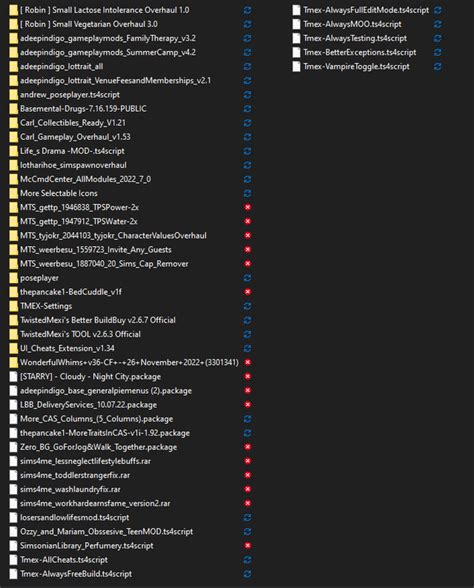
Navigating the World of Game Modding Without the Crashes
Modding can dramatically enhance your gaming experience, adding new content, improving graphics, or even overhauling core mechanics. However, the more mods you install, the higher the likelihood of encountering conflicts that can lead to crashes, bugs, or instability. Understanding how to effectively troubleshoot these common mod conflicts is crucial for maintaining a stable and enjoyable game. This guide will walk you through the necessary steps, from preparation to advanced conflict resolution techniques.

Understanding the Roots of Mod Conflicts
Before you can fix a problem, you need to understand why it occurs. Mod conflicts typically arise when two or more mods attempt to modify the same game asset, script, or record in incompatible ways. Common causes include:
- File Overwrites: One mod replaces files that another mod relies on, breaking functionality.
- Script Errors: Incompatible scripts try to run simultaneously, leading to crashes or freezes.
- Load Order Issues: The order in which mods load dictates which changes take precedence. An incorrect load order can cause unintended behavior.
- Outdated or Incompatible Versions: Mods designed for older game versions, or mods that are simply not compatible with each other, can cause major instability.
Essential Preparatory Steps for Troubleshooting
A systematic approach begins with proper preparation. These steps can save you hours of frustration down the line:
- Backup Your Game and Saves: Always make a full backup of your game installation and save files before making significant changes. This provides a safety net if things go wrong.
- Use a Reliable Mod Manager: Tools like Vortex, Mod Organizer 2 (MO2), or even Nexus Mod Manager (NMM) are invaluable. They help manage installations, load order, and often provide basic conflict detection. MO2, in particular, uses a virtual file system that keeps your game directory clean, making troubleshooting easier.
- Read Mod Descriptions Carefully: Pay close attention to compatibility notes, required dependencies, and installation instructions. Many conflicts can be avoided by simply reading the fine print.
- Understand Your Game’s Modding Ecosystem: Some games (like Skyrim, Fallout, or Minecraft) have well-established modding communities with specific tools and best practices. Familiarize yourself with these.

Common Troubleshooting Techniques
1. The 50/50 Method (Binary Search)
This is arguably the most effective way to isolate a problematic mod or conflict:
- Disable Half Your Mods: Start by disabling approximately half of your installed mods.
- Test the Game: Launch the game and see if the issue persists.
- Narrow Down:
- If the issue is gone, the conflict lies within the disabled half. Re-enable half of that group and repeat.
- If the issue persists, the conflict lies within the enabled half. Disable half of that group and repeat.
- Repeat: Continue this process until you pinpoint the specific mod or small group of mods causing the problem.
2. Checking and Optimizing Load Order
Many conflicts stem from an incorrect load order. The general rule is that mods loaded later overwrite changes from mods loaded earlier. For many games, tools like LOOT (Load Order Optimization Tool) can automatically sort your plugins for optimal stability. Always run LOOT after adding or removing mods, then manually adjust if necessary based on specific mod requirements.
3. Reading and Interpreting Error Logs
Most games generate log files (e.g., “crash logs,” “script logs”) when errors occur. These logs can often provide direct clues about which files or scripts are causing issues. Learn where your game stores its log files and how to interpret common error messages. Searching for specific error codes online can often lead to solutions or similar reported problems.
4. Patching and Compatibility Fixes
Many mod authors or community members release compatibility patches specifically designed to make two or more conflicting mods work together. Look for these patches on the mod pages or community forums. For advanced users, tools like xEdit (for Bethesda games) allow you to create your own “merged patches” or “conflict resolution patches” by manually resolving conflicting records.

5. Updating Mods and Game
Ensure all your mods are up to date. Mod authors frequently release updates to fix bugs and improve compatibility. Similarly, ensure your game itself is updated to its latest version, as mods are often developed with the expectation of a specific game version.
6. Clean Installations (Last Resort)
If all else fails, a complete clean reinstallation of your game and mods can resolve deep-seated issues. This means uninstalling the game, manually deleting any leftover files, and then reinstalling from scratch. Add mods back incrementally, testing after each batch to identify any new conflicts.
![19 Ways of Keeping Schools Clean [Updated 2023]](/images/aHR0cHM6Ly90czEubW0uYmluZy5uZXQvdGg/aWQ9T0lQLmdLUnBwQ2NlcFgzMzRfYzQ1Ulktc0FIYURlJnBpZD0xNS4x.webp)
Advanced Strategies and Community Resources
For more stubborn conflicts, leverage the power of the modding community:
- Community Forums and Discord Servers: Many games have active modding communities on forums (like Nexus Mods) or dedicated Discord servers. These are excellent places to ask for help, share your log files, and learn from experienced modders.
- Game-Specific Modding Wikis: Some games have extensive wikis dedicated to modding, offering guides, troubleshooting tips, and lists of known incompatibilities.
- Learning xEdit/SSEEdit: For Bethesda games, learning how to use xEdit (or SSEEdit for Skyrim Special Edition) is a game-changer. It allows you to visually inspect conflicting records and create custom patches to resolve them.
Conclusion: Patience and Persistence are Key
Troubleshooting mod conflicts can be a time-consuming process, but the reward of a stable, custom-tailored gaming experience is well worth the effort. Approach the task systematically, be patient, and don’t hesitate to utilize the vast resources available within the modding community. With these techniques, you’ll be well-equipped to conquer most mod-related stability issues and enjoy your modded games to their fullest potential.