





How to filter gaming news & guide updates for only your favorite games?
In today’s expansive gaming landscape, staying updated on your favorite titles can feel like an impossible quest. The sheer volume of news, patch notes, development updates, and guide content released daily across hundreds of games can quickly overwhelm even the most dedicated enthusiast. The challenge isn’t finding information, but rather sifting through the noise to pinpoint the updates that genuinely matter to you.
The Overwhelming Flood of Gaming Information
From AAA blockbusters to indie darlings, every game generates a constant stream of news. Trying to keep tabs on every announcement for every game you’ve ever played, or even just the ones you’re actively invested in, is a recipe for information fatigue. This article will guide you through effective strategies and tools to curate your gaming news feed, ensuring you only receive the updates that are most relevant to your personal gaming interests.

Leveraging Platform-Specific Tools and Launchers
Many digital storefronts and game launchers have built-in features to help you track games in your library or wishlist. These are often the most direct source of official news.
Steam, Epic Games Store, GOG, and Console Dashboards
- Wishlists and Follows: On platforms like Steam, adding games to your wishlist or “following” them ensures you get notifications about sales, updates, and news posts directly from the developers.
- Library News Feeds: Most launchers provide a personalized news feed based on the games you own or have played. Regularly check these sections for official developer blogs, patch notes, and community updates.
- Console Manufacturer Apps: PlayStation App, Xbox App, and Nintendo Switch Online provide personalized news feeds and notifications related to your owned games and console ecosystem.
These integrated tools are your first line of defense against irrelevant news, providing a curated stream directly from the source.
Harnessing the Power of News Aggregators and RSS Feeds
Beyond built-in platform tools, dedicated news aggregators and RSS feeds offer a more customizable approach to content consumption.
Specialized Gaming News Sites
Many reputable gaming news outlets allow you to follow specific games or series. Look for sites that offer:
- Game-Specific Tags/Categories: Filter their content by game titles or genres.
- RSS Feeds: Use an RSS reader (like Feedly or Inoreader) to subscribe to specific categories, tags, or even individual author feeds from gaming websites. This gives you immense control over what content lands in your reader.
General News Aggregators
Applications like Google News or Flipboard can be configured to pull in stories based on keywords. Set up alerts for your favorite game titles, developers, or even specific guide topics (e.g., “Elden Ring build guide” or “Genshin Impact patch notes”).

Engaging with Community-Driven Solutions
Sometimes the best and most immediate updates come from the passionate communities surrounding your favorite games.
Subreddits and Discord Servers
- Dedicated Subreddits: Almost every major game has an active subreddit. These are excellent for real-time discussions, user-generated guides, patch speculation, and rapid dissemination of official news. Subscribe to your game’s subreddit and adjust your notification settings.
- Official and Fan-Run Discord Servers: Many developers host official Discord servers where they share announcements directly. Fan-run servers are also hubs for discussion, guides, and news. Configure notification settings to only alert you for specific channels (e.g., #announcements, #patch-notes).
Fan Wikis and Database Sites
Websites like Fandom wikis or independent game databases are often updated by dedicated fans and are invaluable for specific item stats, quest guides, and lore updates. While not strictly “news,” they provide crucial information that evolves with game updates.

Setting Up Custom Alerts and Notifications
For truly surgical precision, set up custom alerts that bypass general feeds.
- Google Alerts: Create alerts for highly specific keywords like “Baldur’s Gate 3 patch notes,” “Cyberpunk 2077 DLC,” or “[Your Favorite Game] update.” Google will email you whenever new content matching those terms appears online.
- Twitter Lists: Create private Twitter lists of developers, publishers, community managers, and influential content creators for your favorite games. This allows you to view a custom feed solely of their tweets without the noise of your main timeline.
- YouTube Subscriptions: Subscribe to official developer channels or trusted content creators who focus on your specific games. Turn on notification bells for essential channels.
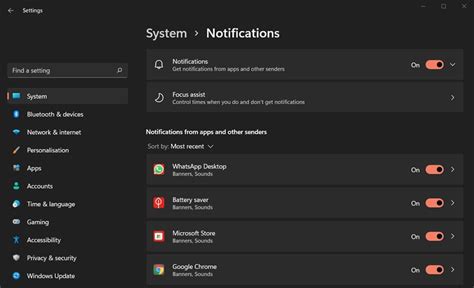
Combining these methods allows you to build a robust notification system tailored to your exact preferences.
Best Practices for a Curated Gaming Feed
- Be Specific: The more precise your keywords and follow lists, the better your results will be.
- Regularly Review: Games evolve, so your interests might too. Periodically review your subscriptions, alerts, and follow lists to ensure they’re still relevant.
- Combine Methods: Don’t rely on just one source. A blend of platform tools, RSS feeds, community engagement, and custom alerts will provide the most comprehensive and filtered experience.
- Mute Irrelevant Content: Utilize muting features on social media or in Discord channels to further refine your incoming information.
Conclusion
Filtering gaming news and guide updates for only your favorite games is no longer a luxury, but a necessity. By strategically employing platform-specific features, news aggregators, community hubs, and custom alerts, you can transform an overwhelming deluge of information into a precisely curated stream. This not only saves you time but ensures you’re always informed about the developments that truly enhance your personal gaming journey, allowing you to dive deeper into the worlds you love without getting lost in the noise.


