





How to find high-quality, safe game mods using community reviews & best practices?

Unlocking Your Game’s Full Potential Safely
Game modifications, or “mods,” can breathe new life into your favorite titles, offering enhanced graphics, new mechanics, additional content, and completely fresh experiences. However, the world of modding also presents potential pitfalls, from game instability and crashes to malicious software. Navigating this landscape requires diligence and a strategic approach. This guide will equip you with the knowledge to find high-quality, safe mods by leveraging community insights and adopting best practices.
Choosing Reputable Modding Platforms
The first and most crucial step in safe modding is to source your modifications from trusted platforms. Avoid obscure websites or direct downloads from forums without extensive vetting. Reputable platforms prioritize user safety, often featuring robust moderation and community feedback systems.
- Nexus Mods: Arguably the largest and most well-known modding site, Nexus Mods hosts millions of files for hundreds of games. Its extensive rating system, endorsement feature, and active comment sections make it an invaluable resource.
- Mod DB: Another long-standing platform, Mod DB focuses heavily on full conversion mods and indie games. It also features news, articles, and a strong community.
- Official Game Forums & Wikis: Many game developers foster modding communities directly on their official forums or through dedicated wikis, which can be excellent sources for curated and often developer-approved mods.
- Specific Game Communities: For certain games (e.g., Minecraft, Grand Theft Auto V), dedicated community hubs or launchers have emerged as primary modding sources. Always research the reputation of these specific hubs.
Decoding Community Reviews and Ratings
Once you’re on a reputable platform, the community itself becomes your most powerful tool. Learning to effectively interpret reviews, ratings, and discussions can save you countless hours of troubleshooting and protect your system.
Key Indicators of a Quality Mod:
- High Rating and Endorsements: A mod with a high star rating and a significant number of endorsements (or ‘likes’) from other users is generally a good sign. This indicates that many people have used it and found it satisfactory.
- Active User Comments: Dive into the comments section. Look for feedback on stability, performance impact, compatibility with other popular mods, and ease of installation. A mod with many positive, detailed comments is often reliable. Conversely, a stream of bug reports or complaints about conflicts is a red flag.
- Mod Author’s Reputation: Check the author’s profile. Do they have a history of releasing well-received mods? Are they responsive to bug reports and questions in the comments? An active, engaged author is a strong indicator of ongoing support and quality.
- Update Frequency and Version Compatibility: A mod that receives regular updates demonstrates ongoing support and adaptation to new game patches. Ensure the mod explicitly states compatibility with your game version.
- Number of Downloads: While not a guarantee of quality, a high number of downloads often correlates with stability and widespread testing by the community.

Essential Safety Practices Before Installation
Even with positive community feedback, adopting personal safety measures is paramount. Prevention is always better than cure when it comes to potential game instability or system compromise.
- Read the Mod Description Thoroughly: Do not skip this step! Mod descriptions contain vital information about requirements (other mods, DLCs), installation instructions, known conflicts, and potential performance impacts.
- Check for Compatibility: Verify the mod is designed for your specific game version. An outdated mod can cause crashes or corrupted saves.
- Use a Virus Scanner: Before extracting or installing any downloaded mod archive, scan it with up-to-date antivirus software. While reputable sites try to filter out malware, an extra layer of protection is always wise.
- Backup Your Game Saves and Installation: This is non-negotiable. Before installing any new mod, especially large or complex ones, back up your current game saves and, ideally, your entire game installation. This allows you to revert if something goes wrong.
- Employ a Mod Manager: For games with extensive modding scenes (e.g., Skyrim, Fallout), a mod manager (like Vortex, Mod Organizer 2, or specific game launchers) is invaluable. They streamline installation, help identify conflicts, enable easy activation/deactivation, and facilitate clean uninstallation.
- Install Mods One By One: When installing multiple mods, add them incrementally. Install one, test your game, then install the next. This makes it significantly easier to pinpoint which mod is causing a problem if one arises.
Spotting Red Flags and Avoiding Scams
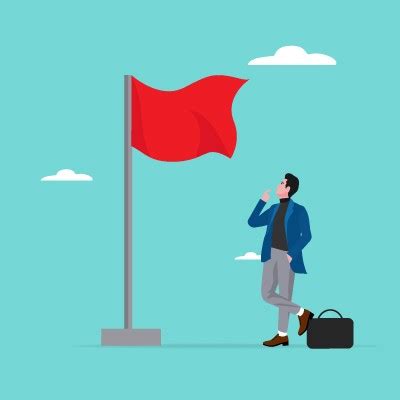
While most modders operate in good faith, it’s essential to be aware of potential red flags that could indicate a problematic or malicious mod.
- No Comments or Ratings on an Older Mod: If a mod has been available for a while but has very few (or no) comments or ratings, especially for a popular game, exercise caution.
- Vague or Unprofessional Descriptions: A lack of detail, poor grammar, or promises that seem too good to be true can be warning signs.
- Brand New Author Accounts with High-Impact Mods: While everyone starts somewhere, be wary of a brand-new user account releasing a highly complex or system-altering mod without any prior history or community engagement.
- Suspicious File Names or Sizes: If a mod claiming to be a small texture pack has an unusually large file size, or if file names seem cryptic or unrelated, proceed with extreme caution.
- Requests for Personal Information: A legitimate mod will never ask for your passwords, credit card details, or other sensitive personal information.
Contributing to a Healthy Modding Ecosystem
Being a responsible mod user also involves contributing back to the community that makes these enhancements possible. By actively participating, you help maintain the quality and safety of the modding landscape for everyone.
- Leave Endorsements and Positive Reviews: If you enjoy a mod, endorse it and leave a helpful comment. This encourages mod authors and guides other users.
- Report Bugs Responsibly: If you encounter an issue, report it clearly and concisely, providing as much detail as possible (game version, other mods used, steps to reproduce).
- Support Mod Authors: Many mod authors accept donations or have Patreon accounts. If a mod significantly enhances your gaming experience, consider supporting their work.

Conclusion
Modding offers an incredible avenue for extending the life and enjoyment of your video games. By adhering to best practices—starting with reputable sources, diligently analyzing community feedback, implementing robust safety measures, and recognizing potential threats—you can confidently explore the vast world of game modifications. Embrace the journey of customization responsibly, and unlock truly unique and enhanced gaming experiences, free from worry.

