





How to get essential gaming news & patch updates without alert fatigue?
In the fast-paced world of gaming, staying up-to-date with the latest news, game announcements, and critical patch updates can feel like a full-time job. Developers are constantly releasing new content, balance changes, and bug fixes, all while the broader gaming industry churns out headlines. For dedicated players, missing a vital update can mean falling behind in competitive play or simply missing out on exciting new features. However, the sheer volume of information can quickly lead to what’s known as ‘alert fatigue’ – a state of being overwhelmed by constant notifications and information overload, causing you to tune out even the most important updates.
The Challenge of Information Overload
The problem isn’t a lack of information, but an abundance of it. Every game publisher, developer, and gaming news outlet is vying for your attention. Social media feeds are a constant stream, email inboxes overflow with newsletters, and push notifications ping non-stop. This digital deluge often leads to players either missing crucial updates amidst the noise or feeling so drained by the constant influx that they actively avoid seeking out information, even if it’s essential. The key is to filter the signal from the noise, creating a personalized system that delivers exactly what you need, when you need it, without the burnout.

Curated Sources: Quality Over Quantity
The first step to combating alert fatigue is to be selective about your information sources. Instead of relying on a broad sweep, identify a few reputable and reliable channels:
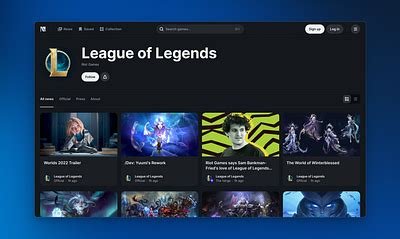
- Official Developer Blogs & Websites: For specific games you play, the most accurate and timely patch notes and major announcements will always come directly from the source. Bookmark these pages and check them proactively.
- Reputable Gaming News Outlets: Choose 2-3 gaming journalism sites known for their accuracy, depth, and ability to summarize complex information effectively. Avoid sites that prioritize clickbait over substance.
- Dedicated Content Creators: Find a few specific YouTubers, streamers, or podcasters who specialize in your game or genre and provide well-researched summaries and analyses.
Smart Aggregation & Community Hubs
Once you’ve identified your preferred sources, the next step is to aggregate them efficiently:
- RSS Feeds: For websites with RSS support, use an RSS reader to consolidate all your chosen news feeds into one clean, digestible stream. This allows you to browse headlines at your leisure without being bombarded by individual site designs or ads.
- Discord Servers & Reddit: Many games have active Discord communities and subreddits. These can be excellent for real-time discussions and quick summaries of news. However, tread carefully: mute channels you don’t need, use dedicated news bots (like those that pull patch notes), and filter your Reddit feed to minimize casual chatter.
- Newsletter Subscriptions: Some developers or news sites offer weekly or monthly newsletters that summarize the most important updates. This is a great way to get a condensed overview without daily pings.
Optimizing Your Notifications
The core of alert fatigue is, naturally, the alerts themselves. Take control of your notification settings:
- Turn Off Non-Essential Push Notifications: Do you really need a phone notification every time a gaming site publishes a new article? Likely not. Prioritize only critical alerts, if any, for highly time-sensitive information.
- Schedule Your Check-ins: Instead of reacting to every notification, dedicate specific times each day or week to check your curated news sources, RSS feed, or community hubs. This proactive approach puts you in control.
- Utilize In-Game News Feeds: Many modern games include an in-game news section, often on the main menu. These are frequently updated with patch notes and major announcements directly relevant to your gameplay.
- Smart Filtering in Email/Apps: Use email rules to direct gaming newsletters to a specific folder you check periodically. For chat apps like Discord, learn to customize server notification settings heavily.
Leveraging Specific Tools & Platforms
A variety of tools can aid your quest for streamlined news:
- Dedicated Gaming News Apps: Some apps are designed to aggregate gaming news from multiple sources and allow for extensive customization and filtering based on your preferred games and genres.
- Discord Bots: Many Discord servers employ bots that automatically post patch notes, official announcements, or news from specific sources into a dedicated channel. This keeps the information contained and easy to review.
- Customizable Browser Extensions: For very specific needs, some browser extensions can monitor changes on specific web pages (like a developer’s patch notes page) and notify you when an update occurs, without requiring a full RSS feed.

Building Your Personalized Strategy
Ultimately, the best approach is a combination of methods tailored to your individual gaming habits and preferred level of engagement. Experiment with different strategies until you find a rhythm that feels informative without being overwhelming. Start by unsubscribing from unnecessary newsletters, muting noisy channels, and bookmarking the official sources for your top 1-2 games. Gradually build a more sophisticated system from there.
By taking a proactive and selective approach to gaming news and patch updates, you can stay perfectly informed about the games you love, without succumbing to the dreaded alert fatigue. Enjoy your games more, and spend less time sifting through irrelevant noise.



