





How to get personalized gaming news & instant game update alerts?

In the fast-paced world of gaming, staying informed is key. New titles are announced, patches drop, esports events unfold, and industry news breaks at a dizzying pace. Sifting through this deluge of information to find what truly matters to you can be a challenge. Fortunately, with the right strategies and tools, you can cut through the noise and ensure you receive personalized gaming news and instant updates for the games you care about most.
The Need for Curated Gaming Information
Gone are the days of relying solely on general gaming magazines or broad news websites. Today’s gamers demand relevance and immediacy. Whether it’s a critical patch for your favorite online multiplayer game, a new DLC announcement for a beloved single-player experience, or a sudden flash sale on a title you’ve been eyeing, getting this information quickly can enhance your gaming experience, save you money, and keep you competitive. Manual searching is inefficient; the goal is to have the news come directly to you.

Leveraging Gaming News Aggregators & Dedicated Apps
One of the most straightforward ways to personalize your news stream is through dedicated gaming news aggregators and apps. Many prominent gaming websites offer their own applications that allow users to customize their feed based on genres, platforms, or specific game titles. Services like IGN, GameSpot, PC Gamer, or specific console apps (e.g., PlayStation App, Xbox App) often include:
- Customizable Feeds: Select your preferred games or topics to see only relevant articles.
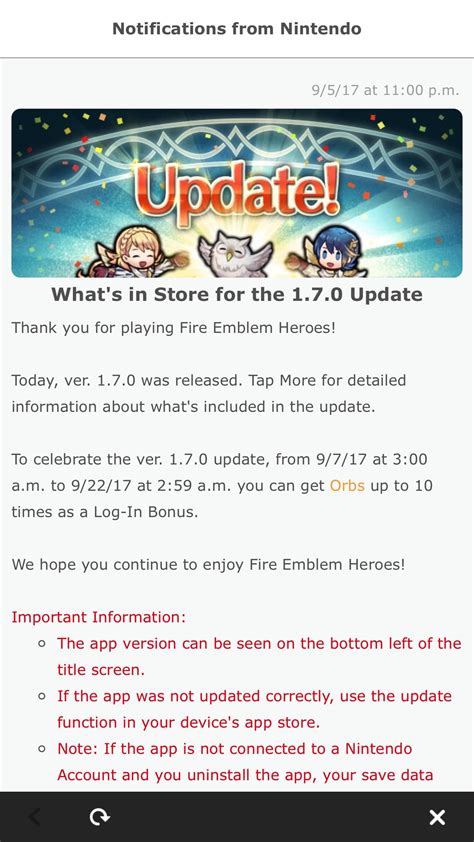
- Push Notifications: Receive alerts for major news, reviews, or updates directly on your mobile device.
- Watchlists/Wishlists: Track specific games for news or price drops.
General news aggregators like Google News can also be tailored. By following specific gaming outlets, developers, or even individual game titles, Google’s algorithm will learn your preferences and prioritize related content in your personalized feed.
Official Publisher & Developer Channels
For the most accurate and immediate updates, going directly to the source is often the best approach. Publishers and developers have a vested interest in keeping their players informed. Here’s how to tap into their official channels:
- Newsletters: Sign up for email newsletters directly from your favorite game developers or publishers. These often contain exclusive insights, patch notes, and early announcements.
- Official Websites & Blogs: Many studios maintain dedicated news sections or blogs. Some offer RSS feeds, which you can subscribe to using an RSS reader for consolidated updates.
- In-Game News: Don’t overlook the news sections built directly into games or their launchers. These are often the first place critical update information appears.

The Power of Social Media & Community Platforms
Social media has become an indispensable tool for real-time gaming news. Following the right accounts can provide instant alerts and direct engagement with developers.
- Twitter: Follow official game accounts, developers, esports organizations, and reputable gaming journalists. Utilize Twitter Lists to organize these accounts and quickly scan for updates. Many developers use Twitter for immediate hotfix announcements or server status updates.
- Reddit: Subscribe to specific game subreddits (e.g., r/Minecraft, r/DestinyTheGame) or broader gaming subreddits (e.g., r/Games). Communities are often quick to share and discuss news, patch notes, and leaks.
- Discord: Join official game servers or large community servers. Discord channels are excellent for instant notifications regarding patch notes, developer Q&As, and event announcements. Many servers offer roles that allow you to opt-in for specific types of notifications.

Specialized Tools & Platform Features
Beyond general news sources, gaming platforms themselves offer features designed to keep you updated:
- Steam, Epic Games Store, GOG, etc.: Use their wishlist features to get notifications about sales or major updates for games you own or are interested in. Many platforms also have ‘Follow’ options for game pages, sending you alerts.
- YouTube & Twitch: Subscribe to channels of developers, content creators, or gaming news outlets. Many creators break down patch notes or cover live events, offering both news and analysis. Set notifications for specific channels.
- IFTTT (If This Then That): For advanced users, IFTTT can automate alerts. For example, you could set up an applet to send you a notification if a specific keyword appears on a developer’s blog or a particular subreddit.
Optimizing Your Information Stream
While having many options is good, it’s crucial not to overload yourself. Too many notifications can lead to alert fatigue. Here are tips for optimizing your personalized gaming news:
- Curate Your Sources: Regularly review who you follow and what newsletters you receive. Unfollow or unsubscribe from sources that no longer provide value.
- Prioritize Notifications: Adjust notification settings in apps and social media to differentiate between critical alerts (e.g., game updates) and less urgent news.
- Leverage Mobile Apps: Many of the aforementioned services have mobile apps, ensuring you get updates even when away from your gaming rig.
- Be Selective: Focus on a few core games or genres that truly matter to you for the deepest level of personalization.
Conclusion
Staying on top of the latest gaming news and receiving instant updates for your favorite titles no longer requires endless searching. By strategically utilizing gaming news aggregators, subscribing to official channels, engaging with community platforms, and leveraging specialized tools, you can build a highly personalized and efficient information stream. Take control of your gaming news, and ensure you’re always in the loop for what matters most to your gaming experience.



