





How to identify high-quality, community-vetted game mods & avoid common issues?
Navigating the World of Game Mods
Game modding offers an incredible way to extend gameplay, enhance graphics, or even completely transform your favorite titles. From minor tweaks to massive overhauls, the creativity of the modding community knows no bounds. However, with thousands of mods available across various platforms, distinguishing high-quality, stable, and safe mods from problematic ones can be a daunting task. The key lies in understanding how to leverage community vetting and identify crucial indicators of a well-made mod.

The Power of Community Vetting
The gaming community is your best friend when it comes to modding. Millions of players worldwide actively download, test, and provide feedback on mods. This collective experience creates a powerful vetting system that can highlight a mod’s strengths and weaknesses long before you even consider installing it.
Why Community Vetting Matters:
- Bug Identification: Thousands of eyes can spot bugs and incompatibilities much faster than a single developer.
- Compatibility Checks: Users report how well a mod works (or doesn’t) with other popular mods, saving you troubleshooting time.
- Long-Term Support: Community feedback often encourages mod authors to maintain and update their creations.
- Performance Insights: Players share experiences regarding performance impact, helping you gauge if your system can handle it.
Key Indicators of a High-Quality Mod
When browsing for mods, look for several signs that suggest a mod is well-made and maintained:
- Active Development & Support: Check the ‘Last Updated’ date. Recently updated mods indicate active maintenance. Read comments to see if the author responds to queries and bug reports.
- Clear & Comprehensive Documentation: High-quality mods come with detailed descriptions, clear installation instructions, a list of features, known issues, and often a FAQ or troubleshooting guide.
- Positive Community Engagement: Look for a high number of positive comments, endorsements, and user testimonials. Engagement in the comments section can also reveal how responsive the mod author is.
- High Endorsement/Download Count: A large number of downloads and endorsements (e.g., ‘Kudos’ on Nexus Mods) usually signifies that many users have found the mod enjoyable and stable.
- Detailed Compatibility Information: Good mod authors will explicitly state what their mod is compatible or incompatible with, often recommending load order or patches for specific conflicts.

How to Identify Community-Vetted Mods
Beyond the surface-level indicators, actively seeking out community vetting is crucial:
- Read Comments and Reviews: This is your most direct source of information. Look for common issues, workarounds, and positive experiences. Pay attention to how the author interacts with their community.
- Check Dedicated Forums & Subreddits: Game-specific modding communities (e.g., r/skyrimmods, official game forums) often feature discussions, recommendations, and problem-solving threads for popular mods. Search for the mod’s name there.
- Browse Mod Packs & Curated Collections: Many modding communities create and maintain curated lists or ‘mod packs’ (e.g., Wabbajack for Bethesda games). These collections are usually rigorously tested for stability and compatibility.
- Utilize Reputable Modding Websites: Platforms like Nexus Mods, ModDB, and official game developer forums are generally reliable. Avoid downloading from obscure or untrusted sites.

Common Issues to Avoid When Modding
Even with careful selection, modding can sometimes lead to issues. Being aware of these common pitfalls can help you avoid them:
- Outdated Mods: Mods for older game versions can cause crashes or not function at all with newer game patches. Always ensure the mod is compatible with your current game version.
- Conflicting Mods: Two or more mods trying to alter the same game files or systems can lead to crashes, bugs, or unexpected behavior. Use mod managers to detect and resolve conflicts.
- Malware or Viruses: While rare on reputable sites, always be cautious. Only download from trusted sources and consider running a quick scan if you’re ever in doubt.
- Performance Hits: Graphically intensive mods or those adding many new features can significantly impact your game’s performance, especially on older hardware. Read user feedback about performance.
- Broken Game Saves: Installing, uninstalling, or updating certain mods can corrupt save files. Always back up your saves before making significant mod changes.
Best Practices for a Smooth Modding Experience
To minimize issues and maximize your enjoyment, adopt these habits:
- Backup Your Game Files & Saves: Before installing any mods, always create a backup of your game installation and save files.
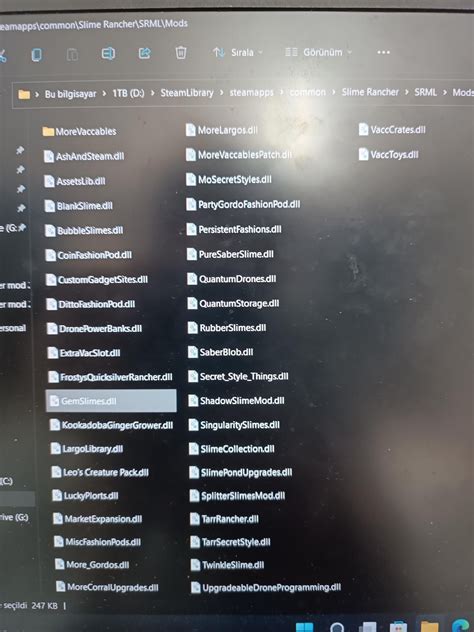
- Use a Mod Manager: Tools like Mod Organizer 2, Vortex, or Frosty Mod Manager simplify installation, uninstallation, updates, and conflict resolution, making your life significantly easier.
- Install One Mod at a Time: Especially when starting out, install mods individually and test your game after each installation. This makes it easier to pinpoint the source of any issues.
- Read Everything Thoroughly: Do not skip the mod description, installation instructions, requirements, and bug reports. This information is critical for success.
- Contribute to the Community: If you encounter a bug, report it. If you find a solution, share it. Positive community engagement benefits everyone.

Conclusion
Modding can breathe new life into your favorite games, offering countless hours of extended enjoyment. By understanding how to identify high-quality, community-vetted mods and adopting best practices, you can navigate the vast world of modifications with confidence, ensuring a more stable, enjoyable, and issue-free gaming experience. Trust the community, do your research, and happy modding!

