How to identify trustworthy mod sources and avoid malware in gaming communities?
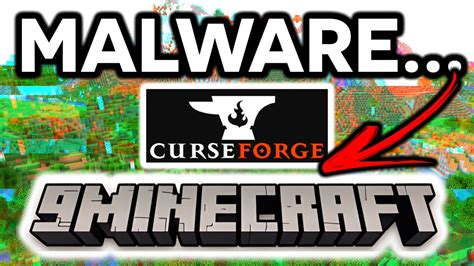
Modding has long been a vibrant part of PC gaming, allowing players to enhance graphics, add new features, fix bugs, or even create entirely new experiences. From minor tweaks to massive overhauls, mods can breathe new life into beloved titles. However, the open nature of modding communities also presents risks. Unregulated sources can harbor malicious software, turning an exciting game enhancement into a security nightmare. This guide will walk you through identifying trustworthy mod sources and adopting best practices to keep your gaming PC safe from malware.
The Double-Edged Sword of Modding
On one hand, mods offer incredible customization and longevity for games. They can extend gameplay, introduce quality-of-life improvements, or even fix issues that developers never addressed. The creativity and dedication of modding communities are a testament to the passion gamers have for their favorite titles.
On the other hand, the very freedom that enables modding also opens doors for malicious actors. Without proper vetting, a downloaded mod could contain viruses, spyware, ransomware, or other forms of malware designed to compromise your system, steal personal information, or damage your files. Therefore, understanding how to navigate these waters safely is paramount for any gamer looking to explore the modding scene.
Identifying Trustworthy Mod Sources
The foundation of safe modding lies in selecting reliable platforms and understanding what makes a mod developer credible. Here are key indicators:
Reputable Modding Platforms
- Nexus Mods: One of the largest and most well-established modding sites, known for its extensive library, active community, and generally good moderation.
- Steam Workshop: Integrated directly into Steam, offering a convenient and often curated experience for games that support it. While generally safer, vigilance is still advised.
- CurseForge: Popular for games like World of Warcraft and Minecraft, CurseForge is known for its robust client and strong community support.
- Official Developer Forums/Websites: Sometimes, game developers host or endorse mods directly on their official platforms, which are usually very safe.
Active Community and Reviews
A strong community presence is a massive green flag. Look for:
- High Ratings & Endorsements: Mods with many positive ratings and endorsements from a large user base are generally safer.
- Active Comment Sections: Read comments for user experiences, bug reports, and crucially, any warnings about malware or instability.
- Forum Discussions: Trustworthy mods often have dedicated threads where users discuss issues and solutions, and the modder actively participates.

Modder’s Reputation and Transparency
- History of Contributions: A modder with a history of creating popular, well-received, and safe mods is more trustworthy.
- Clear Communication: Reputable modders are usually transparent about their mod’s features, installation process, known bugs, and update schedule.
- Source Code (for some mods): For highly technical or security-sensitive mods, the availability of source code allows experienced users to verify its safety.
Red Flags and Warning Signs to Watch For
Knowing what to avoid is just as important as knowing what to seek. Be wary of these indicators:
- Suspicious Websites: Avoid sites with excessive pop-ups, generic design, lack of SSL (no ‘https’ in the URL), or those that demand you disable security features.
- Lack of Information: Mods with vague descriptions, no screenshots, or minimal installation instructions should raise immediate suspicion.
- Excessive Permissions: If a mod requires unusual or unnecessary permissions (e.g., a simple texture mod asking for network access), be extremely cautious.
- Executable Files or Obscure Archives: Be very careful with direct executable (.exe) files or unusual archive types (.rar, .7z) that claim to be a mod installer, especially from unknown sources. Always prefer documented installation methods.
- “Too Good To Be True” Claims: Mods promising instant wins, infinite resources, or bypassing DRM are highly likely to be malicious or illegal.
Best Practices for Modding Safely
Even when using trusted sources, a cautious approach is best. Integrate these habits into your modding routine:
- Backup Your Game Files: Before installing any major mod, especially those that alter core game files, back up your save games and potentially the entire game directory.
- Use Reliable Antivirus and Antimalware Software: Keep your security software up-to-date and perform scans on any downloaded mod files before installation.
- Research Thoroughly: Don’t just download the first mod you see. Spend time reading reviews, forum discussions, and external articles about the mod and its creator.
- Start Small and Test: Install mods one at a time and test your game thoroughly after each installation to identify any conflicts or issues immediately.
- Isolate Modded Games (Advanced): For highly modded games, consider creating separate game installations or using mod managers that handle isolated profiles to prevent conflicts with unmodded versions or other games.
- Stay Updated: Keep your mod managers and game clients updated, as these often include security patches and improvements.

Conclusion
Modding can significantly enrich your gaming experience, but it requires a conscious effort to stay safe. By sticking to reputable sources, scrutinizing modders’ reputations, recognizing red flags, and adopting robust security practices, you can enjoy the vast world of modifications without falling victim to malware. Vigilance is your best defense in the exciting, yet sometimes risky, landscape of gaming communities.