How to make gaming guides easily scannable for specific solutions on mobile?
The Mobile Challenge: Why Scannability is King
In the fast-paced world of mobile gaming, players often need quick answers. Whether stuck on a boss, searching for a hidden item, or understanding a complex mechanic, they turn to guides. However, a lengthy, unformatted guide on a small screen can be frustrating. The key to a successful mobile gaming guide isn’t just comprehensive information, but how easily that information can be found and digested.
Mobile users are typically on the go, seeking instant gratification. This means guides must be designed for scannability, allowing users to pinpoint specific solutions without endless scrolling or deciphering dense text. Our goal is to transform a wall of text into an intuitive resource, making every tap count.

Strategic Formatting for On-the-Go Gamers
The foundation of a scannable mobile guide lies in its structure. Think of your guide as a series of signposts leading to the solution. Each element should guide the user efficiently and directly to their answer.
1. Clear and Descriptive Headings (H2, H3)
Use headings liberally to break down your content into logical, bite-sized sections. Headings should be descriptive, telling the user exactly what they’ll find below. For example, instead of a vague “Chapter 3,” opt for “Boss Fight: The Shadow Lurker – Phase 2 Strategy” or “Finding All Starfruit in Level 7.” These explicit titles act as mini-headlines, guiding the eye.
2. Concise Paragraphs and Bullet Points
Long, dense paragraphs are mobile death. Aim for 2-4 sentences per paragraph to maintain visual breathing room. When detailing steps, item lists, or crucial tips, switch to bullet points or numbered lists. This immediately improves readability and helps users quickly parse information, making complex data digestible at a glance.
- Keep sentences short and direct for clarity.
- Break down complex ideas into individual, easily scannable points.
- Use bold text for key terms, actions, or names to draw attention.

3. Implementing a Navigable Table of Contents
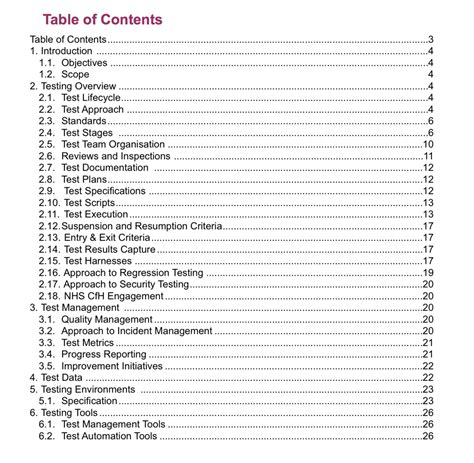
For longer guides with multiple sections, a fixed or collapsible table of contents at the top (or accessible via a sidebar menu) that links to specific headings within the article is invaluable. This allows users to jump directly to the section they need without endless scrolling. Ensure these anchor links work flawlessly and load quickly on mobile browsers.
Visual Cues and User Experience (UX)
Beyond text, strategic visual elements and smart user experience (UX) choices can significantly enhance a guide’s scannability and overall usability for mobile gamers.
1. Use Bold Text and Highlights Judiciously
While over-bolding can create clutter, strategically bolding keywords, character names, item names, or critical actions draws the eye to important information. Consider using highlights (if your platform supports it, or simple strong tags) for warnings, crucial tips, or key takeaways that players absolutely cannot miss.
2. Interactive and Collapsible Sections (Accordions)
For detailed sub-sections that aren’t critical for every reader (e.g., a comprehensive list of all item locations, optional side quests), consider using accordions or collapsible content blocks. This hides less immediately critical information, reducing initial screen clutter, but makes it easily accessible with a single tap when needed, offering a cleaner initial view.

3. Prioritize Mobile-First Design
Always test your guides on various mobile devices (smartphones, tablets) and different screen sizes. What looks good on a desktop can be a nightmare on a phone. Ensure text is appropriately sized for readability, buttons and links are tap-friendly, and there’s adequate spacing between elements to prevent accidental taps. Responsive design isn’t just a buzzword; it’s essential for mobile usability and player satisfaction.
Conclusion: Empowering Players with Fast Answers
Making gaming guides easily scannable on mobile isn’t just about good design; it’s about respecting your users’ time and empowering them to overcome challenges quickly. By focusing on clear structure, concise content, intuitive navigation, and mobile-friendly formatting, you transform a simple guide into an indispensable, go-to tool for any mobile gamer looking for rapid solutions. Ultimately, a well-formatted guide ensures players spend less time searching and more time gaming.