





How to optimize gaming PC cooling & prevent overheating?

Why Optimal Cooling is Crucial for Your Gaming PC
For any serious gamer, a high-performance PC is essential. But raw power comes with a significant challenge: heat. Modern CPUs and GPUs generate substantial heat during intense gaming sessions, which, if not managed correctly, can lead to performance throttling, system instability, and even permanent hardware damage. Optimizing your PC’s cooling system isn’t just about preventing crashes; it’s about maximizing performance, extending component lifespan, and ensuring a smooth, uninterrupted gaming experience.
This guide will walk you through the most effective strategies to keep your gaming rig frosty, from fundamental airflow principles to advanced cooling solutions and maintenance tips.
![PC Airflow Optimization [A Perfect Guide for Your PC Fans]](/images/aHR0cHM6Ly90czEubW0uYmluZy5uZXQvdGg/aWQ9T0lQLlFFa2xHNC1kWUpyNFcxb0ZTNGx1ZlFBQUFBJnBpZD0xNS4x.webp)
Mastering Airflow: The Foundation of Cool
The most fundamental aspect of PC cooling is proper airflow within your case. Think of your PC case as a wind tunnel: you want cool air to enter, circulate efficiently over heat-generating components, and then expel the hot air. This requires a balanced approach to fan placement and configuration.
Fan Configuration and Placement:
- Intake Fans: Typically located at the front and bottom of the case, these fans draw cooler ambient air into the system.
- Exhaust Fans: Usually positioned at the rear and top of the case, these fans push hot air out of the system.
- Positive Pressure: More air intake than exhaust. This can help prevent dust buildup by forcing air out through small gaps, but requires good dust filters.
- Negative Pressure: More air exhaust than intake. While it might remove hot air quickly, it can draw unfiltered air and dust into the case through unsealed openings.
- Balanced Pressure: Aim for a slight positive pressure to keep dust out while maintaining effective airflow.
Ensure your case has enough fan mounts and that your fans are installed in the correct orientation to create a clear path for air movement.
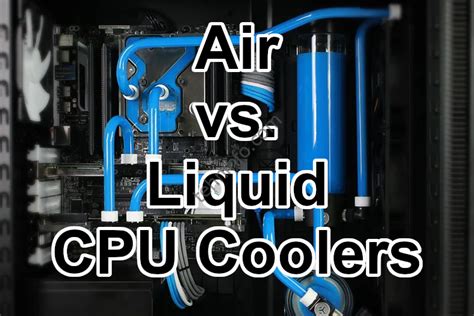
CPU Cooling Solutions: Air vs. Liquid
Your CPU is the brain of your gaming PC, and it gets hot! Choosing the right CPU cooler is critical for stable performance. You generally have two main options:
Air Coolers:
- How they work: A heatsink with fins dissipates heat from the CPU, and a fan blows air through the fins to carry the heat away.
- Pros: Generally more affordable, reliable (fewer moving parts), and often sufficient for most CPUs.
- Cons: Can be large and heavy, potentially obstructing RAM slots or putting strain on the motherboard. Performance might lag behind high-end liquid coolers.
All-in-One (AIO) Liquid Coolers:
- How they work: A pump circulates coolant through a water block on the CPU, which then carries heat to a radiator where fans dissipate it.
- Pros: Excellent cooling performance, often quieter than high-end air coolers, and can look aesthetically pleasing.
- Cons: More expensive, involves a pump (another point of failure), and installation can be slightly more complex.
Regardless of your choice, ensure you use quality thermal paste and apply it correctly for optimal heat transfer from the CPU to the cooler.
GPU Cooling: Keeping the Graphics Card Chill
The GPU is often the hottest component in a gaming PC, especially under load. While most GPUs come with their own sophisticated cooling solutions, you can still aid their performance:
- Ensure good airflow: Make sure no cables or other components are blocking the GPU fans or heatsink.
- Vertical GPU Mount (if applicable): Some cases allow for vertical GPU mounting, which can improve airflow depending on the case design. However, be mindful of how close it is to the side panel glass.
- Undervolting: This advanced technique reduces the voltage supplied to the GPU while maintaining similar clock speeds, significantly reducing heat output and power consumption with minimal performance impact.

The Little Things That Matter: Cable Management & Dust Prevention
Cable Management:
Cluttered cables obstruct airflow, creating hot pockets and hindering the efficiency of your fans. Take the time to route cables neatly behind the motherboard tray or along the case frame. Use zip ties or Velcro straps to keep them bundled and out of the direct path of air.
Dust Prevention & Regular Cleaning:
Dust is a thermal insulator and a fan killer. Over time, dust buildup on heatsinks, fans, and inside the case significantly reduces cooling efficiency.
- Dust Filters: Ensure your case has filters on all intake vents and clean them regularly (monthly).
- Regular Cleaning: Every few months, power down your PC, unplug it, and use compressed air to blow out dust from heatsinks (CPU and GPU), fans, and inside the case. Hold fans still while cleaning to prevent over-spinning.
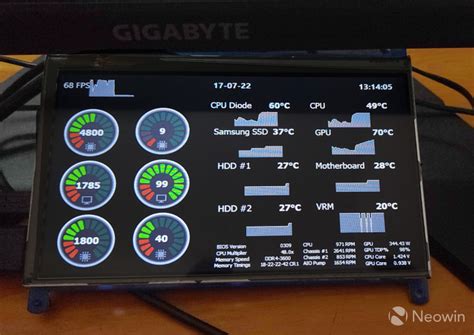
Monitoring & Environment: Staying Informed
- Temperature Monitoring Software: Use tools like HWMonitor, MSI Afterburner, or NZXT CAM to keep an eye on your CPU and GPU temperatures, especially during gaming. Learn what ‘normal’ temperatures are for your components and identify when they are running too hot.
- Room Temperature: The ambient temperature of your room directly impacts your PC’s cooling. A cooler room means cooler intake air, leading to lower component temperatures.
Conclusion
Optimizing your gaming PC’s cooling is a continuous process that involves a combination of hardware choices, careful setup, and diligent maintenance. By implementing proper airflow, choosing effective CPU and GPU cooling solutions, managing your cables, and regularly cleaning your system, you can ensure your rig performs at its peak, remains stable, and enjoys a longer, healthier life. A cool PC isn’t just a powerful PC; it’s a reliable and enjoyable gaming companion.


