





How to optimize PC airflow for cooler gaming temps and prevent throttling?
The Silent Performance Killer: Why Airflow Matters
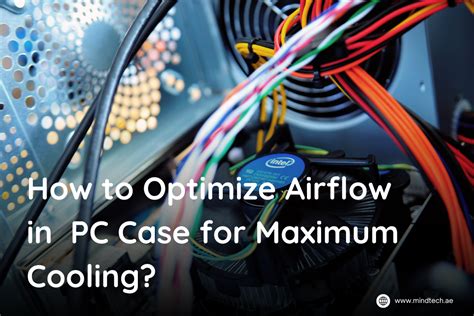
In the relentless pursuit of high frame rates and immersive gaming experiences, PC enthusiasts often focus on powerful CPUs, state-of-the-art GPUs, and ample RAM. However, one critical element often overlooked, yet profoundly impactful, is PC airflow. Optimized airflow isn’t just about keeping your components cool; it’s about unlocking their full potential, preventing thermal throttling, and extending the lifespan of your valuable hardware. When temperatures rise, your components automatically reduce their clock speeds to prevent damage, leading to frustrating performance dips and stuttering – a phenomenon known as thermal throttling.
Understanding the Fundamentals of PC Airflow
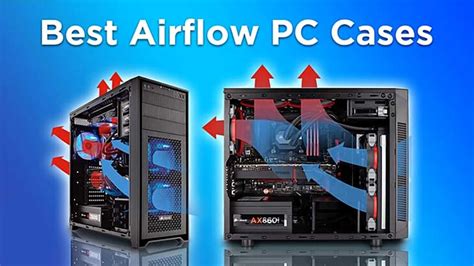
Effective airflow hinges on creating a consistent path for cool air to enter your case and hot air to exit. This is typically achieved through a balance of intake and exhaust fans. The goal is to establish either a “positive” or “negative” air pressure system within your case.
- Positive Pressure: More air is pushed into the case than is pulled out. This helps to prevent dust from entering through unfiltered openings, as air is constantly trying to escape.
- Negative Pressure: More air is pulled out of the case than is pushed in. While potentially drawing in more dust through unfiltered gaps, it can be effective for quickly expelling heat, especially from a hot GPU.
Most experts recommend a slight positive pressure to minimize dust buildup while maintaining excellent cooling.
Strategic Fan Placement and Types
The placement and type of fans are paramount to achieving optimal airflow. Think of your PC case as a wind tunnel:
- Front/Bottom Intake: These fans draw cool air from outside the case, typically across your storage drives and towards your GPU.
- Rear/Top Exhaust: These fans expel hot air, especially from the CPU cooler and VRM area, out of the case. Hot air naturally rises, making top exhaust fans highly efficient.
When selecting fans, consider their size (120mm or 140mm are common), RPM, and static pressure vs. airflow rating. Static pressure fans are better for pushing air through restrictive areas like radiators, while airflow-optimized fans excel at moving large volumes of air in open spaces.
The Impact of Cable Management and Component Choice
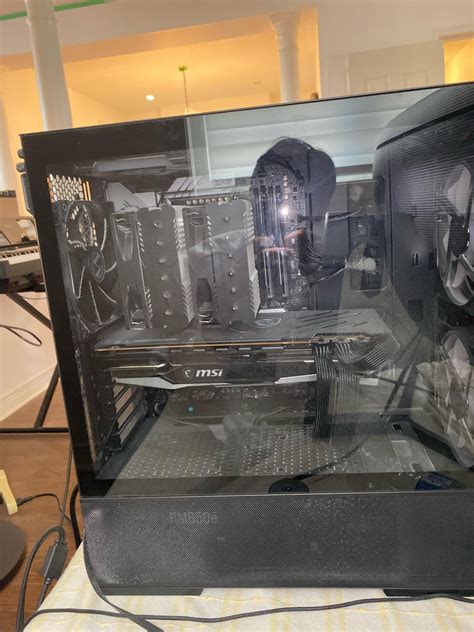
Even the best fan configuration can be sabotaged by poor internal layout. Cluttered cables create air dams, obstructing the smooth flow of air and creating hot pockets. Investing time in neat cable management, routing cables behind the motherboard tray, can significantly improve thermal performance. Similarly, the choice of CPU cooler (air cooler vs. AIO liquid cooler) and even the GPU’s cooler design (blower vs. open-air) will dictate how heat is distributed and expelled within your case.

Practical Steps for Airflow Optimization
1. Cleanliness is Key
Dust is the enemy of cooling. Over time, dust accumulates on fans, heatsinks, and vents, acting as an insulating layer and impeding airflow. Regularly (every 3-6 months) clean your PC with compressed air, paying special attention to CPU heatsinks, GPU fins, and fan blades. Consider dust filters for intake fans.
2. Optimize Fan Direction and Speed
Ensure all intake fans are pulling air *in* and all exhaust fans are pushing air *out*. Many modern motherboards and fan controllers allow you to set custom fan curves based on temperature readings. This ensures fans spin faster when components are under load and quieter during idle, balancing cooling with noise levels.
3. Mind Your Surroundings
Your PC needs space to breathe. Don’t place it in an enclosed cabinet or directly against a wall that blocks its vents. Ensure there’s ample room for air to enter and exit the case.
4. Upgrade Your Case
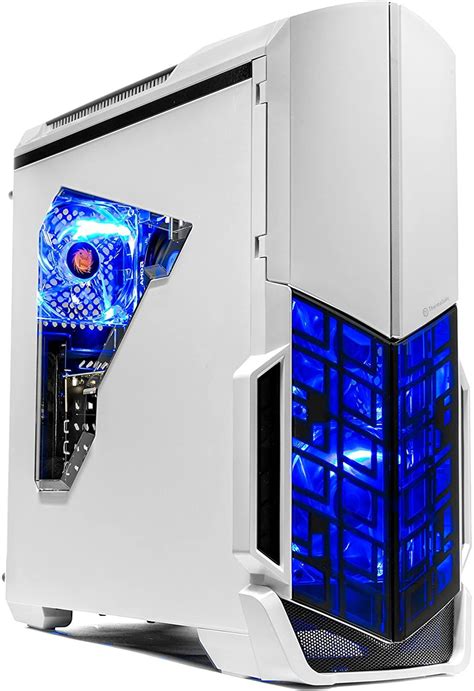
If your current PC case has poor ventilation (e.g., solid front panel with small side vents), an upgrade to a mesh-fronted, airflow-optimized case can make a dramatic difference. Modern cases often come with better built-in cable management options and support for larger fans.
Monitoring and Fine-Tuning
After making adjustments, use software like HWMonitor, MSI Afterburner, or NZXT CAM to monitor your CPU and GPU temperatures under load. Run stress tests or play demanding games for an hour or two to observe the maximum temperatures reached. If you’re still hitting high temps or experiencing throttling, consider further tweaks to fan speeds, or re-evaluate your fan configuration.
Conclusion
Optimizing PC airflow is a fundamental aspect of maintaining a healthy and high-performing gaming rig. By understanding the principles of air pressure, strategically placing fans, practicing diligent cable management, and regular cleaning, you can significantly reduce temperatures, prevent thermal throttling, and ensure your components operate at their peak efficiency for years to come. Invest the time in good airflow, and your PC will reward you with smoother gameplay and greater stability.



