





How to responsibly report mod bugs & support game mod developers?
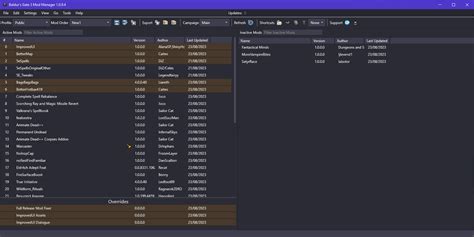
The Backbone of Gaming: Understanding Modding and Its Developers
Game modifications, or mods, breathe new life into our favorite titles, offering fresh content, improved mechanics, and countless hours of extended gameplay. These incredible additions are often the passion projects of talented individuals who dedicate countless hours, often for free, to enhance the gaming experience for millions. As players, it’s our privilege to enjoy their creations, and with that privilege comes the responsibility to interact with their work and them in a constructive and supportive manner. This guide will walk you through the proper etiquette for reporting bugs and highlight various ways you can give back to the modding community.
Before You Report: Due Diligence Is Key
Before you even think about hitting that ‘report bug’ button, a little investigative work on your part can save both you and the developer a lot of time and frustration. Many ‘bugs’ are often user error, conflicts with other mods, or already known issues.
- Read the Mod Description and FAQ: Developers often list known bugs, compatibility issues, and troubleshooting steps directly on the mod page. Don’t skip this crucial step!
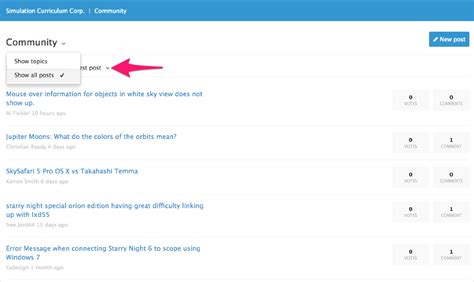
- Check for Known Issues/Conflicts: Browse the mod’s bug tracker, forum, or Discord server. Someone else might have already reported your issue, and a solution could be available.
- Test on a Clean Save/Install: If possible, try to reproduce the bug with only the problematic mod installed, on a fresh game save. This helps isolate the issue and rule out conflicts with other mods.
- Ensure You Have the Latest Version: Developers frequently release updates that fix bugs. Make sure your mod is up to date before reporting.
Crafting an Effective Bug Report
A good bug report isn’t just about saying “it’s broken”; it’s a clear, concise, and reproducible account of the problem that helps the developer diagnose and fix it. Think of yourself as a detective providing clues.
Be Specific and Clear
- What happened? Describe the observed behavior.
- When did it happen? At what point in the game or using what feature?
- Where did it happen? Specific locations, quests, or interactions.
- What did you expect to happen? Explain the intended behavior.
Provide Reproduction Steps
This is arguably the most important part. Detail the exact steps a developer can take to replicate the bug. If they can’t reproduce it, they can’t fix it. Use numbered lists for clarity (e.g., “1. Load game. 2. Go to X location. 3. Interact with Y item. 4. Observe Z crash.”).
Include System Information
Developers need context. Provide information like:
- Game version.
- A full list of all other installed mods (and their versions), preferably in load order.
- Your operating system (Windows, Linux, macOS) and version.
- Relevant hardware specifications (CPU, GPU, RAM) if the bug seems performance-related.
Attach Relevant Files
Screenshots, short video clips, crash logs, and save files (if applicable) can be invaluable. Always include log files if the game generates them, as they often contain error messages directly related to the issue.

Where to Submit Your Report
Always use the developer’s preferred method for bug reporting. This is usually specified on the mod’s description page.
- Mod Page Bug Tracker/Comments Section: Many platforms like Nexus Mods have dedicated bug reporting sections.
- Dedicated Forums or Discord Servers: Some developers prefer to manage bug reports and support through their own community hubs.
- GitHub or Similar Version Control Systems: For more technically inclined projects, developers might use issue trackers on these platforms.
Avoid sending private messages or emails unless specifically instructed. Public reporting allows other users to confirm the bug or offer solutions.
Beyond Bug Reports: How to Truly Support Mod Developers
Responsible bug reporting is just one way to show your appreciation. There are many other impactful ways to support the modding community.
Endorsements & Ratings
A simple ‘endorse’ or a positive rating on a mod’s page costs you nothing but significantly boosts the mod’s visibility and acts as a thank you to the creator.
Positive Feedback & Constructive Criticism
Share what you love about the mod! Knowing their work is appreciated is a huge motivator. If you have suggestions for improvement, offer them respectfully and constructively.
Donations
Many developers include donation links (e.g., PayPal, Patreon). If a mod has brought you immense joy, consider throwing a few dollars their way. It’s a tangible way to compensate them for their time, effort, and skill.
Share the Mod
If you love a mod, tell your friends! Sharing it on social media, in gaming communities, or with fellow players helps spread the word and grow the mod’s audience.
Be Patient and Grateful
Remember that mod developers are often hobbyists, balancing modding with their real lives. Updates take time, and not every bug can be fixed immediately. Express gratitude for their work, even when reporting an issue.

Conclusion
Game mod developers are an invaluable part of the gaming ecosystem, enriching our experiences in countless ways. By understanding how to responsibly report bugs and actively supporting their efforts, we can foster a healthier, more vibrant modding community. Your respectful interaction and appreciation can make a world of difference, ensuring that these passionate creators continue to bring their amazing visions to life for years to come.

