How to safely install game mods & troubleshoot conflicts via community guides?
Unlocking Your Game’s Full Potential Through Modding
Game modding offers an incredible avenue to refresh beloved titles, expand gameplay, enhance graphics, or even introduce entirely new mechanics. From quality-of-life improvements to massive content expansions, mods can transform your gaming experience. However, jumping into the world of modding without proper guidance can quickly lead to crashes, instability, and frustration. The key to a smooth modding journey lies in safe installation practices, understanding potential conflicts, and, most importantly, leveraging the vast knowledge shared within dedicated gaming communities.

Foundational Steps for Safe Mod Installation
Before you download your first mod, laying a solid groundwork is crucial. Ignoring these steps is a common pitfall for newcomers:
- Backup Your Game: Always create a backup of your vanilla game files or, at the very least, your save files. This ensures you can revert to a working state if something goes wrong.
- Choose Reputable Sources: Stick to well-known modding platforms like Nexus Mods, ModDB, or official game forums. These sites often have robust vetting processes and active communities that report issues.
- Read Everything: This cannot be stressed enough. Every mod comes with a description, requirements, installation instructions, and often a “Bugs” or “Posts” section. Read them thoroughly. Prerequisites like other mods, DLCs, or specific game versions are non-negotiable.
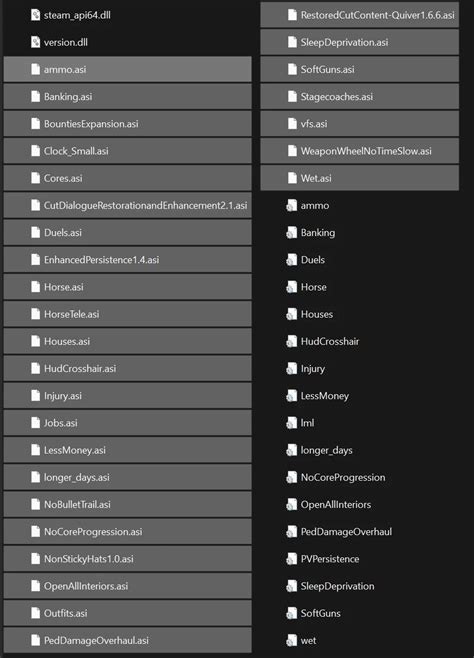
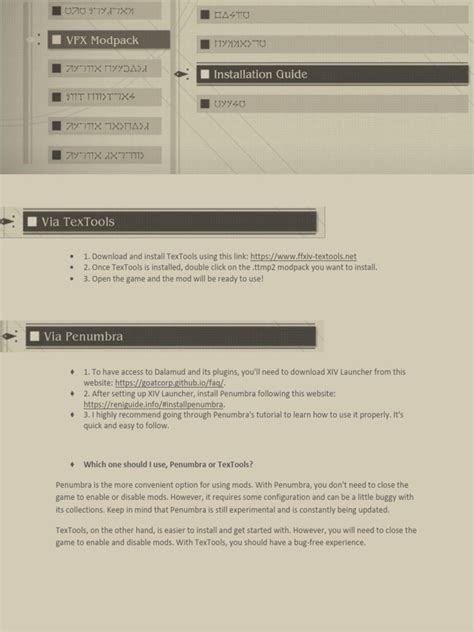
- Utilize a Mod Manager: For most modern games with extensive modding scenes (e.g., Skyrim, Fallout, Cyberpunk 2077), a mod manager like Vortex or Mod Organizer 2 (MO2) is indispensable. These tools simplify installation, tracking, updating, and uninstallation, significantly reducing the risk of manual errors and making troubleshooting much easier.
Harnessing the Power of Community Guides
The beauty of game modding lies not just in the creative work of mod authors, but also in the collaborative spirit of the community. Before embarking on a heavily modded playthrough, seek out community guides:
- Comprehensive Modding Guides: Many popular games have extensive, step-by-step modding guides curated by experienced community members (e.g., “The Midnight Ride” for Fallout 4, “STEP Project” for Skyrim). These guides often recommend specific mods, provide optimized load orders, and include detailed installation instructions, ensuring maximum compatibility and stability.
- Mod Pages & Forums: The “Posts,” “Bugs,” and “Articles” sections on individual mod pages are goldmines for troubleshooting specific issues related to that mod. You’ll often find solutions to common conflicts and compatibility patches mentioned here.
- Dedicated Subreddits & Discord Servers: Communities like r/skyrimmods, r/falloutmods, or official modding Discord servers are excellent places to ask questions, get personalized advice, and stay updated on new developments or compatibility discoveries.
- Compatibility Patches: Community guides frequently highlight essential compatibility patches designed to make two or more mods work together seamlessly. Don’t skip these!

Strategies for Troubleshooting Mod Conflicts
Even with careful installation and reliance on guides, conflicts can arise. Knowing how to identify and resolve them is a critical skill:
- Symptoms of Conflict: Common signs include game crashes to desktop (CTDs), infinite loading screens, visual glitches (T-posing, missing textures), unplayable frame rates, or quests failing to progress.
- Check Error Logs: Some games or mod managers generate error logs that can provide clues about which mod or file is causing the issue. Learn where to find them and how to interpret basic error messages.
- The Binary Search Method: This is the most reliable troubleshooting technique. If your game crashes with many mods installed, disable half of them and test. If it still crashes, the conflict is in the remaining active half. If it works, the conflict is in the disabled half. Repeat this process, halving the problematic set each time, until you isolate the offending mod or mods.
- Load Order Optimization: The order in which your mods load can significantly impact stability. Tools like LOOT (Load Order Optimisation Tool) automatically sort most mods to a logical load order. For complex setups, manual adjustments based on community recommendations might be necessary.
Advanced Tips and Best Practices
- Install Incrementally: Don’t install 50 mods at once. Install a few, test thoroughly, and ensure stability before adding more.
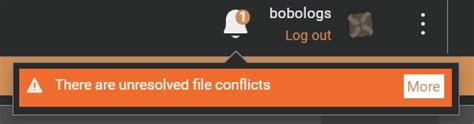
- Understand Overwrites: Mod managers show which files are being overwritten by other mods. Understanding this helps identify potential conflicts where one mod’s assets or scripts might interfere with another’s.
- Stay Updated (Cautiously): Keep your game and mod manager updated. For individual mods, always check the “Posts” or “Bugs” section before updating to ensure the new version is stable and doesn’t introduce new conflicts.
- Manual Conflict Resolution (xEdit): For advanced users, tools like xEdit (TES5Edit, FO4Edit, SSEEdit, etc.) allow you to manually view and resolve conflicts between specific mod records. This is a powerful but complex tool, best approached after significant experience.
Embrace the Modding Journey
Modding can seem daunting initially, but with patience, adherence to best practices, and a willingness to engage with the community, it transforms into an incredibly rewarding aspect of PC gaming. By starting with safe installation habits, actively using community guides, and learning systematic troubleshooting methods, you’ll unlock countless hours of new experiences in your favorite games. Remember, every experienced modder started as a beginner, and the community is usually eager to help those who show they’ve done their homework.