How to structure game guides for quick navigation and mobile-friendly access?
The Evolution of Game Guides in a Mobile-First World
In the fast-paced world of gaming, a well-structured and easily navigable game guide is no longer a luxury but a necessity. Players, increasingly accessing information on the go via mobile devices, demand instant answers and intuitive layouts. Crafting a guide that caters to both quick desktop navigation and seamless mobile access is crucial for its utility and popularity.
Core Principles for Effective Guide Structure
At the heart of any great game guide lies clarity, conciseness, and an unwavering focus on the user experience. Guides should anticipate player questions and provide answers efficiently, minimizing scrolling and maximizing comprehension. This means breaking down complex information into digestible chunks and employing logical hierarchies.
Enhancing Navigation: Making Information Accessible
Quick navigation is paramount, especially when players are stuck on a quest or looking for a specific item. Several structural elements can dramatically improve a guide’s navigability:
1. Comprehensive Table of Contents (ToC)
A clickable ToC at the beginning of the guide, utilizing anchor links to jump to specific sections, is essential. For longer guides, consider a floating or sticky ToC that remains visible as the user scrolls.
2. Hierarchical Headings and Subheadings
Use H2, H3, H4 tags logically to create a clear outline. H2 for major sections (e.g., “Main Story Walkthrough,” “Side Quests,” “Boss Strategies”), H3 for sub-sections within those, and H4 for specific details. This creates a scan-friendly structure.
3. Internal Linking
Cross-reference related topics within your guide using internal links. If you mention an item needed for a quest, link directly to its dedicated section or database entry.
4. Breadcrumbs
For multi-page guides or complex wikis, breadcrumb navigation helps users understand their current location within the broader guide structure and easily backtrack.

Designing for Mobile-First Readability
Mobile devices account for a significant portion of web traffic, making mobile-friendliness non-negotiable for game guides. Responsive design is key, ensuring your guide adapts seamlessly to different screen sizes.
1. Concise Paragraphs and Bullet Points
Break up large blocks of text into short, focused paragraphs. Utilize bulleted and numbered lists to present information clearly and concisely, making it easier to digest on smaller screens.
2. Optimized Interaction Elements
Ensure all clickable elements (links, ToC entries) are sufficiently large and spaced for touch interaction. Avoid tiny text or tightly packed buttons.
3. Accordion or Tabbed Content
For very long sections or detailed tables that might overwhelm a mobile screen, consider using accordion menus or tabbed interfaces to hide and reveal content on demand. This reduces initial clutter and allows users to expand only what they need.
Effective Content Formatting and Visual Aids
Beyond structure, how you present the information within each section significantly impacts usability.
1. Bold Text and Italics
Use bold text for key terms, item names, or critical instructions. Italics can be used for nuances, lore, or internal thoughts. Don’t overuse them, or they lose their impact.
2. Code Blocks for Specific Data
For game commands, item IDs, console codes, or specific data strings, use <code> tags or dedicated code blocks to make them stand out and be easily copied.
3. Data Tables
When presenting stats, item comparisons, or quest objectives with multiple parameters, well-structured HTML tables (<table>) are invaluable. Ensure they are responsive or provide horizontal scrolling on mobile.
4. Strategic Use of Visuals
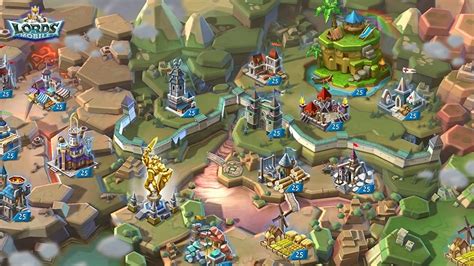
Images (maps, screenshots, item icons) break up text, provide context, and help users quickly identify what they’re looking for. Place them strategically near relevant text, ensuring they load quickly and are appropriately sized for mobile.

Tools and Platforms for Building Better Guides
Many content management systems (CMS) and wiki platforms offer built-in features for structuring and formatting guides. Utilize their heading tools, list builders, and linking capabilities. Consider platforms known for their responsive design templates.
Conclusion
Structuring game guides for quick navigation and mobile-friendly access is an art that blends thoughtful organization with user-centric design principles. By prioritizing clear hierarchies, responsive layouts, and intuitive interaction, you can create guides that not only provide information but genuinely enhance the player’s gaming experience, regardless of how or where they access it.