How to structure guides for quick problem solving?
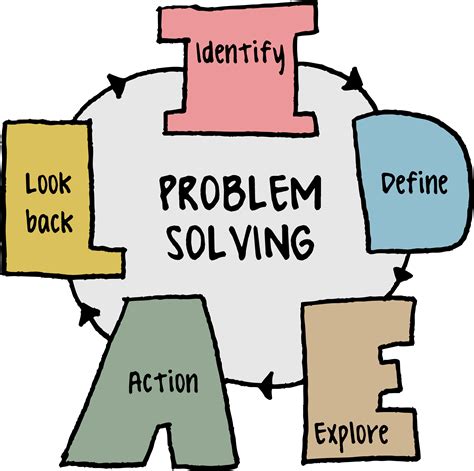
The Importance of Well-Structured Problem-Solving Guides
In today’s fast-paced world, users demand quick solutions to their problems. Whether it’s a software bug, a technical glitch, or a common operational hurdle, a well-structured guide can be the difference between a frustrated user and an empowered one. Effective problem-solving guides don’t just provide answers; they lead users through a logical process to diagnose and rectify issues efficiently. This article explores how to design and structure guides that facilitate rapid problem resolution.

Core Principles for Effective Problem-Solving Guides
Clarity and Conciseness
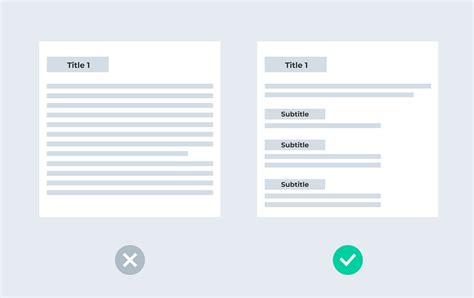
Every word in a problem-solving guide should serve a purpose. Avoid jargon where possible, or clearly define it if unavoidable. Use simple, direct language. Long, convoluted sentences deter users and slow down the problem-solving process. Break down complex information into digestible chunks.
Logical Flow and Step-by-Step Instructions
A guide must follow a natural progression, leading the user from understanding the problem to implementing a solution. Use numbered lists for steps and bullet points for options or prerequisites. Ensure each step is distinct and easy to follow, without assuming prior knowledge unless explicitly stated.
Actionable Steps and Expected Outcomes
Each instruction should prompt a specific action from the user. Crucially, the guide should also tell the user what to expect after performing that action. For example, “Click ‘Save’ (a pop-up confirmation will appear)” helps users verify they’ve completed the step correctly and builds confidence.
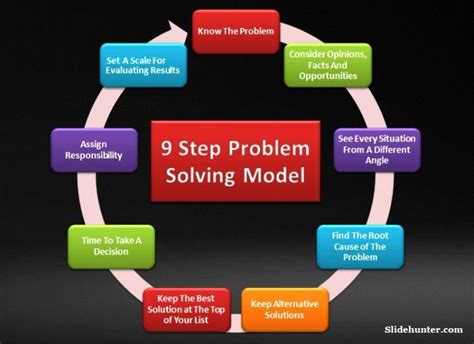
Key Structural Elements to Include
1. Title and Problem Statement
The title should be clear and descriptive, often phrased as a question (e.g., “How to Reset Your Password”) or a direct problem statement (e.g., “Fixing Printer Offline Error”). Follow this with a brief, clear statement of the problem the user is experiencing.
2. Prerequisites/Requirements
List any tools, permissions, or system requirements the user needs before attempting the solution. This prevents users from starting a process they can’t complete.
3. Symptoms and Diagnosis
Help users confirm they have the right problem. Describe common symptoms and provide diagnostic steps. This section is crucial for self-identification and ensures users aren’t wasting time on an irrelevant solution.
4. Solutions/Steps
This is the core of your guide. Provide clear, numbered steps for the solution. Each step should be concise and direct. If multiple solutions exist, present them clearly, perhaps starting with the most common or easiest.
5. Verification and Troubleshooting
After the solution, guide the user on how to verify if the problem is resolved. If it’s not, offer common follow-up troubleshooting steps or direct them to further resources (e.g., FAQs, support channels).
Enhancing Usability and Accessibility
Visual Aids and Screenshots
Integrate screenshots, diagrams, or short videos where appropriate. Visuals can significantly clarify complex steps, especially for graphical user interfaces. Ensure images are clearly annotated and accessible.
Searchability and Indexing
Use relevant keywords throughout your guide, especially in headings and the initial problem statement. This makes it easier for users to find the guide through search engines or internal documentation systems. Consider a brief keyword section if your platform supports it.
FAQs and Common Pitfalls
Anticipate common questions or mistakes users might make. A dedicated FAQ section can address these proactively, reducing the need for further support requests.

Iteration and Feedback
Testing and Validation
Before publishing, have real users (or at least colleagues unfamiliar with the solution) test the guide. Their feedback will reveal areas of confusion, missing steps, or unclear language. Iterate based on their input.
Updating and Maintenance
Technology and processes evolve. Regularly review and update your guides to ensure they remain accurate and relevant. Outdated information can be more frustrating than no information at all.

Conclusion
Structuring guides for quick problem-solving is an art that blends clarity, logic, and user-centric design. By focusing on concise language, step-by-step instructions, relevant structural elements, and continuous improvement, you can create resources that genuinely empower users to overcome challenges efficiently. Investing time in crafting these guides not only reduces support load but also significantly enhances the overall user experience.