





Is my CPU bottlenecking my RTX 4080 in modern games?

Unleashing the Beast: When Your CPU Holds Back the RTX 4080
The NVIDIA GeForce RTX 4080 is a formidable graphics card, designed to deliver stunning visuals and high frame rates in the most demanding modern games. However, simply pairing a high-end GPU with an older or less powerful CPU doesn’t always guarantee peak performance. This common scenario, known as a CPU bottleneck, can prevent your expensive RTX 4080 from operating at its full potential.
Understanding the delicate balance between your CPU and GPU is crucial for maximizing your gaming experience. A bottleneck occurs when one component limits the performance of another, and in gaming, a CPU bottleneck means your processor can’t feed data to the GPU fast enough, leaving the graphics card underutilized.
Understanding the CPU-GPU Dynamic
Your CPU (Central Processing Unit) handles all the non-graphical computations in a game. This includes game logic, physics, AI routines, processing draw calls (instructions for what the GPU should render), and managing input/output. If the CPU can’t process these tasks quickly enough, it can’t deliver new frames to the GPU at the rate the GPU is capable of rendering them.
Conversely, the GPU (Graphics Processing Unit) is responsible for rendering the actual visual elements, from textures and shaders to complex lighting and effects. While the RTX 4080 excels at these tasks, it relies heavily on the CPU to provide the instructions. A mismatch in their capabilities leads to inefficiencies.
Key Indicators of a CPU Bottleneck
Identifying a CPU bottleneck isn’t always obvious, but there are several tell-tale signs:
- Low GPU Utilization: If your GPU usage consistently hovers below 90-95% while playing a demanding game, especially when your CPU usage is high, it’s a strong indicator. Your powerful RTX 4080 is essentially waiting on your CPU.
- Inconsistent Frame Times and Stuttering: Even if your average FPS seems decent, frequent micro-stutters, sudden drops in frame rate, or highly inconsistent frame times (the time it takes to render each frame) can point to a CPU struggling to keep up.
- Lower-than-Expected FPS: Comparing your in-game frame rates to benchmarks for similar systems with an RTX 4080, if yours are significantly lower, particularly in CPU-intensive titles, a bottleneck might be at play.
- High CPU Usage on Multiple Cores: While high CPU usage isn’t always a problem, if your CPU is constantly at or near 100% across multiple cores, it suggests it’s working overtime to handle game logic.
How to Monitor for a Bottleneck
The best way to diagnose a bottleneck is through real-time monitoring tools:
- MSI Afterburner (with RivaTuner Statistics Server): This combination is the gold standard for in-game overlay monitoring. It allows you to display CPU usage (overall and per core), GPU usage, clock speeds, temperatures, frame rates, and frame times directly on your screen while gaming.
- Task Manager (Windows): While less granular, Task Manager can provide a quick overview of your CPU and GPU utilization. Pay attention to the performance tab.
- HWMonitor/HWInfo: These tools offer detailed hardware information, including component temperatures and clock speeds, which can sometimes provide clues.
When monitoring, look for scenarios where the CPU is maxed out or very high (e.g., 90-100%) and the GPU usage is notably lower (e.g., 60-70%). This imbalance is a classic sign of a CPU bottleneck.

Factors Influencing Bottlenecking
Several factors can influence whether your CPU bottlenecks your RTX 4080:
- Game Type: CPU-intensive games (e.g., grand strategy, city builders, open-world titles with complex AI and physics, some MMOs) are more likely to highlight a CPU bottleneck than GPU-intensive linear shooters.
- Resolution and Settings: Higher resolutions (4K) and ultra settings typically shift the workload more towards the GPU. At lower resolutions (1080p) or when targeting very high frame rates, the CPU becomes more critical.
- Refresh Rate: High refresh rate monitors (144Hz, 240Hz, etc.) demand more frames per second, which directly increases the CPU’s workload to prepare those frames.
- Game Engine Optimization: Some game engines are simply better optimized to utilize multiple CPU cores or are less demanding on the CPU in general.
Common CPU Suspects for Bottlenecking an RTX 4080
While an RTX 4080 is powerful, it still requires a relatively modern and capable CPU to shine. Processors that might bottleneck it include:
- Older generation CPUs (e.g., Intel i5/i7 older than 10th Gen, AMD Ryzen 1000/2000 series, or even some lower-tier 3000 series).
- Lower-end contemporary CPUs (e.g., Intel i3s or AMD Ryzen 3s from current generations), especially those with fewer cores/threads or lower clock speeds.
- Any CPU with significantly slower single-core performance compared to modern gaming CPUs.
Resolving a CPU Bottleneck
If you’ve identified a CPU bottleneck, here are some potential solutions:
- Adjust In-Game Settings: Counterintuitively, lowering resolution or graphic settings might *not* solve a CPU bottleneck, as it just makes the GPU even faster, increasing its wait time for the CPU. However, reducing CPU-intensive settings like crowd density, AI complexity, or draw distance can help.
- Overclock Your CPU and RAM: If your CPU and motherboard support it, a stable CPU overclock can provide a performance boost. Similarly, ensuring your RAM is running at its advertised speed (via XMP/DOCP) and considering an upgrade to faster RAM with lower latency can significantly improve CPU performance.
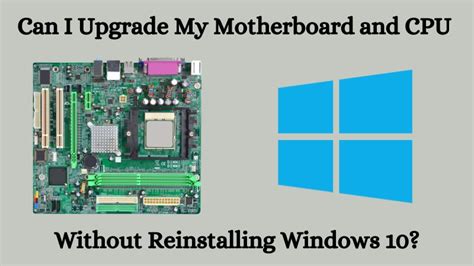
- Upgrade Your CPU (and Motherboard/RAM): This is often the most effective, albeit most expensive, solution. Moving to a more modern, higher-core-count, or faster-clocked CPU will directly address the bottleneck. Be prepared that a CPU upgrade often necessitates a new motherboard and potentially new RAM if you’re changing platforms (e.g., Intel to AMD, or an older generation to a newer one with different socket types or memory requirements).
Conclusion
The RTX 4080 is an incredible graphics card, but its full potential can only be realized when paired with a balanced system. Regularly monitoring your hardware’s performance will help you understand if your CPU is holding back your GPU. By addressing any bottlenecks, you can ensure you’re getting the most out of your investment and enjoying the smoothest, most immersive gaming experience possible in modern titles.



