





Is my CPU or GPU bottlenecking gaming FPS? How to upgrade for max performance?
Understanding Bottlenecks in Gaming
For PC gamers, achieving smooth, high frame rates (FPS) is paramount for an enjoyable experience. However, often a single component in your system can hold back the overall performance, preventing other powerful parts from reaching their full potential. This is known as a ‘bottleneck’, and it most commonly occurs between your Central Processing Unit (CPU) and Graphics Processing Unit (GPU).
What is a Bottleneck?
A bottleneck happens when one component in your PC is working at its maximum capacity while another, more powerful component, is underutilized, waiting for the slower part to catch up. In gaming, this means either your CPU isn’t feeding data fast enough to your GPU, or your GPU isn’t rendering frames quickly enough for your CPU’s instructions.
How to Identify a CPU Bottleneck
A CPU bottleneck typically occurs when your processor is struggling to keep up with the demands of the game or the instructions it needs to send to the GPU. Symptoms include:
- High CPU utilization (often near 100%) during gaming.
- Lower-than-expected FPS, even with a powerful GPU.
- Low GPU utilization (e.g., 60% or less), indicating it’s waiting for the CPU.
- Stuttering, especially in open-world or CPU-intensive games.
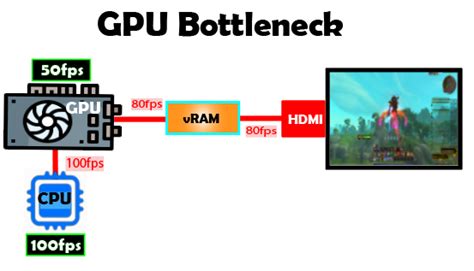
How to Identify a GPU Bottleneck
A GPU bottleneck is usually easier to spot and is often the desired scenario, as it means your graphics card is working hard to render frames as fast as possible. Signs include:
- High GPU utilization (often near 99-100%) during gaming.
- Your CPU utilization is significantly lower (e.g., 50-70%).
- FPS is limited by your GPU’s rendering power, not by the CPU’s ability to process game logic.
- Reducing graphical settings significantly increases FPS.
Tools for Diagnosis
To accurately diagnose a bottleneck, you need to monitor your system’s performance in real-time while gaming. Several free tools can help with this:
- MSI Afterburner (with RivaTuner Statistics Server): The gold standard for displaying an on-screen overlay of CPU/GPU usage, temperatures, clock speeds, and FPS.
- HWMonitor / HWiNFO64: Excellent for detailed hardware monitoring, though not an in-game overlay.
- Task Manager (Windows): Basic CPU/GPU usage monitoring, but less detailed than dedicated tools.
- NVIDIA GeForce Experience / AMD Radeon Software: Offer performance overlays and recording features.
Real-World Monitoring
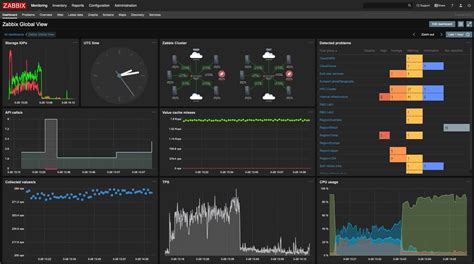
Launch a demanding game and observe the GPU and CPU utilization percentages. If your GPU is consistently at 95-100% and your FPS is satisfactory for your system, you likely have a healthy GPU bottleneck. If your GPU utilization dips significantly while your CPU is pegged at 100%, you’ve found a CPU bottleneck.
Common Scenarios and Their Implications
- Older CPU, Newer GPU: A common scenario where an older, less powerful CPU struggles to feed data to a modern, high-end GPU, leading to a CPU bottleneck and underutilized graphics card.
- High Resolution, Older GPU: Playing at 1440p or 4K with an older or mid-range GPU will almost always result in a GPU bottleneck, as rendering more pixels is a primarily GPU-intensive task.
- Competitive Gaming (High Refresh Rate): Targeting 144Hz or 240Hz often demands a very strong CPU, as it needs to prepare more frames per second for the GPU. Even with a powerful GPU, a weaker CPU can limit your maximum FPS in these scenarios.

Strategic Upgrades for Maximum Performance
Once you’ve identified the bottleneck, you can make informed decisions about your next upgrade.
Addressing a CPU Bottleneck
If your CPU is the bottleneck, upgrading it will yield the most significant performance increase. However, this often means more than just a new CPU:
- New CPU: Choose a processor with higher core counts and/or faster single-core performance relevant to gaming.
- Motherboard: A new CPU often requires a new motherboard due to different socket types (e.g., Intel LGA1700, AMD AM5).
- RAM: Newer platforms often support faster RAM (DDR4 to DDR5), which can further benefit CPU performance, especially with AMD Ryzen CPUs.
- Cooler: A more powerful CPU may require an upgraded CPU cooler.
Addressing a GPU Bottleneck
This is usually the simplest upgrade path:
- New GPU: Purchase a more powerful graphics card that fits your budget and performance goals.
- Power Supply Unit (PSU): Ensure your existing PSU has enough wattage and the necessary connectors for the new GPU. Higher-end GPUs can be very power hungry.
The Balanced Approach
Ideally, you want your system to be balanced, where neither the CPU nor the GPU is severely holding back the other. This ensures you’re getting the most out of all your components. When building a new PC or performing a major upgrade, strive for components that are a good match for each other’s performance tier.
Optimizing Your Current Setup
Even without new hardware, you can often squeeze more performance out of your existing rig.
Software and Drivers
- Update GPU Drivers: Always keep your graphics drivers (NVIDIA, AMD) up to date. These often include game-specific optimizations.
- Update Windows: Ensure your operating system is current for stability and performance.
- Close Background Apps: Shut down unnecessary programs and browser tabs that consume CPU or RAM while gaming.
- Game Mode: Enable Windows Game Mode to prioritize gaming resources.
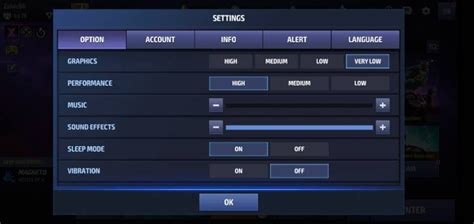
In-Game Settings
Adjusting in-game settings can significantly impact FPS:
- Resolution: Lowering the resolution is a major GPU performance booster.
- Texture Quality: Impacts VRAM usage; higher settings require more GPU memory.
- Anti-Aliasing: Can be very demanding on the GPU; reducing or disabling it can free up significant frames.
- Shadows, Reflections, Volumetric Effects: Often highly demanding on the GPU. Experiment with lower settings.
- Draw Distance / Level of Detail: Can impact both CPU and GPU.
Conclusion
Understanding whether your CPU or GPU is bottlenecking your gaming FPS is the first crucial step to smart, effective upgrades. By using monitoring tools, analyzing your component usage, and applying the right upgrade strategy, you can ensure your gaming PC delivers maximum performance and provides the smoothest possible experience. Remember, a balanced system is a happy system, allowing each component to shine in its role.



