





Is my power supply enough for a new RTX 4070? How to check PSU wattage!

Upgrading your PC’s graphics card is one of the most impactful ways to boost gaming performance or productivity, and the NVIDIA RTX 4070 is a popular choice for many. However, a common pitfall for upgraders is neglecting the power supply unit (PSU). An insufficient PSU can lead to system instability, crashes, or even component damage. Before you unbox that shiny new RTX 4070, let’s make sure your current power supply is up to the task.
Understanding the RTX 4070’s Power Demands
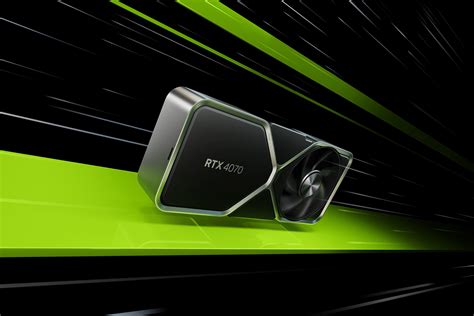
The RTX 4070 is a powerful GPU, and while it’s more power-efficient than some of its higher-tier siblings, it still requires a robust power source. NVIDIA typically recommends a minimum power supply of 550W for systems running an RTX 4070, though this can vary slightly based on the specific board partner model (e.g., ASUS, MSI, Gigabyte) and factory overclocks. More importantly, it requires specific PCIe power connectors, usually one 8-pin connector, or sometimes a 12VHPWR adapter.
It’s crucial to understand that this 550W recommendation is for the entire system, assuming a reasonably powerful CPU (like an Intel Core i5 or AMD Ryzen 5) and standard peripherals. If you have a high-end, power-hungry CPU or numerous additional components like multiple hard drives, SSDs, and elaborate RGB lighting, you might want to aim for a PSU with a higher wattage rating for a comfortable buffer.
Locating Your Current Power Supply’s Wattage
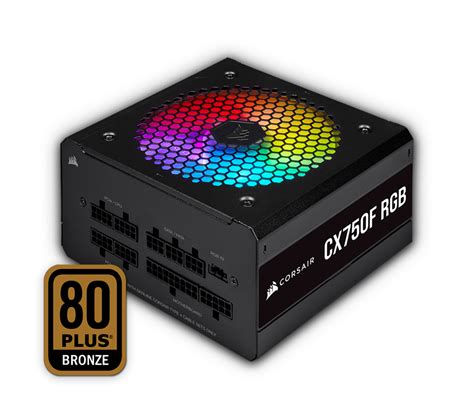
The most reliable way to determine your current PSU’s wattage is through a physical inspection. Most power supplies have a label or sticker directly on their casing that lists their specifications, including the total wattage output. You’ll typically find this on one of the sides of the unit, which might require you to open your PC case and perhaps even remove your PSU if its orientation makes the label inaccessible.
When you locate the label, look for a prominent number followed by ‘W’ (for Watts), often near the model name. This is your PSU’s maximum rated output. Pay attention to the +12V rail rating as well, as modern GPUs draw most of their power from this rail. Ensure the combined amperage on the +12V rails can meet the GPU’s demand.
Estimating Your Total System Power Consumption
While the RTX 4070 has a recommended PSU wattage, it’s the sum of all your components’ power draw that truly matters. Your CPU, motherboard, RAM, storage drives, case fans, and any other peripherals all contribute to the overall power consumption. Manually adding up the TDP (Thermal Design Power) of each component can give you a rough estimate, but a more accurate method is using online PSU calculators.
Websites like PCPartPicker, OuterVision, or Cooler Master offer excellent PSU calculators. You simply input all your system’s components, and the calculator provides an estimated total wattage, often with a recommendation for a suitable PSU. These tools are invaluable for ensuring you have adequate headroom, especially for potential power spikes during gaming or heavy workloads.

What to Do If Your PSU is Insufficient
If your current power supply falls short of the recommended 550W or lacks the necessary PCIe power connectors, you have no option but to upgrade your PSU. Running an RTX 4070 on an underpowered PSU can lead to several problems: system instability, random reboots, graphical artifacts, or in severe cases, damage to your components due to insufficient or unstable power delivery. It’s a risk not worth taking for an expensive component like a new GPU.
When choosing a new power supply, don’t just look at the wattage. Consider its efficiency rating (80 Plus Bronze, Gold, Platinum, Titanium), which indicates how much power is wasted as heat. Higher efficiency means less heat and potentially lower electricity bills. Also, ensure the new PSU has all the necessary connectors for your RTX 4070 and other components. Modular or semi-modular PSUs can also help with cable management inside your case.

Final Checks and Considerations
Even if your PSU meets the wattage requirement, double-check that it has the correct power cables for the RTX 4070. As mentioned, the 4070 typically uses one 8-pin PCIe power connector. Some custom models might vary, so always check the specific GPU’s specifications. If your PSU only has 6-pin connectors or not enough of the required type, you’ll need an adapter or a new PSU.
Consider the age of your current PSU. Even a high-wattage PSU can degrade over time, with its maximum output and stability diminishing. If your PSU is several years old, an upgrade might be a wise investment for peace of mind and system longevity, even if it technically meets the wattage requirement on paper.

Ensuring your power supply is adequate for your new RTX 4070 is a critical step in any successful PC upgrade. By carefully checking your current PSU’s wattage, utilizing online calculators, and understanding the power demands of your new GPU, you can avoid potential issues and enjoy a stable, high-performance computing experience. Don’t let an overlooked power supply bottleneck your new graphics card’s potential!


