





Is my PSU wattage enough for my new RTX 40-series gaming GPU upgrade?

Upgrading your gaming PC with a powerful new NVIDIA RTX 40-series graphics card is an exciting prospect, promising significant performance boosts and stunning visual fidelity. However, one of the most critical, yet often overlooked, components in this equation is your Power Supply Unit (PSU). Ensuring your current PSU can adequately handle the demands of these cutting-edge GPUs is paramount for system stability, longevity, and optimal performance.
The Power Demands of RTX 40-series GPUs
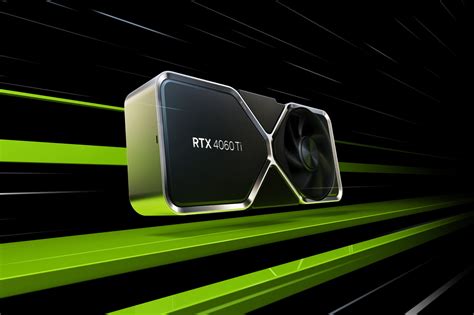
NVIDIA’s RTX 40-series, including cards like the RTX 4060, 4070, 4080, and the flagship 4090, are marvels of engineering, but they also come with significant power appetites. While idle power consumption has improved, these GPUs can draw substantial power under heavy gaming loads, especially during transient power spikes that can briefly exceed their average Thermal Design Power (TDP). An undersized or aging PSU might struggle to deliver this instantaneous power, leading to system crashes, instability, or even potential damage to components.
How to Check Your Current PSU’s Specifications
Before diving into upgrade decisions, you need to know what you currently have. Locate your PSU inside your PC case. Most PSUs have a label on one side that lists vital information, including its total wattage (e.g., 650W, 750W, 850W), efficiency rating (e.g., 80 PLUS Bronze, Gold, Platinum), and the amperage on its 12V rail(s). The 12V rail is especially important as it’s primarily responsible for powering your CPU and GPU. Note down the brand, model, and wattage. Also, consider the age of your PSU; components degrade over time, and an older PSU might not perform as well as its original rating suggests.

Recommended Wattage for RTX 40-series Cards
The recommended PSU wattage varies significantly between different RTX 40-series models and depends heavily on your other system components, particularly your CPU. Here’s a general guideline based on typical gaming systems:
- RTX 4060/4060 Ti: Often paired with a 550W-650W PSU.
- RTX 4070/4070 Super: Typically requires a 650W-750W PSU.
- RTX 4070 Ti/4070 Ti Super: Generally needs a 700W-750W PSU.
- RTX 4080/4080 Super: A 750W-850W PSU is recommended.
- RTX 4090: The most power-hungry, requiring an 850W-1000W+ PSU, especially when paired with high-end CPUs like an Intel i9 or AMD Ryzen 9.
These recommendations assume a modern, efficient CPU. If you have an older, less efficient CPU or many additional components (multiple HDDs, custom liquid cooling, numerous RGB fans), you might need to err on the side of a slightly higher wattage.
Understanding Power Connectors: 12VHPWR (or 12V-2×6)
Many high-end RTX 40-series cards utilize the new 12VHPWR (PCIe Gen 5) connector, a compact 16-pin connector (12 power pins + 4 sense pins) capable of delivering up to 600W. If your current PSU lacks a native 12VHPWR cable, the GPU usually comes with an adapter that converts multiple 8-pin PCIe connectors (typically 3 or 4) into a single 12VHPWR. While these adapters work, it’s generally recommended to use a native 12VHPWR cable from your PSU if possible, or upgrade to a PSU that natively supports it. Ensure your PSU has enough available 8-pin PCIe connectors if you plan to use an adapter.
Beyond Raw Wattage: Efficiency and Quality Matter
Wattage isn’t the only factor. A PSU’s efficiency rating (e.g., 80 PLUS Bronze, Gold, Platinum, Titanium) indicates how much power it draws from the wall versus how much it actually delivers to your components. A Gold-rated PSU, for instance, is more efficient than a Bronze, meaning less wasted heat and lower electricity bills. More importantly, a higher-quality PSU from a reputable brand (e.g., Seasonic, Corsair, be quiet!, Cooler Master, EVGA) provides cleaner, more stable power delivery and often comes with better internal components and protections, which are crucial for sensitive, high-performance hardware like an RTX 40-series GPU. An older, lower-quality PSU, even if its stated wattage seems sufficient, might struggle with the transient loads.

Making the Final Decision: Use a PSU Calculator
To get a more precise recommendation, use an online PSU wattage calculator. Websites like PCPartPicker, OuterVision, or be quiet!’s own calculator allow you to input all your system components (CPU, GPU, RAM, storage, fans, etc.) to estimate your total power draw. Add a buffer of 15-20% to the recommended wattage to account for future upgrades, overclocking, and power spikes. This buffer helps ensure your PSU operates within its optimal efficiency range and isn’t constantly stressed at its maximum capacity.

Conclusion
An RTX 40-series GPU upgrade demands a robust and reliable power supply. Don’t underestimate the importance of your PSU; it’s the heart of your system. Carefully check your current unit’s wattage, age, and efficiency. Compare it against the recommended wattages for your chosen RTX 40-series card and consider using an online calculator for a precise estimate. Investing in a high-quality, appropriately-wattaged PSU will protect your valuable components, ensure system stability, and allow you to fully enjoy the incredible performance of your new graphics card.


