My CPU overheats during gaming. What’s the best budget CPU cooler for better temps?

Experiencing CPU overheating during gaming is a common and frustrating issue that can lead to performance throttling, system instability, and even long-term damage to your components. While high-end coolers can be expensive, there are excellent budget options available that can dramatically improve your CPU’s temperatures without breaking the bank.
![[SOLVED] - CPU is overheating ? | Tom's Hardware Forum](/images/aHR0cHM6Ly90czMubW0uYmluZy5uZXQvdGg/aWQ9T0lQLkd0cE5rV2Q3dUxKN0J2VTJUOHlmWndIYUdYJnBpZD0xNS4x.webp)
Understanding CPU Overheating
Before diving into solutions, it’s helpful to understand why your CPU might be overheating. The most common culprit in a gaming PC is often the stock cooler that comes with your CPU (especially Intel’s boxed coolers and some AMD Wraith Stealth models). These are designed for general use, not intense, sustained loads from modern gaming. Other factors include:
- Insufficient Case Airflow: Poorly configured case fans or a lack of them can trap hot air.
- Old/Poor Thermal Paste: The thermal interface material between your CPU and cooler can degrade over time or be improperly applied.
- Dust Buildup: Accumulated dust acts as an insulator, hindering heat dissipation.
What to Look for in a Budget CPU Cooler
When selecting a budget CPU cooler, you’ll need to balance cost with performance. Here are key factors to consider:
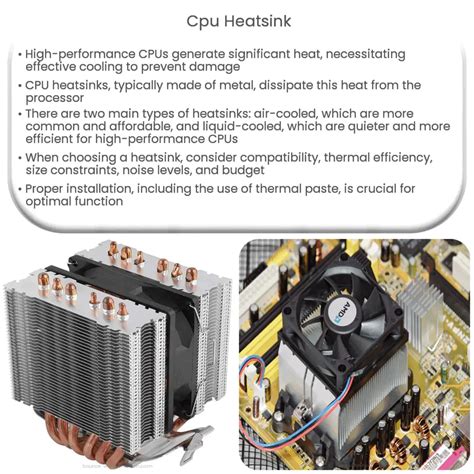
- TDP (Thermal Design Power) Rating: Ensure the cooler’s TDP rating exceeds your CPU’s TDP. This indicates its cooling capacity.
- Form Factor & Clearance: Check for RAM clearance (tall RAM heatsinks) and case clearance (height of the cooler).
- Fan Size & Noise: Larger fans (e.g., 120mm) generally move more air at lower RPMs, resulting in quieter operation.
- Mounting System: Look for easy and secure mounting.
- Compatibility: Make sure it supports your CPU socket (e.g., LGA 1700, AM5, AM4).
Top Budget CPU Cooler Recommendations
Here are some of the best budget CPU coolers that consistently deliver excellent performance for their price point, ideal for most mid-range gaming CPUs:
Cooler Master Hyper 212 Black Edition
A true legend in the budget cooling space, the Hyper 212 Black Edition continues to be a top contender. It features a sleek design, direct contact heat pipes, and a quiet 120mm fan. It’s an excellent upgrade over most stock coolers and can handle a surprising amount of heat.
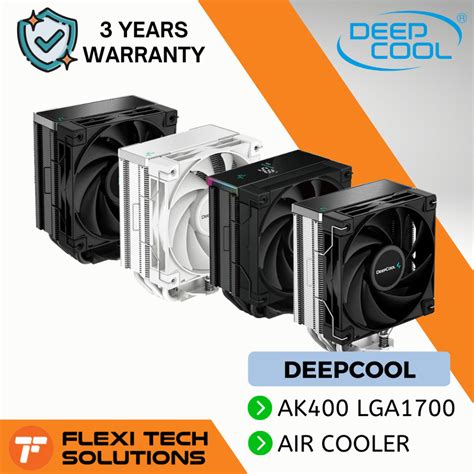
Deepcool AK400 / AK500
Deepcool’s AK series has quickly gained popularity for its strong performance and attractive pricing. The AK400 offers solid single-tower cooling, while the AK500 steps up the game with a larger heatsink and fan for even better thermal management, still at a very competitive price. They are often praised for their aesthetic and quiet operation.
Thermalright Peerless Assassin 120 SE / Phantom Spirit 120 SE
Thermalright has made a huge comeback with these dual-tower, dual-fan coolers that offer performance often rivaling much more expensive options. The Peerless Assassin 120 SE and its newer sibling, the Phantom Spirit 120 SE, provide exceptional cooling capacity, making them suitable for even high-end CPUs if you’re on a strict budget. They represent incredible value for money.
be quiet! Pure Rock 2
For those prioritizing quiet operation, the be quiet! Pure Rock 2 is an excellent choice. It’s a single-tower cooler known for its extremely silent fan and solid performance, making it perfect for users who want a peaceful gaming experience without sacrificing too much cooling power.
Installation Tips for Optimal Performance
Once you’ve chosen your cooler, proper installation is key to maximizing its effectiveness:
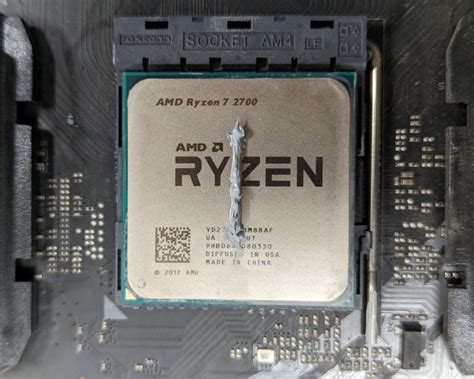
- Clean CPU Surface: Always clean off any old thermal paste from your CPU’s integrated heat spreader (IHS) using isopropyl alcohol.
- Apply Fresh Thermal Paste: Use a high-quality thermal paste (most new coolers come with a tube, but aftermarket options can be better). A pea-sized dot or a line down the middle of the CPU is generally effective.
- Secure Mounting: Follow the cooler’s instructions precisely to ensure even pressure across the CPU. Uneven mounting is a common cause of poor cooling.
- Manage Cables: Route fan cables neatly to prevent them from interfering with airflow.
- Improve Case Airflow: Consider adding or repositioning case fans to create a positive or neutral pressure system, pushing cool air in and hot air out.
Conclusion
Upgrading your CPU cooler is one of the most impactful and cost-effective ways to combat overheating during gaming. Any of the budget coolers mentioned above will provide a significant improvement over a stock cooler, leading to lower temperatures, more stable performance, and a quieter gaming experience. Invest a little time and money into a better cooler, and your CPU (and your gaming sessions) will thank you.