





My gaming PC runs hot. What are effective cooling solutions for CPU/GPU temps?

Understanding and Addressing High PC Temperatures
A gaming PC running hot is more than just an inconvenience; it can lead to performance throttling, reduced component lifespan, and system instability. High temperatures, particularly on your CPU and GPU, are clear indicators that your cooling system needs attention. Before diving into solutions, it’s crucial to understand why temperatures are high and what measures you can take to bring them down effectively.
Monitoring your temperatures is the first step. Tools like HWMonitor, MSI Afterburner, or NZXT CAM allow you to track your CPU and GPU temperatures under load. Generally, anything consistently above 80-85°C for extended periods during gaming or heavy tasks warrants investigation. Ideal temperatures are typically below 70-75°C.
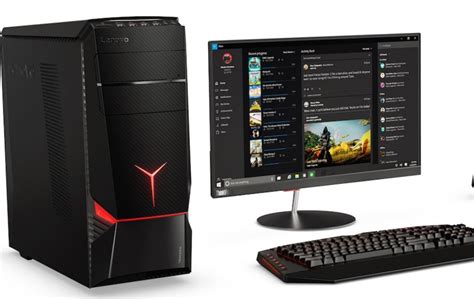
Fundamental Cooling Practices: The First Line of Defense
Many temperature issues can be resolved with basic maintenance and setup adjustments. These foundational steps are often overlooked but can yield significant improvements.
Dust Removal and Airflow Optimization
- Clean Your PC Regularly: Dust acts as an insulator, trapping heat and impeding airflow. Use compressed air to clean heatsinks, fans (CPU, GPU, case fans), and power supply vents. Make sure to hold fan blades still while blowing air to prevent damage.
- Cable Management: Untidy cables obstruct airflow within the case. Route cables behind the motherboard tray or along the case edges to create clear pathways for air.
- Proper Fan Orientation: Ensure your case fans are correctly oriented. Typically, front and bottom fans should be intake (bringing cool air in), while top and rear fans should be exhaust (pushing hot air out). A positive pressure setup (more intake than exhaust) can help prevent dust ingress.
Upgrading CPU Cooling Solutions
The CPU is the brain of your PC, and it generates a significant amount of heat. If basic steps don’t suffice, a better CPU cooler is often the answer.
Air Coolers vs. All-in-One (AIO) Liquid Coolers
- High-Performance Air Coolers: Modern large tower air coolers with multiple heat pipes and large fans (e.g., Noctua NH-D15, be quiet! Dark Rock Pro 4) can rival or even outperform entry-level AIO liquid coolers. They are reliable, generally quieter, and don’t involve the risks associated with liquid.
- AIO Liquid Coolers: These sealed units use a pump, radiator, and fans to dissipate heat. They often offer superior cooling performance, especially for high-end CPUs or overclocking, and can provide a cleaner aesthetic inside the case. Radiator size (240mm, 280mm, 360mm) is key, with larger radiators offering better dissipation.
Thermal Paste Application
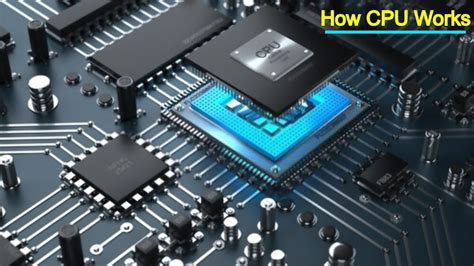
The thermal paste between your CPU’s integrated heat spreader (IHS) and the cooler’s base is crucial for efficient heat transfer. Old, dried-out, or poorly applied thermal paste can severely impact cooling performance. Re-applying high-quality thermal paste (e.g., Arctic MX-4, Noctua NT-H1, Thermal Grizzly Kryonaut) can often drop temperatures by several degrees.
Optimizing GPU Cooling
The graphics card is often the primary heat generator in a gaming PC. Effective GPU cooling requires a combination of good case airflow and, in some cases, direct GPU interventions.
Improving Case Airflow for GPU
Ensure there’s adequate cool air reaching your GPU. This often means having sufficient intake fans at the front or bottom of your case, positioned to blow air directly towards the graphics card.
GPU Undervolting and Custom Fan Curves
- Undervolting: By slightly reducing the voltage supplied to your GPU while maintaining stable performance, you can significantly lower power consumption and, consequently, temperatures without a noticeable impact on gaming frame rates. This is done through software like MSI Afterburner.
- Custom Fan Curves: While GPU manufacturers provide default fan curves, creating a more aggressive custom curve in software can keep temperatures lower, albeit potentially at the cost of increased fan noise.
- Aftermarket GPU Coolers: For enthusiasts, replacing the stock GPU cooler with an aftermarket solution (e.g., Arctic Accelero, custom liquid blocks) can offer substantial thermal improvements, but this voids warranties and requires advanced technical skill.
Case Fans and Airflow Dynamics
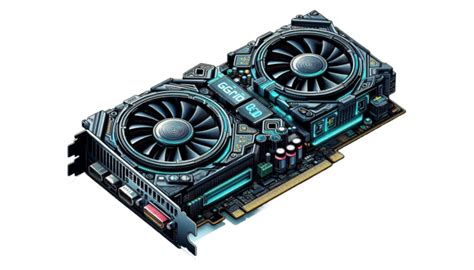
Your case fans are the unsung heroes of PC cooling. Their type, placement, and speed greatly influence overall system temperatures.
- Fan Types:
- Airflow Fans: Designed to move a large volume of air, ideal for unobstructed areas (e.g., case intake/exhaust).
- Static Pressure Fans: Designed to push air through restrictive elements like radiators or tight heatsink fins.
- Optimal Placement: Aim for a balanced airflow. Two intake fans (front) and one exhaust (rear) is a common, effective setup. Adding top exhaust fans can help remove rising hot air.
- Fan Control: Use your motherboard’s BIOS/UEFI or software to create custom fan curves for your case fans, spinning them up when temperatures rise and slowing them down for quiet operation at idle.
Advanced Considerations and Environmental Factors
For those seeking the absolute best in cooling, or if standard solutions aren’t enough, consider these additional factors:
- Custom Loop Liquid Cooling: The pinnacle of PC cooling, offering superior thermal performance for both CPU and GPU. This involves a custom-built system with a reservoir, pump, radiator(s), and tubing, requiring significant investment and expertise.
- Ambient Room Temperature: Remember that your PC can only cool components relative to the temperature of the air it’s drawing in. A cooler room will naturally lead to cooler PC temperatures.
- Case Design: Some PC cases are simply better designed for airflow than others. If you have a case known for poor airflow, upgrading it might be a viable, albeit more expensive, solution.
Conclusion
Maintaining optimal CPU and GPU temperatures is essential for the longevity and performance of your gaming PC. By systematically addressing potential issues, from simple dust cleaning and cable management to upgrading cooling hardware and optimizing fan curves, you can significantly reduce temperatures and ensure your system runs smoothly. Start with the basics and progressively move to more advanced solutions until you achieve the thermal performance your gaming rig deserves.


