





My PC gets low FPS in new games. What hardware upgrade offers the best gaming performance boost?

Tired of Stuttering? Identifying Your Gaming Bottleneck
When new game releases drop and your trusty PC starts to choke, delivering choppy frame rates and frustrating performance, it’s a clear sign that one or more of your hardware components is struggling to keep up. The quest for smoother gameplay often leads to the question: what upgrade gives the best bang for your buck? While there’s no one-size-fits-all answer, understanding your PC’s specific bottleneck is crucial.
Modern games are increasingly demanding, pushing the limits of graphical fidelity, complex physics, and expansive worlds. This means that a component that was perfectly adequate a few years ago might now be holding back your entire system. Pinpointing the weakest link will ensure your investment leads to a noticeable and satisfying performance boost rather than a marginal improvement.
The Undisputed King: Graphics Card (GPU)
For the vast majority of gaming scenarios, especially at higher resolutions and graphical settings, the Graphics Processing Unit (GPU) is the single most critical component determining your frame rate. It’s responsible for rendering everything you see on screen – textures, lighting, shadows, and complex environments. An outdated or underpowered GPU will be the primary bottleneck, causing low FPS regardless of how powerful your other components are.
Upgrading your GPU typically offers the most significant and immediate performance improvement for gaming. When choosing a new graphics card, consider your monitor’s resolution and refresh rate (e.g., 1080p 144Hz, 1440p 60Hz, 4K 60Hz), and match your budget to the performance tier you desire. Always research benchmarks for the games you play to ensure your chosen GPU delivers the expected FPS.

The Brains Behind the Operation: Processor (CPU)
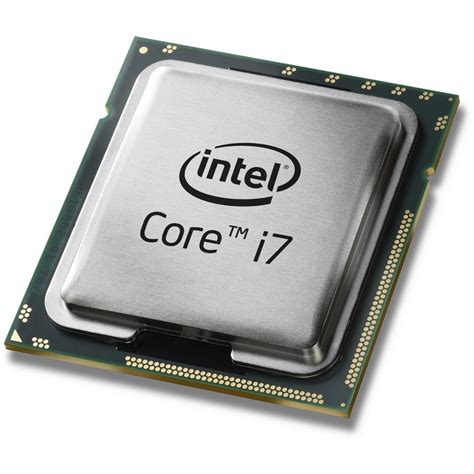
While the GPU renders the visuals, the Central Processing Unit (CPU) is responsible for managing game logic, AI, physics, and feeding instructions to the GPU. In some games, especially CPU-intensive titles like grand strategy games, open-world simulations, or those with many concurrent players, a weak CPU can bottleneck even a powerful GPU, preventing it from reaching its full potential. This is often more noticeable at lower resolutions or very high frame rates (e.g., 144Hz+).
If you’re experiencing stuttering even with a decent GPU, or if your GPU usage is consistently low while your CPU usage is high during gameplay, a CPU upgrade might be necessary. Keep in mind that upgrading a CPU often requires a compatible new motherboard and potentially new RAM, depending on the socket and generation, which can increase the overall cost.
Speed and Capacity: RAM (Random Access Memory)
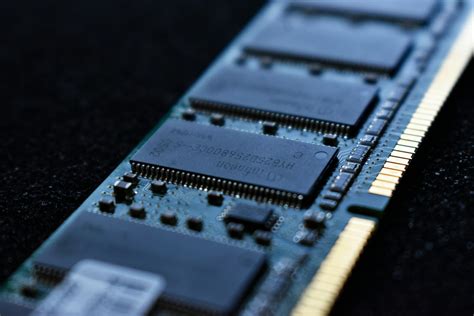
RAM plays a crucial role in storing temporary data that your CPU needs quick access to. While insufficient RAM (e.g., 8GB or less for modern gaming) can cause stuttering and frame drops as the system resorts to slower storage, simply having “enough” (typically 16GB is the sweet spot for modern gaming) is often sufficient. However, RAM speed (measured in MHz) and latency can also impact CPU performance, particularly with AMD Ryzen processors.
If you’re currently running with 8GB of RAM or slower DDR4/DDR3 modules, an upgrade to 16GB (or even 32GB for future-proofing or heavy multitasking) of faster RAM (e.g., DDR4-3200MHz or DDR5-6000MHz) can provide a noticeable boost, especially in open-world games or when many applications are running in the background. Ensure your motherboard supports the new RAM type and speed.
Supporting Cast: Storage, PSU, and Motherboard
While not direct contributors to in-game FPS, other components are vital for a smooth gaming experience and necessary for upgrades. An NVMe SSD drastically reduces game load times compared to traditional HDDs or even older SATA SSDs, making your system feel much snappier. Upgrading to a fast SSD won’t increase your FPS but will improve the overall fluidity of your gaming sessions.
Crucially, a powerful new GPU or CPU will require adequate power. Your Power Supply Unit (PSU) must have enough wattage and the correct connectors to support new, more demanding components. Skimping on the PSU can lead to instability or even damage. Finally, your Motherboard determines which CPUs, RAM, and M.2 SSDs are compatible. A major CPU upgrade often necessitates a new motherboard to match the socket type and chipset.
Making the Smart Choice: Diagnosis and Budget
Before purchasing any new hardware, take the time to diagnose your current system. Monitoring tools like MSI Afterburner (for GPU/CPU usage, temperatures, and FPS overlay) can help you identify which component is hitting 100% usage first during intense gaming, indicating your primary bottleneck. Reviewing your PC’s current specifications (CPU, GPU, RAM, PSU wattage) is also essential for planning compatible upgrades.
Budget is always a significant factor. Prioritize the component that will give you the most substantial performance leap for your money, which, as established, is most often the GPU. However, remember the importance of a balanced system; a cutting-edge GPU paired with a decade-old CPU will still result in a bottleneck. Consider your existing build, your gaming habits, and set a realistic budget for a balanced upgrade that truly elevates your gaming experience.
Ultimately, the best hardware upgrade for low FPS in new games almost invariably points to your graphics card. However, a holistic approach that considers your CPU and RAM as secondary bottlenecks, alongside ensuring adequate power and compatibility, will provide the most satisfying and enduring performance boost.


