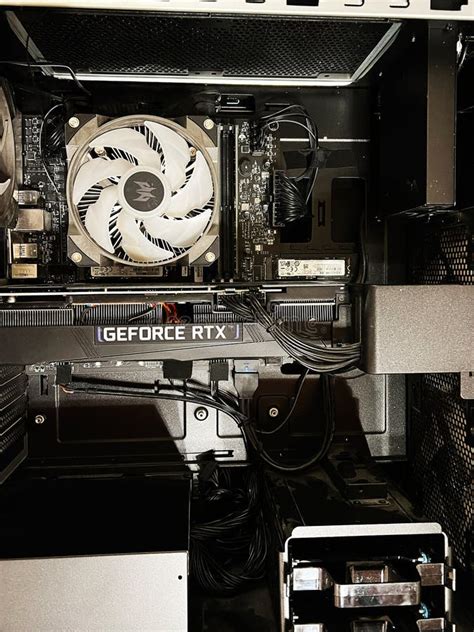
Overheating gaming PC? Best CPU coolers for peak performance.
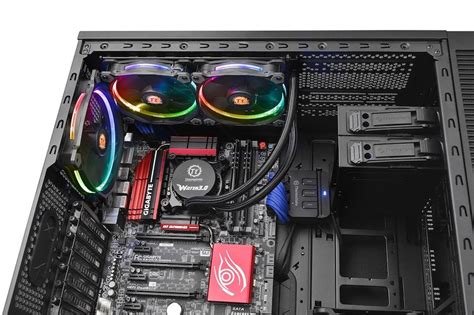
Why a Reliable CPU Cooler is Non-Negotiable for Gamers
For any serious gamer, a high-performing CPU is the heart of their rig. But a powerful CPU generates significant heat, and without adequate cooling, this heat can lead to thermal throttling, reduced frame rates, system instability, and even permanent damage to components. An effective CPU cooler isn’t just an accessory; it’s a critical component that ensures your gaming PC runs smoothly, quietly, and at its peak performance for extended periods.
Signs Your Gaming PC Is Overheating
Before you even think about upgrading your cooler, it’s crucial to identify if overheating is indeed the culprit behind your PC’s woes. Common indicators include:
- Performance Drops: Your games suddenly stutter or experience significant frame rate drops, especially during intense sessions.
- Loud Fan Noise: Your CPU fan is constantly spinning at maximum RPM, sounding like a jet engine.
- System Crashes/Freezes: Your PC unexpectedly reboots, freezes, or displays a Blue Screen of Death (BSOD).
- High Component Temperatures: Monitoring software (like HWMonitor or MSI Afterburner) shows CPU temperatures consistently above 85-90°C under load.
Air Cooling: The Traditional Workhorse
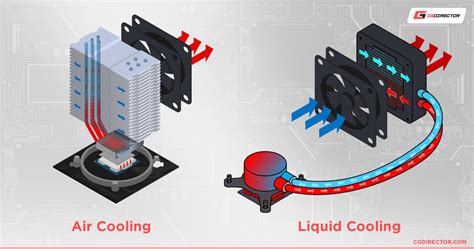
Air coolers use a heatsink with metal fins and heat pipes to draw heat away from the CPU, which is then dissipated by one or more fans. They are generally more affordable, easier to install, and less prone to failure than liquid cooling solutions, making them a popular choice for many gamers.
Pros:
- Cost-effective
- Easier installation
- No risk of leaks
- Reliable and long-lasting
Cons:
- Can be bulky and interfere with RAM or GPU clearance
- Often louder than liquid coolers at high loads
- Less effective at dissipating extreme heat from heavily overclocked CPUs
Top Air Cooler Recommendations:
- Noctua NH-D15: Often considered the gold standard for air cooling, offering exceptional performance comparable to many AIOs.
- be quiet! Dark Rock Pro 4: A strong contender known for its silent operation and premium aesthetics.
- Thermalright Peerless Assassin 120 SE: An excellent budget-friendly option delivering impressive performance for its price.
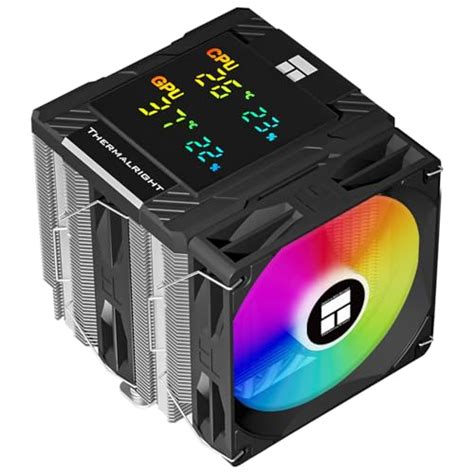
Liquid Cooling: For Maximum Thermal Performance
Liquid cooling, particularly All-in-One (AIO) liquid coolers, uses a pump to circulate coolant through a water block over the CPU, which then travels to a radiator where fans dissipate the heat. They offer superior cooling performance, especially for overclocked systems and high-end CPUs.
Pros:
- Superior cooling performance, ideal for overclocking
- Often quieter than air coolers at similar thermal loads
- Sleeker aesthetics and better RAM clearance
Cons:
- Higher cost
- More complex installation than air coolers
- Small risk of leaks (though rare with modern AIOs)
- Pump can eventually fail
Top AIO Liquid Cooler Recommendations:
- Arctic Liquid Freezer II Series: Known for outstanding performance and robust build quality.
- NZXT Kraken Series: Popular for its sleek design, vibrant RGB, and reliable performance.
- Corsair iCUE H Series: Offers excellent cooling, customizable RGB, and seamless integration with Corsair’s iCUE ecosystem.
Key Factors When Choosing a CPU Cooler
Selecting the right cooler involves more than just picking a popular model. Consider these factors:
- TDP (Thermal Design Power): Match the cooler’s dissipation capacity to your CPU’s TDP. Higher TDP CPUs require more robust cooling.
- Case Compatibility: Ensure the cooler (especially tall air coolers or large AIO radiators) fits within your PC case’s dimensions. Check clearance for RAM and GPU.
- Noise Levels: Look for coolers with low dBA ratings if silence is a priority.
- Budget: Air coolers are generally cheaper, while AIOs come at a higher premium.
- Aesthetics: RGB lighting, sleek designs, and matching color schemes might be important for your build.

Installation Tips for Optimal Cooling
Even the best cooler won’t perform if improperly installed. Here are a few tips:
- Thermal Paste: Always use a high-quality thermal paste and apply it correctly (typically a pea-sized dot in the center).
- Fan Direction: Ensure your case fans and cooler fans are oriented to create an effective airflow path (front intake, rear/top exhaust).
- Tightness: Secure the cooler firmly to the CPU, but don’t overtighten, which can damage the motherboard or CPU.
- Cable Management: Keep fan and pump cables tidy to avoid obstructing airflow.
Conclusion: Keep Your PC Cool, Game On
Investing in a high-quality CPU cooler is one of the smartest upgrades you can make for your gaming PC. Whether you opt for the reliability of an air cooler or the superior performance of liquid cooling, ensuring your CPU stays cool will directly translate into a more stable, efficient, and enjoyable gaming experience. Don’t let overheating limit your potential; choose the right cooler and game without limits.