Prioritize mod load order for stability?

For PC gamers who love to customize their experience, mods are a gift. They can add new features, enhance graphics, or completely transform a game. However, the more mods you install, the higher the risk of instability. One of the most critical factors in maintaining a stable, modded game is properly managing your mod load order.
Understanding Mod Load Order
At its core, mod load order refers to the sequence in which your game loads the files and assets from your installed modifications. When multiple mods attempt to alter the same game asset, script, or record, a conflict arises. The game engine resolves these conflicts by typically prioritizing the changes from the mod that loads last. If this ‘winning’ mod isn’t the one you intend, or if it clashes fundamentally with an earlier loaded mod, you can encounter a cascade of issues.
The Perils of a Disorganized Load Order
A poorly managed load order is a leading cause of instability in heavily modded games. Common symptoms include:
- Crashes to Desktop (CTDs): The game abruptly closes without warning.
- Infinite Loading Screens: The game gets stuck trying to load an area.
- Glitched Graphics: Missing textures (often appearing purple or vibrant colors), misplaced objects, or visual artifacts.
- Broken Quests or Mechanics: Non-player characters (NPCs) not appearing, quest objectives failing, or game mechanics not functioning as intended.
- Save Game Corruption: In severe cases, a bad load order can lead to corrupted save files, rendering your progress unplayable.
Imagine two mods that modify the same weapon. If Mod A changes its damage to 50 and loads first, but Mod B changes it to 30 and loads second, the weapon will have 30 damage. If another mod relies on the weapon having 50 damage, that mod might break.
Core Principles for an Optimized Load Order
While specific load order requirements can vary greatly between games and mod types, several universal principles can guide you:
- Dependencies First: Any mod that other mods rely on (e.g., script extenders, framework mods, base content packs) must load very early in your order. Think of them as the foundation upon which everything else is built.
- Major Overhauls and Foundation Mods: Large mods that significantly alter core game systems, world spaces, or introduce extensive new content should generally load after dependencies but before more specific changes.
- Specific Changes: Mods that add or alter individual items (weapons, armor), small quests, or minor graphical tweaks can come next.
- Compatibility Patches and Fixes Last: This is a crucial rule. Patches designed to make two incompatible mods work together, or fixes for bugs introduced by other mods, should always load after the mods they are intended to modify. This ensures their changes are applied correctly and overwrite any undesirable behavior from earlier mods.
The ‘golden rule’ often applies: if Mod B is a patch for Mod A, or Mod B should logically overwrite some aspect of Mod A, then Mod A must load before Mod B.

Utilizing Mod Managers and Tools
Manually sorting hundreds of mods is a daunting, often impossible task. Fortunately, several tools are designed to assist:
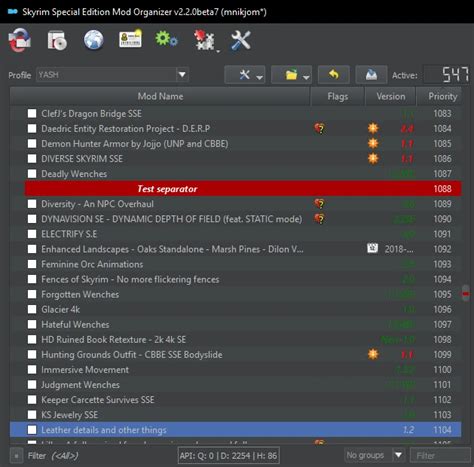
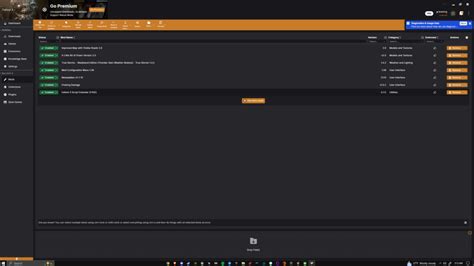
- Mod Organizers (e.g., Mod Organizer 2, Vortex): These powerful tools manage mod installation, allow for easy activation/deactivation, and often provide visual cues for conflicts. Many have built-in sorting features or integrations with other tools.
- LOOT (Load Order Optimisation Tool): Particularly popular for Bethesda games (Skyrim, Fallout), LOOT automatically sorts your plugin load order based on a comprehensive masterlist. While highly effective, it’s not always perfect and may require manual adjustments for unique setups or very new mods.
- Conflict Resolution Tools (e.g., Wrye Bash, xEdit): For advanced users, tools like Wrye Bash (for creating Bashed Patches) or xEdit (for creating Merged Patches) can combine conflicting records from multiple mods into a single, unified output file. This method prevents overwrites and creates a more stable, harmonious mod environment.
Strategies for Troubleshooting
Even with tools, issues can arise. Here are some troubleshooting tips:
- Add Mods Gradually: Resist the urge to install dozens of mods at once. Add a few, test for stability, then add more. This makes it easier to identify the source of a problem.
- Read Mod Descriptions Carefully: Mod authors often specify load order requirements, known incompatibilities, and necessary patches. This information is invaluable.
- Isolate Conflicts: If you encounter an issue, disable mods in groups (or one by one) to pinpoint the culprit. This ‘binary search’ method can quickly narrow down the problematic mod or conflict.
- Test Frequently: Don’t wait until you’re 20 hours into a playthrough to discover a critical bug. Test new mods in a fresh game save or a dedicated testing save.
Conclusion
Mastering your mod load order is an essential skill for any serious modder. It transforms a potentially frustrating experience into a seamless and enjoyable one. By understanding the principles of conflict resolution, utilizing available tools, and adopting a methodical approach, you can unlock the full potential of your modded games while maintaining optimal stability. Remember, a stable modded game isn’t a matter of luck, but of careful planning and execution. Happy modding!