Reduce network latency for competitive gaming: Router settings & tips?
Understanding Network Latency and Its Impact on Gaming
In the high-stakes world of competitive gaming, every millisecond counts. Network latency, often referred to as ‘ping,’ is the delay between your computer sending a data packet to the game server and receiving a response. High latency translates to noticeable lag, missed shots, delayed reactions, and ultimately, a significant disadvantage against opponents. While some latency is unavoidable due to physical distance, there are numerous steps you can take to minimize it within your home network.

Optimizing Your Router Settings for Peak Performance
Your router is the central hub of your home network, and its configuration plays a crucial role in managing traffic flow. Tweaking specific settings can prioritize gaming data and reduce bottlenecks.
Quality of Service (QoS)
One of the most powerful tools in your router’s arsenal is Quality of Service (QoS). QoS allows you to prioritize certain types of network traffic over others. By configuring QoS, you can ensure that your gaming traffic receives preferential treatment, even when other devices on your network are streaming videos or downloading large files. Look for “QoS” or “Bandwidth Control” settings in your router’s administration panel and set your gaming PC or console as a high-priority device or prioritize gaming application ports.
Keep Router Firmware Updated
Router manufacturers frequently release firmware updates that can improve performance, security, and stability. Outdated firmware can lead to inefficiencies and vulnerabilities. Regularly check your router’s administration page or the manufacturer’s website for the latest firmware and install it. This simple step can sometimes offer surprising improvements.
DNS Server Settings
The Domain Name System (DNS) translates website names into IP addresses. While not directly affecting in-game latency, using a faster, more reliable DNS server (like Google DNS or Cloudflare DNS) can improve the initial connection time to game servers and reduce resolution delays. You can often configure this directly in your router’s settings, which will then apply to all connected devices.
Wi-Fi Channel Optimization (for Wireless Users)
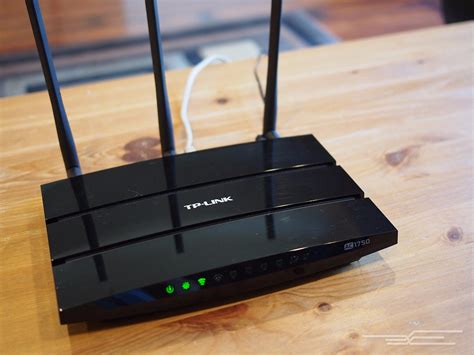
If you’re gaming over Wi-Fi, interference from neighboring networks can significantly impact your connection quality. Most routers operate on either 2.4 GHz or 5 GHz bands. The 2.4 GHz band has more channels and greater range but is prone to congestion. The 5 GHz band offers faster speeds and less interference but has a shorter range. Use a Wi-Fi analyzer app to identify less congested channels in your area and manually switch your router to one of those channels for a cleaner signal.
General Network Setup and Best Practices
Beyond router settings, several fundamental network practices can drastically reduce latency.
Go Wired: Ethernet is King
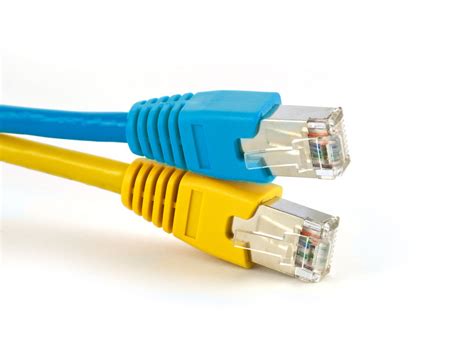
This is arguably the most impactful tip. Wireless connections (Wi-Fi) are inherently less stable and more susceptible to interference and latency spikes than wired connections. A direct Ethernet cable connection from your PC or console to your router provides the most consistent, low-latency gaming experience possible. Invest in a good quality Cat5e or Cat6 Ethernet cable.
Minimize Background Network Activity
Ensure that no other applications or devices are hogging bandwidth while you’re gaming. Close unnecessary browser tabs, pause large downloads/uploads, and ask family members to temporarily pause their streaming or heavy internet usage if possible. Even background updates for operating systems or other games can cause noticeable lag.
Router Placement Matters
If you must use Wi-Fi, the physical placement of your router is critical. Position it centrally in your home, away from obstructions like walls, large metal objects, and other electronics that can cause interference (e.g., microwaves, cordless phones). The closer your gaming device is to the router, the better the signal and potentially lower the latency.

Consider Your ISP and Modem
Sometimes, the bottleneck isn’t your internal network but your Internet Service Provider (ISP) or an outdated modem. Ensure your internet plan provides sufficient upload and download speeds for competitive gaming, and that your modem is up-to-date and performing optimally. If you suspect issues, contact your ISP’s support.
Conclusion
Achieving consistently low network latency in competitive gaming requires a combination of smart router configurations and disciplined network management. By implementing these router settings and best practices – prioritizing a wired connection, optimizing QoS, keeping firmware updated, and minimizing background traffic – you can significantly reduce lag, improve your reaction times, and gain a crucial edge in your favorite online titles. A smooth, lag-free connection isn’t just a luxury; it’s a fundamental component of competitive success.