





Safe modding: How to find & install quality game mods without malware risks?

The Allure and Peril of Game Modding
Game modding has revolutionized the gaming experience, offering players unparalleled customization, new content, enhanced graphics, and extended replayability. From intricate questlines in RPGs to quality-of-life improvements in simulation games, mods breathe new life into beloved titles. However, this vibrant world of user-generated content isn’t without its shadows. The open nature of mod distribution can inadvertently expose players to malware, viruses, and other digital threats. Navigating this landscape safely is paramount to enjoying the best of what modding has to offer without compromising your system’s security.

Identifying Reliable Mod Sources
The first and most crucial step in safe modding is knowing where to look. Not all websites or communities offering mods are created equal. Sticking to well-established, reputable platforms significantly reduces your risk exposure.
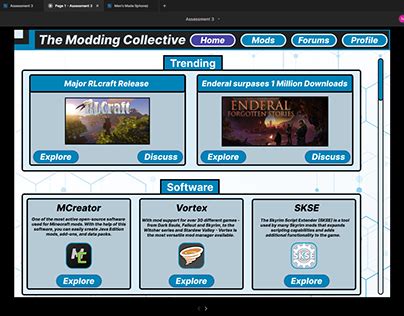
- Official Modding Hubs: Platforms like Nexus Mods, CurseForge, and the Steam Workshop are often the gold standard. They typically have robust moderation teams, community-driven reporting systems, and a long-standing reputation for hosting legitimate content. Many also offer their own mod managers for safer installation.
- Game-Specific Forums and Wikis: Dedicated communities on official game forums, subreddits (e.g., r/skyrimmods, r/falloutmods), and fan-run wikis often curate lists of recommended mods and provide direct links to safe download locations. Pay attention to community consensus and moderator-approved content.
- Reputable Mod Authors’ Official Sites: Some prolific mod creators maintain their own websites or Patreon pages where they host their work. Always verify these sites through established community links rather than relying on search engine results alone, which can sometimes lead to impostor sites.
Evaluating Mod Quality and Safety
Once you’ve found a potential mod, a little due diligence can go a long way in ensuring it’s both high-quality and free of malicious elements.
Examine User Reviews and Comments
The modding community is often your best line of defense. Read through comments and endorsements. Look for:
- Positive Feedback: Do users report the mod working as described without issues?
- Bug Reports: While bugs are common, excessive game crashes or severe performance problems can be a red flag.
- Malware Warnings: Crucially, keep an eye out for any mentions of suspicious behavior, unwanted software, or virus detections. If multiple users report such issues, steer clear.
Assess the Mod Author’s Reputation
A reputable mod author often has a history of creating well-received, stable mods. Check their profile:
- Activity: Are they still active in the community? Do they respond to comments and update their mods?
- Other Works: Have they released other popular mods? A consistent track record is a good sign.
- Contact Information: Do they provide ways to contact them or offer support?
Check for Updates and Compatibility
Outdated mods can cause instability or conflicts, even if they aren’t malicious. Ensure the mod is compatible with your game version and any other mods you plan to use. Active development usually indicates a committed author and a more stable mod.

Best Practices for Mod Installation
How you install mods is just as important as where you get them. Proper installation practices minimize risks and simplify troubleshooting.
- Use a Mod Manager: For complex games, a dedicated mod manager (like Vortex, Mod Organizer 2, or specific game launchers with mod support) is indispensable. These tools handle installation, load order, conflict resolution, and can often isolate mods from your main game directory, making it safer to experiment.
- Backup Your Game Files: Before diving into modding, especially for the first time or when installing major overhauls, always back up your save files and potentially your clean game installation. This provides a safety net if something goes wrong.
- Install One Mod at a Time: When building a mod list, install and test each mod individually. This makes it far easier to identify the culprit if a new mod introduces bugs, crashes, or other issues.
- Understand Load Order: For many games, the order in which mods load can significantly impact stability. Research your game’s specific load order requirements and use your mod manager to arrange them correctly.

Recognizing Red Flags and Maintaining System Security
Even with careful selection, vigilance is key. Be aware of common red flags that signal potential danger:
- Suspicious Download Links: If a mod page directs you to an unfamiliar file-sharing site or asks you to disable security software to download, proceed with extreme caution or avoid entirely.
- Unusual Permissions or Actions: A mod that requires administrator privileges for a simple texture pack, or one that tries to install browser extensions, is highly suspect.
- Unsigned Executables: Be very wary of directly executable files (.exe) downloaded outside of highly trusted sources, especially if your operating system flags them.
- Generic or Poorly Described Mods: Mods with minimal descriptions, no screenshots, or unclear functionality can be a sign of low effort or malicious intent.
Beyond mod-specific checks, maintain general cybersecurity hygiene:
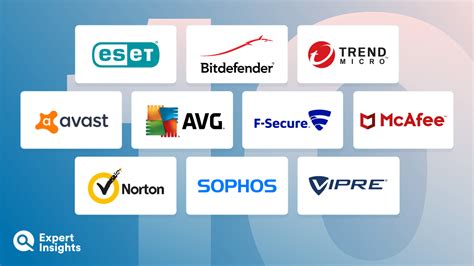
- Keep Antivirus/Antimalware Software Updated: A robust, up-to-date security suite can catch malicious files that slip through other defenses.
- Scan Downloaded Files: If you download a mod outside of a mod manager (which often scans files), consider manually scanning it with your antivirus software before installation.
- Use a Virtual Machine (Advanced): For those highly concerned about security or experimenting with very dubious sources, a virtual machine offers an isolated environment to test mods without affecting your main system.
Conclusion: Mod Safely, Play Freely
Modding offers an incredible expansion to the gaming experience, but it thrives on trust and community responsibility. By adhering to best practices—sourcing mods from reputable sites, meticulously evaluating content, using proper installation tools, and remaining vigilant against red flags—you can enjoy the boundless creativity of the modding community without risking your digital security. Happy modding!

