Should I upgrade my CPU or GPU first for optimal gaming performance?

The eternal dilemma for PC gamers looking to boost their rig’s performance often boils down to a single question: CPU or GPU first? Both components are vital, but their impact on your gaming experience differs significantly, making the ‘right’ choice highly dependent on your specific situation.
Understanding Your Components’ Roles
The Graphics Processing Unit (GPU) is the primary workhorse for rendering visuals. It dictates your game’s resolution, texture quality, anti-aliasing, and overall graphical fidelity. If you’re aiming for higher resolutions like 1440p or 4K, or want to crank up those ultra settings, a powerful GPU is usually your main priority. It’s responsible for drawing every pixel on your screen.
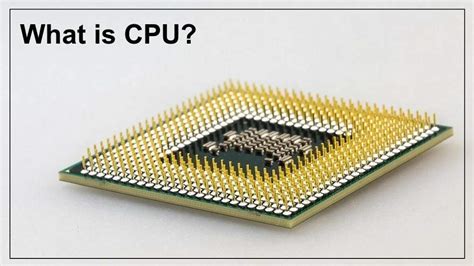
The Central Processing Unit (CPU), on the other hand, handles the game’s logic, artificial intelligence, physics calculations, background applications, and feeding instructions to the GPU. While it might not directly impact your graphics settings as much as the GPU, a weak CPU can limit even a high-end GPU’s potential, especially in CPU-intensive games or when targeting very high frame rates (144Hz+).
Identifying the Bottleneck
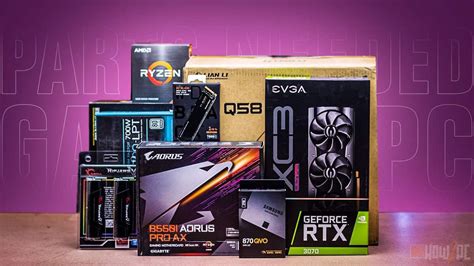
The key to making an informed decision is identifying your system’s bottleneck. A bottleneck occurs when one component limits the performance of another, preventing your system from reaching its full potential. For example, if your GPU is constantly at 99-100% utilization while your CPU is only at 40%, your GPU is likely the bottleneck. Conversely, if your CPU is maxed out and your GPU is underutilized, your CPU is holding back the system.
You can monitor component usage using tools like MSI Afterburner, HWMonitor, or the Task Manager’s performance tab while gaming. Pay close attention to CPU and GPU utilization percentages. If one consistently hits high usage while the other lags, you’ve found your bottleneck.
When to Prioritize a GPU Upgrade
For most modern games and gaming setups, the GPU is typically the first component to become a bottleneck. If you fall into any of these categories, a GPU upgrade is likely your best bet:
- Higher Resolutions: Playing at 1440p, 4K, or ultrawide resolutions puts immense strain on the GPU.
- Maxed-Out Graphics Settings: To enjoy games with all graphical bells and whistles, a more powerful GPU is essential.
- Current GPU is Old/Mid-Range: If your GPU is several generations old or was a budget option, a new one will offer the most significant visual and frame rate uplift.
- CPU is Relatively Modern: If you have a decent modern CPU (e.g., an Intel i5/i7 from the last 3-5 generations or an AMD Ryzen 5/7), it’s more likely to keep up with a newer GPU.

When to Prioritize a CPU Upgrade
While the GPU often takes center stage, there are distinct scenarios where upgrading your CPU first will yield better results:
- CPU-Intensive Games: Games like grand strategy titles (e.g., Civilization, Stellaris), open-world RPGs with complex AI (e.g., Cyberpunk 2077, Microsoft Flight Simulator), or simulation games (e.g., Cities: Skylines) rely heavily on CPU power.
- High Refresh Rate Gaming: If you’re aiming for very high frame rates (144Hz, 240Hz+) to match a high refresh rate monitor, a powerful CPU is crucial to feed enough frames to the GPU quickly.
- Older, Weaker CPU: If your CPU is significantly older (e.g., an Intel i3 from 7+ years ago, an ancient AMD FX chip) or a very low-end model, it can bottleneck even a modest GPU.
- Multitasking/Streaming: If you frequently stream games, run multiple applications, or do video editing while gaming, a stronger CPU offers significant benefits beyond just gaming performance.
The Balanced Approach and Budget Considerations
Sometimes, neither component is solely to blame, or you might be facing a budget constraint. In such cases, consider:
- Balanced Upgrades: If both your CPU and GPU are several generations old, a more balanced approach might be needed. Upgrading one dramatically without upgrading the other might just shift the bottleneck.
- Budget: Your budget will significantly influence your choices. A high-end GPU might consume your entire budget, leaving nothing for a CPU. Sometimes it’s better to get a good mid-range GPU and CPU rather than an excellent GPU with a severely bottlenecking CPU.
- Future-Proofing (within reason): While true future-proofing is elusive, investing in a CPU that supports a modern platform (e.g., DDR5 RAM, PCIe 5.0) can offer a better upgrade path down the line.

Conclusion
There’s no universal answer to whether you should upgrade your CPU or GPU first. The best approach involves assessing your current system’s performance, understanding your gaming habits, and setting realistic expectations for your desired gaming experience. Use monitoring tools to identify your system’s bottleneck, and then prioritize the upgrade that will address that specific limitation. For most gamers looking for a significant visual upgrade and higher frame rates at typical resolutions (1080p, 1440p), the GPU often offers the most impactful upgrade. However, for specific game types or very high refresh rates, a CPU upgrade can be paramount.