SSD vs. NVMe for gaming load times: Which storage upgrade truly matters?
The Quest for Faster Gaming: SSD vs. NVMe
In the world of PC gaming, every millisecond counts. From frame rates to input lag, gamers constantly seek an edge. One area often scrutinized for performance gains is storage, specifically how quickly games load. For years, hard disk drives (HDDs) were the standard, but the advent of Solid State Drives (SSDs) revolutionized system responsiveness. Now, with Non-Volatile Memory Express (NVMe) technology gaining prominence, the question arises: for gaming load times, which storage upgrade truly matters?

Understanding the Players: SATA SSDs
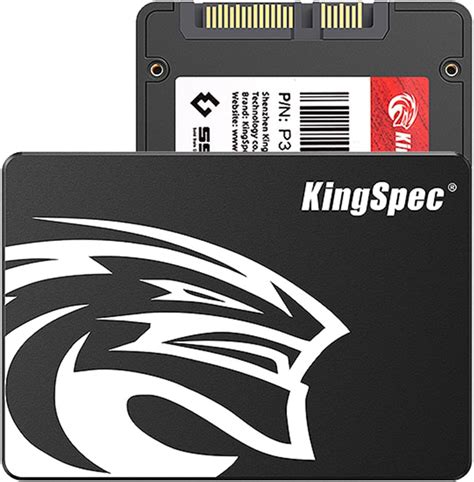
Traditional SATA SSDs (Solid State Drives) were the first major leap from mechanical HDDs. They utilize NAND flash memory to store data, offering vastly superior read/write speeds compared to their spinning counterparts. Connecting via the SATA 3.0 interface, these drives typically offer sequential read/write speeds of up to 550 MB/s. This speed dramatically reduces operating system boot times, application launches, and, crucially, game load times, transforming the user experience from sluggish to snappy. For many, simply upgrading from an HDD to a SATA SSD felt like getting a whole new computer.
Enter NVMe: The PCIe Powerhouse
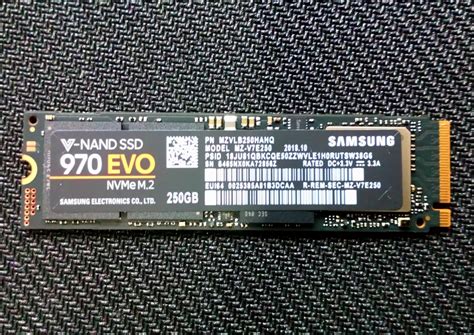
NVMe, or Non-Volatile Memory Express, is a communication protocol designed specifically for flash memory, allowing it to take full advantage of the high-speed PCI Express (PCIe) bus. Unlike SATA, which was originally designed for HDDs, NVMe bypasses the SATA controller limitations and connects directly to the CPU’s PCIe lanes. This direct connection dramatically increases bandwidth, allowing NVMe drives to achieve sequential read/write speeds far exceeding SATA SSDs, often reaching 3,500 MB/s and even upwards of 7,000 MB/s for newer PCIe Gen4 and Gen5 drives. Most NVMe drives come in the M.2 form factor, a small stick-like module that plugs directly into compatible motherboards.
The Gaming Load Time Showdown: Real-World Impact
On paper, NVMe drives are unequivocally faster than SATA SSDs. But does this raw speed translate into a proportionally faster gaming experience? For operating system boot times and general application usage, the difference between an NVMe and a SATA SSD can be noticeable, with NVMe often shaving off a few seconds. However, when it comes to game load times, the narrative becomes more nuanced.
Many modern games are designed with asset streaming and loading optimizations that can limit the practical benefits of extremely high sequential read speeds. Game engines often hit bottlenecks at other points in the pipeline, such as CPU decompression or GPU texture loading, before storage speed becomes the primary limiting factor for load times. Benchmarks and real-world tests often show that while NVMe drives are indeed faster than SATA SSDs in loading games, the difference is often only a few seconds, sometimes even less than a second, for most titles. This margin is often imperceptible to the average gamer.

Beyond Pure Load Times: Where NVMe Shines (and Doesn’t)
While the direct impact on traditional load screens might be marginal for many games, NVMe drives can offer advantages in other scenarios:
- Open-World Games: Games with massive, dynamic open worlds that constantly stream assets in the background might see smoother performance and less texture pop-in with an NVMe drive.
- Game Development & Content Creation: For professionals who frequently move massive files, compile large codebases, or render high-resolution video, NVMe’s superior throughput is invaluable.
- Future-Proofing: As DirectStorage and similar technologies become more prevalent, allowing the GPU to directly access data from the SSD, the higher bandwidth of NVMe will become increasingly important for truly unlocking next-gen loading speeds.
For the average gamer simply playing popular titles, the jump from HDD to SATA SSD is a revolutionary change. The jump from SATA SSD to NVMe, while a technical improvement, often feels like an evolutionary one, especially when considering gaming performance alone.
Cost, Compatibility, and Conclusion
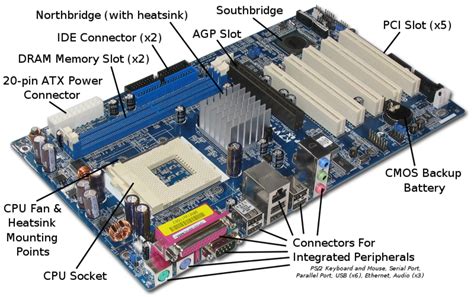
When making a decision, cost and compatibility are crucial factors. NVMe drives are typically more expensive per gigabyte than SATA SSDs, though prices have been steadily falling. Not all motherboards support NVMe, and even those that do might have limitations on the number of M.2 slots or PCIe lanes available. Ensure your motherboard has an M.2 slot that supports NVMe (check your motherboard’s specifications).
Which Upgrade Truly Matters?
- If you’re still on an HDD: Your absolute biggest upgrade for gaming load times, system responsiveness, and overall experience will be moving to any SSD, whether SATA or NVMe. This is the single most impactful storage upgrade.
- If you’re on a SATA SSD: Upgrading to an NVMe drive will offer a noticeable improvement in general system snappiness and potentially some specialized gaming scenarios, but for the majority of game load screens, the difference might be minor and not justify a significantly higher cost if budget is a primary concern.
- For maximum performance and future-proofing: If budget allows and your system supports it, an NVMe drive is the pinnacle of current consumer storage performance. It provides the best overall experience, even if the gaming load time gains aren’t always groundbreakingly larger than a SATA SSD.
Ultimately, the choice depends on your current setup, budget, and specific needs. For most gamers seeking a truly transformative experience from an old HDD, a SATA SSD is the most impactful and cost-effective upgrade. For those chasing every last bit of performance and future-proofing their rig, or involved in demanding professional tasks, NVMe is the clear winner.