How to optimize CPU/GPU cooling for peak gaming performance and prevent thermal throttling?
Elevate your gaming experience by optimizing CPU and GPU cooling to prevent thermal throttling, ensuring sustained peak performance and system longevity.
News, Guides, and Everything Gaming.






Elevate your gaming experience by optimizing CPU and GPU cooling to prevent thermal throttling, ensuring sustained peak performance and system longevity.

Experiencing overheating issues with your gaming PC can severely impact performance; learn how to optimize case airflow and CPU cooling to maintain stable temperatures and boost your system’s longevity.

Choosing the right CPU cooler is crucial for preventing overheating in high-end gaming PCs, with both AIO liquid coolers and traditional air coolers offering distinct advantages for performance and aesthetics.

Improving CPU and GPU cooling in your gaming PC is crucial for maintaining optimal performance, preventing thermal throttling, and extending hardware lifespan through strategic upgrades and maintenance.

This article explores the common causes of high CPU and GPU temperatures during gaming and provides practical solutions to effectively lower heat, ensuring stable frame rates and preventing performance-degrading thermal throttling.
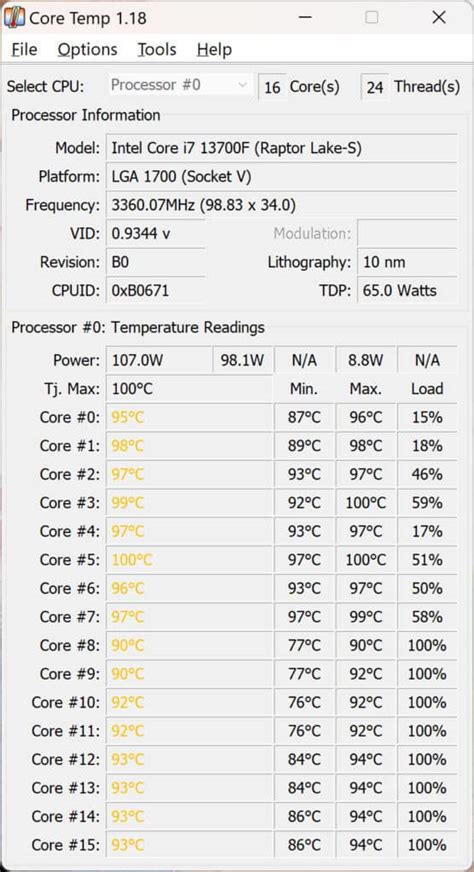
Experiencing 90°C CPU temperatures while gaming indicates a need for immediate cooling upgrades to protect your high-performance components and maintain optimal performance.

Optimizing your CPU fan curve is a crucial step in preventing PC overheating, ensuring stable performance, and extending the lifespan of your hardware by balancing cooling efficiency with acoustic comfort.