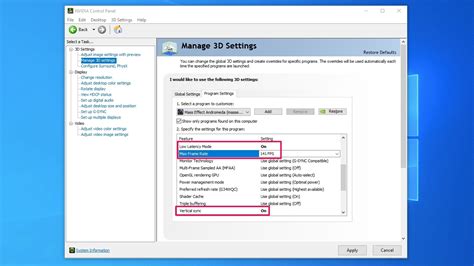
How do I properly enable G-Sync/FreeSync on my gaming monitor for tear-free gameplay?
Achieve buttery-smooth, tear-free gaming by properly enabling G-Sync or FreeSync on your compatible monitor with this comprehensive guide.
News, Guides, and Everything Gaming.






Achieve buttery-smooth, tear-free gaming by properly enabling G-Sync or FreeSync on your compatible monitor with this comprehensive guide.
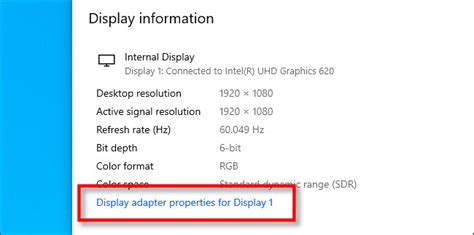
Ensuring your gaming monitor’s refresh rate is correctly configured in Windows is crucial for achieving the smoothest gameplay and maximizing your frames per second.

Choosing between a high refresh rate and high resolution monitor is crucial for competitive gamers, with each offering distinct advantages in different scenarios.
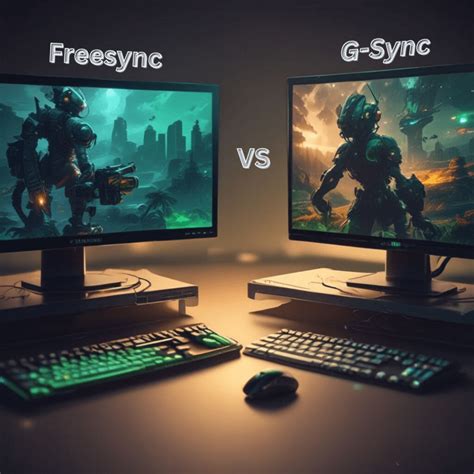
This article explores the benefits of G-Sync and FreeSync adaptive sync technologies, helping you decide if they’re right for you and guiding you through their correct setup for a smoother gaming experience.
Mastering your monitor settings is crucial for competitive FPS games, striking a delicate balance between visual clarity and lightning-fast responsiveness to gain an edge over opponents.
Discover the ideal monitor refresh rate to gain a competitive edge in fast-paced FPS games, balancing visual fluidity with system performance and budget considerations.

Choosing the right monitor refresh rate and panel type is paramount for gaining a competitive edge in fast-paced First-Person Shooter games.

Optimize your gaming monitor for competitive FPS by understanding and adjusting key settings like refresh rate, response time, adaptive sync, and picture configurations to gain a crucial advantage.
Unlock the full potential of your high refresh rate gaming monitor by following these steps to enable 144Hz or 240Hz for a smoother, more responsive gaming experience.
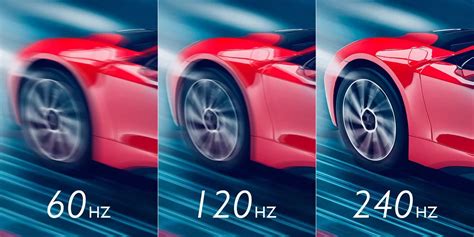
This article explores the critical decision between 144Hz and 240Hz gaming monitors, evaluating their impact on competitive FPS performance and helping players make an informed choice based on budget, skill, and hardware.