
Gaming PC slow? How to optimize Windows for better FPS in new titles.
Unlock your gaming PC’s full potential by optimizing Windows settings, drivers, and background processes to achieve smoother gameplay and higher FPS in the latest titles.
News, Guides, and Everything Gaming.





Unlock your gaming PC’s full potential by optimizing Windows settings, drivers, and background processes to achieve smoother gameplay and higher FPS in the latest titles.
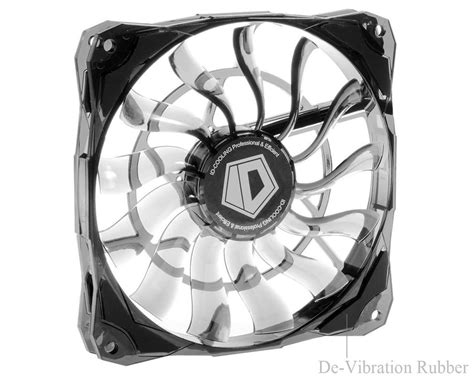
Optimize your gaming PC’s internal airflow to significantly lower GPU temperatures, prevent thermal throttling, and ensure sustained peak performance during intense gaming sessions.
This comprehensive guide will walk you through the essential steps to properly set up your new gaming monitor, ensuring you unlock its full potential for optimal refresh rates and seamless G-Sync performance.
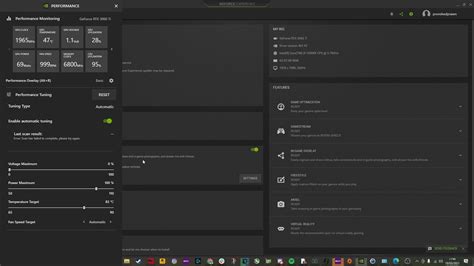
Unlock the full potential of your gaming rig in new AAA titles by systematically optimizing drivers, GPU control panel settings, in-game visuals, and operating system configurations for peak frame rates and smooth gameplay.

Combat high PC temperatures to unlock better gaming performance and extend hardware lifespan by optimizing CPU and GPU cooling solutions through hardware upgrades and software adjustments.

Learn how to effectively adjust your in-game and system settings to combat lag and achieve higher frame rates in demanding new PC game releases.
Unlock your gaming PC’s full potential by diving into the top three essential driver and in-game settings tweaks designed to significantly boost your Frames Per Second for an ultra-smooth gaming experience.

Unlock smoother gameplay and higher frame rates on your gaming PC without buying a new graphics card by optimizing software settings, tweaking hardware configurations, and ensuring proper system maintenance.
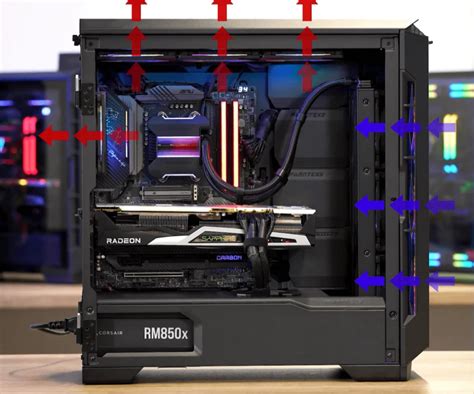
Learn how to effectively set up your PC fans and optimize internal airflow to significantly reduce gaming temperatures and enhance system stability and longevity.

Unlock your gaming PC’s full potential by fine-tuning critical BIOS and Windows settings to achieve maximum frames per second and a smoother gameplay experience.