Gaming PC overheating: Best tips for airflow & preventing thermal throttling?
Discover the best strategies and essential tips to optimize your gaming PC’s airflow and effectively prevent thermal throttling for peak performance and longevity.
News, Guides, and Everything Gaming.






Discover the best strategies and essential tips to optimize your gaming PC’s airflow and effectively prevent thermal throttling for peak performance and longevity.

This article provides a comprehensive guide on identifying and resolving common bottlenecks that lead to low FPS in gaming PCs, ensuring optimal performance and a smoother gaming experience.

Discover effective strategies to improve your gaming PC’s airflow and significantly reduce temperatures, leading to enhanced frame rates and extended component lifespan.

Proper cable management and optimized airflow are crucial for a high-performing and long-lasting gaming PC, preventing overheating and ensuring system stability.

Experiencing PC overheating during gaming is common in high-performance builds, but implementing the right cooling setup can significantly improve stability and longevity.

Discover the essential strategies and hardware upgrades to combat gaming PC overheating, ensuring stable performance and longevity for your high-powered rig.
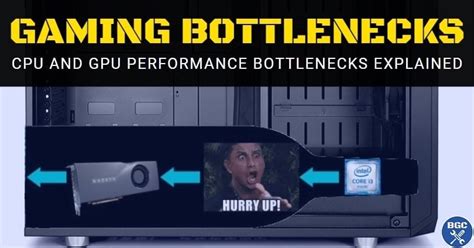
Discover how to pinpoint and resolve common hardware bottlenecks in your gaming PC to significantly boost your in-game frame rates and overall performance.

Addressing high CPU temperatures during gaming is crucial for PC longevity and performance, and the right case airflow configuration can make all the difference.

This article breaks down when to prioritize upgrading your CPU versus your GPU to achieve significant frame rate improvements in gaming, considering factors like resolution, game types, and current system balance.

Learn how to identify and resolve performance bottlenecks in your gaming PC to achieve maximum frames per second and a smoother gaming experience.