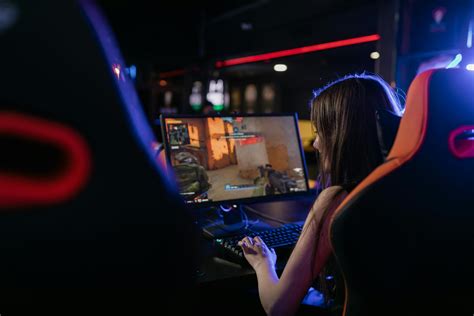
Gaming monitor: How to enable 144Hz/240Hz for max FPS?
Unlock the full potential of your high refresh rate gaming monitor by following these steps to enable 144Hz or 240Hz for a smoother, more responsive gaming experience.
News, Guides, and Everything Gaming.






Unlock the full potential of your high refresh rate gaming monitor by following these steps to enable 144Hz or 240Hz for a smoother, more responsive gaming experience.

Optimizing your GPU settings is crucial for competitive gamers seeking maximum frame rates and minimal input delay, providing a distinct advantage in fast-paced titles.

Discover how to accurately diagnose and systematically resolve frustrating stuttering issues in PC games, even when experiencing high frame rates, ensuring a smoother gaming experience.
Unlock your gaming monitor’s full potential by fine-tuning its settings for maximum frame rates and minimal input delay, giving you a competitive edge in any game.

Achieve peak gaming performance by fine-tuning your monitor’s settings for maximum frames per second and minimal input delay, covering refresh rates, response times, and adaptive sync.

Achieving a smooth, stutter-free 1440p high FPS gaming experience in today’s demanding AAA titles requires a careful selection of the right GPU, balancing raw performance, VRAM, and modern features.
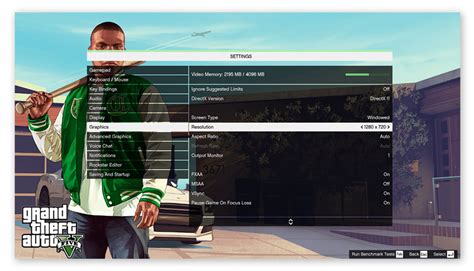
Discover the optimal balance between frame rates and graphical fidelity, ensuring a smooth gaming experience without compromising too much on visual immersion.
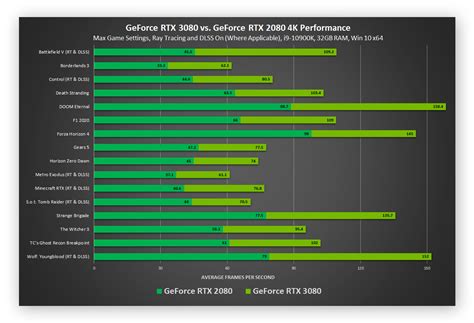
Unlock superior performance in competitive PC games by optimizing your GPU settings, ensuring higher Frames Per Second (FPS) and a significant edge over opponents.