
How to optimize Windows 11 for max gaming FPS with a mid-range GPU?
Unlock the full potential of your mid-range GPU in Windows 11 by systematically optimizing system settings, drivers, and background processes for a significant boost in gaming FPS.
News, Guides, and Everything Gaming.






Unlock the full potential of your mid-range GPU in Windows 11 by systematically optimizing system settings, drivers, and background processes for a significant boost in gaming FPS.
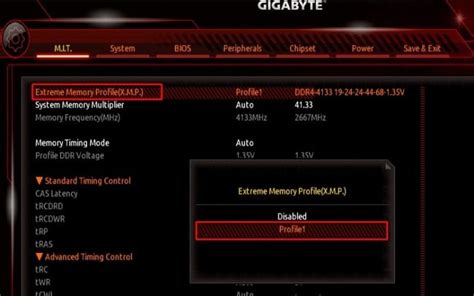
Unlocking your PC’s full gaming potential often involves more than just powerful hardware; fine-tuning essential BIOS settings can significantly enhance frame rates and system responsiveness.

Learn cost-effective strategies and setup optimizations to significantly reduce input lag and gain a competitive edge in your favorite games without overspending.

Learn how to significantly improve your PC gaming frame rates by optimizing software, settings, and drivers, all without the need for costly hardware upgrades.
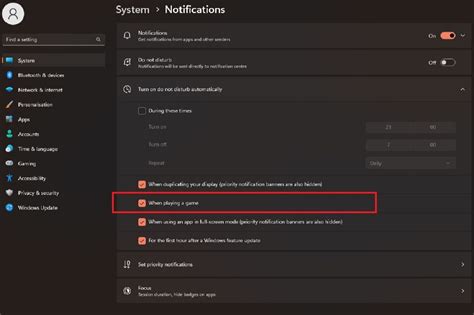
Discover comprehensive strategies, from software tweaks and driver updates to in-game settings and hardware maintenance, to elevate your gaming PC’s performance for peak FPS and an unbeatably smooth experience in the latest titles.
Discover essential Windows 11 settings and optimizations to significantly improve gaming frame rates and minimize frustrating input lag for a smoother, more responsive experience.
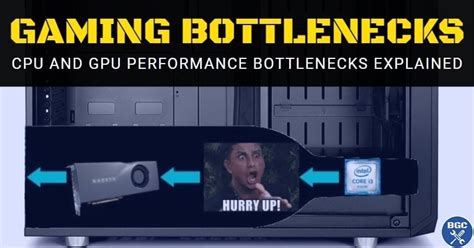
Discover how to identify whether your gaming PC is being held back by a bottleneck and learn practical solutions to fix it, boosting your frame rates for a smoother gaming experience.

Frustrated by inconsistent framerates while gaming? This comprehensive guide helps you diagnose the most common causes of in-game FPS drops and provides practical solutions to get your games running smoothly again.

Discover effective troubleshooting steps to diagnose and resolve sudden FPS drops during intense gaming sessions, ensuring a smooth and enjoyable gaming experience.