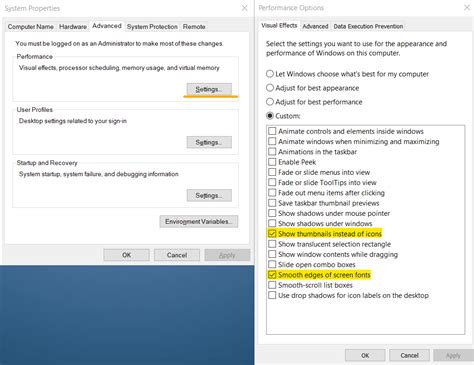
How do I optimize Windows settings for maximum gaming FPS on my custom PC build?
Unlock your custom PC’s full gaming potential by optimizing key Windows settings, from power plans to graphics configurations, to achieve maximum frames per second.
News, Guides, and Everything Gaming.






Unlock your custom PC’s full gaming potential by optimizing key Windows settings, from power plans to graphics configurations, to achieve maximum frames per second.

Enabling XMP (Extreme Memory Profile) or DOCP (D.O.C.P.) is crucial for unlocking your gaming RAM’s advertised speeds, significantly boosting system performance and ensuring you get the most out of your hardware.
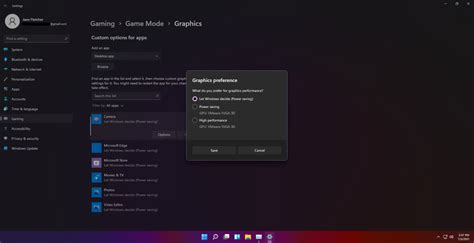
Maximize your Windows 11 gaming performance and responsiveness by fine-tuning power settings, graphics options, background processes, and drivers for a smoother experience.

This guide details how to meticulously adjust your GPU driver and in-game settings, alongside other crucial PC optimizations, to achieve maximum frame rates and a competitive edge in fast-paced PC games.
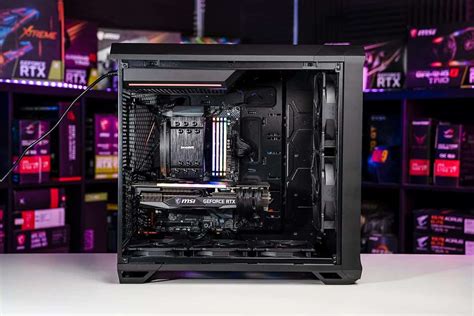
Achieve peak gaming performance by optimizing your PC’s hardware, software, and network settings for higher frame rates and minimal input lag.

Effectively covering PC performance and technical issues in game reviews requires a structured approach, objective data, and clear communication to inform readers about a game’s technical state across various hardware configurations.

Diagnosing and resolving low FPS issues in PC gaming requires a systematic approach, from software adjustments to identifying hardware limitations for smoother gameplay.

Learn how to fine-tune NVIDIA Reflex and AMD Anti-Lag settings, alongside other critical system adjustments, to achieve the absolute lowest input latency for a competitive gaming edge.

Experiencing overheating issues with your gaming PC can severely impact performance; learn how to optimize case airflow and CPU cooling to maintain stable temperatures and boost your system’s longevity.
Maintaining optimal GPU temperatures is crucial for gaming PC performance and longevity; this article details key temperature ranges, the risks of overheating, and practical solutions to keep your system cool.