





Tips for new gamers: how to safely install mods and avoid community pitfalls?

Diving into the world of PC gaming often leads to the exciting realm of game modifications, or mods. Mods can breathe new life into your favorite titles, offering enhanced graphics, new quests, unique characters, and countless hours of expanded gameplay. However, this vibrant landscape also comes with potential hazards, from technical glitches and security risks during installation to toxic interactions within online communities. For new gamers, understanding how to safely navigate these waters is crucial for a positive and enduring experience.
The Lure and Lore of Mods
Mods are community-created additions or alterations to a game. They can range from simple texture packs to complete overhauls that transform the entire game. While they offer unparalleled customization and longevity to games, improperly installed mods can corrupt game files, introduce malware, or destabilize your system. Learning to approach modding with caution and knowledge is your first line of defense.
Safely Installing Mods: A Step-by-Step Guide
1. Research Thoroughly
- Reputable Sources: Always download mods from well-known and trusted platforms like Nexus Mods, Mod DB, or official game forums. Avoid obscure websites or direct links from unknown users.
- Read Reviews & Endorsements: Check user comments, endorsements, and bug reports. A mod with many downloads and positive feedback is generally safer.
- Check for Updates & Compatibility: Ensure the mod is compatible with your game version and has been recently updated. Outdated mods can cause crashes.
2. Understand the Installation Process
- Read Instructions Carefully: Most mods come with detailed installation guides. Do not skip steps or assume you know how to install it.
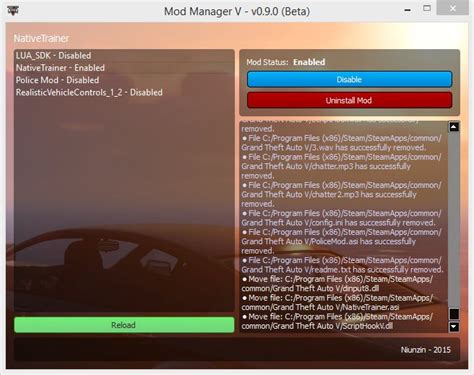
- Mod Managers: For games with extensive modding scenes (e.g., Skyrim, Fallout), use a dedicated mod manager (like Mod Organizer 2 or Vortex). These tools simplify installation, conflict resolution, and uninstallation, making the process much safer and reversible.
3. Backup Your Game Files
Before installing any mod, especially large or complex ones, always back up your game’s save files and, if possible, the entire game directory. This way, if something goes wrong, you can easily revert to a working state without having to reinstall the entire game.
4. Scan for Malware
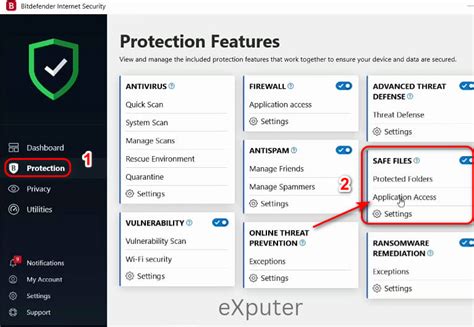
Even from reputable sites, it’s a good practice to scan any downloaded mod files with your antivirus software before installation. While rare, malicious files can occasionally slip through.
Navigating Gaming Communities: Avoiding Pitfalls
Online gaming communities, whether for a specific game or mod, are vibrant hubs of information and camaraderie. However, they can also be challenging to navigate for newcomers due to differing expectations and occasional negativity. Establishing a positive presence is key.
1. Be Respectful and Civil
Treat others as you’d like to be treated. Disagreements can happen, but keep discussions constructive and avoid personal attacks or harassment. Remember, there’s a real person behind every username.
2. Read the Rules and FAQs
Before posting a question or joining a discussion, take time to read the forum or community’s rules and frequently asked questions (FAQs). This prevents you from inadvertently breaking rules or asking questions that have already been answered hundreds of times.

3. Search Before Asking
A common pitfall for new members is immediately posting a question without searching existing topics. Most likely, someone else has had the same question or issue. A quick search can often provide an immediate answer and is a sign of good forum etiquette.
4. Deal with Toxicity Positively
Not all online interactions will be positive. You may encounter trolls, rude individuals, or overly aggressive discussions. The best strategies are:
- Don’t Engage: Often, responding only fuels the fire.
- Use Mute/Block Features: Most platforms offer ways to mute or block problematic users.
- Report Abuse: If someone violates community guidelines, report them to moderators.
- Take a Break: Step away if you feel overwhelmed or frustrated.

Conclusion
Modding offers an incredible way to extend and personalize your gaming experience, while game communities provide valuable support and connection. By approaching mod installation with caution, thorough research, and proper backup procedures, you can significantly mitigate risks. Similarly, by practicing good online etiquette, respecting community guidelines, and knowing how to handle negative interactions, you can ensure your time in gaming communities is enjoyable and enriching. Embrace the possibilities, but always prioritize safety and respect.

