





What are best practices for finding stable, community-backed game mods?
Navigating the World of Game Mods
Game modifications, or mods, offer an incredible way to extend the lifespan, enhance graphics, add new content, or even completely transform your favorite titles. From minor quality-of-life adjustments to expansive new quests, mods can breathe new life into a game. However, the vast and often unregulated nature of the modding landscape means that not all mods are created equal. Finding stable, well-maintained, and community-backed mods is crucial to avoid crashes, corrupted saves, or frustrating gameplay experiences.

Why Stability and Community Backing Are Paramount
The allure of new content can sometimes lead players to download mods without proper vetting. Unstable mods can introduce a host of problems: frequent game crashes, incompatible scripts, save file corruption, or even performance degradation. Furthermore, a mod that lacks community backing often means less support for issues, fewer updates to address bugs, and a higher chance of it being abandoned. Prioritizing stability and community ensures a smoother, more enjoyable modded experience.
Where to Begin Your Search: Reputable Platforms
The first step in finding quality mods is to look in the right places. Not all mod repositories are reliable. Focus on platforms known for their robust community features and moderation:
- Nexus Mods: Arguably the largest and most well-regarded modding site, Nexus Mods offers a sophisticated system for tracking downloads, endorsements, bug reports, and a vibrant comment section. Its Mod Organizer 2 tool is also a staple for many modders.
- Steam Workshop: For games that support it, the Steam Workshop provides an incredibly user-friendly way to subscribe to mods, which are often automatically installed and updated. Look for highly rated and subscribed items.
- Official Game Forums & Discord Servers: Developers often highlight community-created content, and dedicated modding sections on official forums or Discord servers are excellent places to find curated lists or discuss popular mods.
- Dedicated Modding Websites: Some games have their own specialized modding communities (e.g., CurseForge for Minecraft/WoW, various sites for older Bethesda games).

Key Indicators of a Stable and Reliable Mod
Once you’ve identified potential mods, it’s time to vet them. Look for these crucial indicators:
- Endorsements and Download Counts: High numbers here often signify popularity and user satisfaction. A large number of unique downloads combined with a high endorsement ratio (relative to downloads) is a strong positive sign.
- Active Development & Update History: Check the mod’s last update date. Mods that are actively maintained or have been recently updated are more likely to be compatible with the latest game versions and have fewer unresolved bugs.
- Bug Reports and User Feedback: Scrutinize the “Bugs” or “Issues” section. A mod with many unresolved, critical bugs might be problematic. Also, read comments and forum posts for common complaints or praise.
- Clear Documentation and Requirements: A well-documented mod will clearly state its dependencies (other mods required), installation instructions, and any known incompatibilities. Poor documentation can be a red flag.
- Mod Author Reputation: Experienced mod authors with a history of creating popular and stable mods are generally a safer bet.
Leveraging the Community for Deeper Insights
The wisdom of the crowd is invaluable in modding:
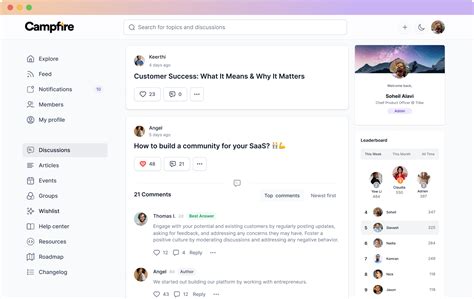
- Mod Comments Sections: These are goldmines for real-world experiences. Users often report bugs, suggest fixes, or discuss compatibility issues that might not be in the official bug reports.
- Modding Forums & Subreddits: Dedicated communities for specific games often have “essential mods” lists, compatibility guides, and active discussions where you can ask questions.
- YouTube Reviews & Tutorials: Content creators frequently review popular mods, showcase their functionality, and provide installation guides, offering a visual and often honest assessment.
- Discord Servers: Many mod authors and modding communities maintain Discord servers where you can get real-time support, discuss issues, and find up-to-date information.
Best Practices for Installation and Troubleshooting
Even with stable mods, good practices are essential:
- Use a Mod Manager: For complex games, a mod manager (like Mod Organizer 2 or Vortex) is almost mandatory. It helps manage load order, detect conflicts, and safely install/uninstall mods without directly altering game files.
- Backup Your Save Files: Always, always back up your game saves before installing new or major mods. This is your insurance policy against corruption.
- Install One Mod at a Time: Especially for larger mods or when troubleshooting. This makes it easier to identify which mod is causing a problem if one arises.
- Read Everything Carefully: Pay attention to installation instructions, compatibility notes, and any warnings from the mod author.
- Understand Load Order: For many games, the order in which mods load can significantly impact stability. Learn about tools and principles for optimizing your load order.
Conclusion
Finding stable, community-backed game mods requires a blend of savvy searching and critical evaluation. By focusing on reputable platforms, scrutinizing key indicators like endorsements and update history, and actively engaging with the modding community, you can significantly reduce the risk of issues. Coupled with best practices for installation and troubleshooting, these steps will ensure that your modding journey enhances your gaming experience, rather than hindering it. Happy modding!

