





What are key indicators to identify safe, high-quality game mods before installation?
Enhancing Your Game: The Importance of Safe Modding
Game modifications, or mods, can profoundly transform your gaming experience, adding new content, improving graphics, or even fixing long-standing issues. However, the world of modding also carries risks, from system instability and corrupted save files to malicious software. Identifying safe, high-quality mods before installation is paramount to protecting your PC and enjoying your modified game without unforeseen headaches. This guide will walk you through the key indicators to look for.
Choosing Reputable Modding Platforms
The first and most critical step is to source your mods from trusted platforms. Websites like Nexus Mods, Steam Workshop, CurseForge, and official game forums are generally considered safe havens for modding. These platforms often have moderation teams, user review systems, and direct communication channels with mod authors. Avoid obscure websites or direct downloads from forums without substantial community backing, as these are far more likely to host outdated, broken, or malicious files.

Scrutinizing the Mod Page Information
Once you’ve found a mod on a reputable site, dive deep into its dedicated page. This is where you’ll find a wealth of information about the mod’s safety and quality:
- Detailed Description: A high-quality mod will have a clear, well-written description outlining its features, purpose, and impact on the game. Poorly written descriptions, vague promises, or a lack of detail can be red flags.
- Requirements & Compatibility: Check if the mod requires other mods (dependencies), specific game versions, or DLCs. Ensure it’s compatible with your current game setup to avoid crashes or conflicts.
- Screenshots & Videos: Good mods typically include several screenshots or even a video demonstrating the mod in action. This helps you assess visual quality and ensure the mod lives up to its claims.
- Installation Instructions: Clear, step-by-step installation instructions are a sign of a well-maintained mod. Confusing or absent instructions can indicate a lack of care from the author.
Leveraging Community Feedback
The collective wisdom of the modding community is one of your most valuable resources:
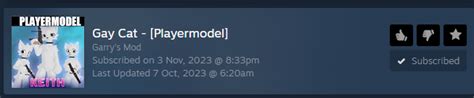
- Ratings & Endorsements: Mods with high ratings, numerous endorsements, and a significant number of downloads generally indicate reliability and quality. Be wary of mods with very few downloads or low ratings, even if they’re new.
- Comments Section: Read through the comments. Look for reports of bugs, crashes, or conflicts. Pay attention to how the mod author interacts with users – responsiveness to issues is a good sign. Positive feedback from multiple users regarding stability and performance is a strong indicator of a safe mod.
- Forum Discussions: Many modding communities have dedicated forums where users discuss mods in more detail, report advanced issues, or share personal experiences. Searching for the mod’s name there can provide deeper insights.

Assessing the Mod Author’s Reputation
A mod author’s track record often speaks volumes about their current work:
- Modder Profile: Check the author’s profile on the modding platform. Do they have a history of releasing other well-received and supported mods? A long-standing presence with multiple quality contributions suggests reliability.
- Update Frequency: Has the mod been updated recently? Regular updates, especially after game patches, show that the author is actively maintaining the mod and addressing bugs. A mod that hasn’t been updated in years for an actively updated game might be broken.
Taking Precautionary Installation Steps
Even with all the checks, it’s wise to take a few extra precautions before installing any mod:
- Backup Your Save Files: Always, always back up your game save files before installing new mods. This is your primary defense against corrupted saves.
- Scan Downloaded Files: Run a full antivirus scan on any downloaded mod archive or executable before running it.
- Read Installation Guides Carefully: Follow instructions precisely, especially regarding load order or specific tools.
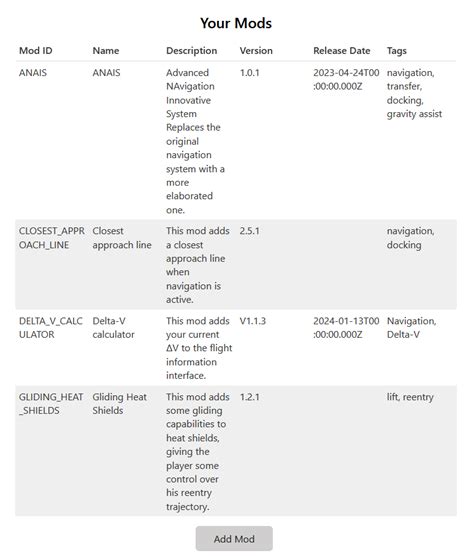
- Consider a Mod Manager: For complex games, a dedicated mod manager (like Vortex or Mod Organizer 2) can greatly simplify installation, conflict resolution, and uninstallation, making the process much safer.
- Virtual Machine (Advanced): For those with advanced technical skills and extreme caution, testing highly suspicious mods in a virtual machine can provide an isolated environment, protecting your main system.
Conclusion
Modding offers incredible potential to customize and extend your favorite games. By diligently checking for reputable sources, thoroughly examining mod information, listening to community feedback, and understanding the mod author’s history, you can significantly reduce the risks associated with mod installation. Prioritize safety and quality, and you’ll unlock a world of enhanced gaming experiences without compromising your system’s integrity.

