





What are key strategies for vetting safe, high-quality game mods from unofficial sources?
The Allure and Risks of Unofficial Game Mods
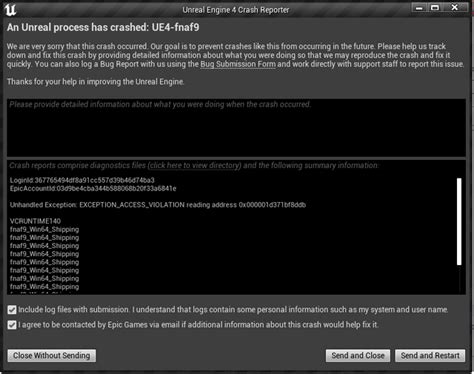
Unofficial game mods can breathe new life into your favorite titles, offering everything from graphical overhauls and new gameplay mechanics to minor quality-of-life improvements. However, downloading content from sources outside the official game developers or curated marketplaces carries inherent risks. These can range from game instability and save corruption to, more seriously, malware and viruses embedded within mod files. To truly enjoy the benefits without falling victim to the pitfalls, a robust vetting process is essential.
1. Scrutinize the Modder and Source Reputation
The first line of defense is always research. Before downloading any mod, investigate the modder and the platform hosting the mod. Is the modder a known entity within the game’s community, with a history of creating safe and well-received mods? Look for profiles on reputable modding sites (e.g., Nexus Mods, ModDB), check their activity, and see if they have a consistent track record. Unofficial, lesser-known websites can be riskier; stick to established communities where moderation helps filter out malicious content.
2. Dive Deep into Community Feedback and Reviews
The collective wisdom of the community is an invaluable resource. Read through comments, endorsements, and bug reports associated with the mod. Pay attention to how long the mod has been out and whether it receives consistent updates and support from the modder. A high number of downloads coupled with positive, recent reviews and active discussions generally indicates a safer and higher-quality mod. Conversely, a mod with many bug reports, complaints about crashes, or a lack of developer engagement should raise red flags.
3. Perform Comprehensive Scans for Malicious Content
Even with a good reputation, taking extra precautions is crucial. Once you’ve downloaded a mod, always scan its files before installation. Use a reputable antivirus program on your local machine. For an even deeper scan, consider uploading the mod archive (or individual executable/script files if applicable) to online services like VirusTotal, which checks files against dozens of different antivirus engines. Be wary of mods that require disabling your antivirus or have unusual executable files in their package, especially if they are not well-explained by the modder.

4. Understand Mod Compatibility and Dependencies
High-quality mods are often designed with compatibility in mind and clearly list any dependencies (other mods, DLC, specific game versions) they require. Before installing, ensure your game version matches and you have all necessary prerequisites. Incompatible mods are a leading cause of game crashes and instability. Some games have well-established modding communities that provide tools or guides for managing load orders and resolving conflicts between multiple mods.
5. Start Small and Test Thoroughly in a Controlled Environment
Never overload your game with many new mods at once. Install one or two new mods, test them extensively to ensure they work as expected and don’t introduce instability, and then proceed with others. Always back up your game’s save files and potentially the entire game directory before installing new mods. Consider creating a clean, separate game installation specifically for heavily modded playthroughs if your game allows, minimizing risk to your primary installation.
6. Leverage Mod Managers for Easier Installation and Conflict Resolution
For games with robust modding scenes, dedicated mod managers (like Nexus Mod Manager, Mod Organizer 2, or Vortex) are indispensable tools. These applications simplify the installation and uninstallation process, manage mod load orders, detect potential conflicts, and allow for easy experimentation without directly altering your game’s core files. Using a mod manager significantly reduces the risk of corrupting your game installation and makes it easier to troubleshoot issues or roll back changes.

Conclusion: Informed Modding for a Better Gaming Experience
Vetting unofficial game mods is a multi-layered process that combines research, community engagement, technical checks, and smart installation practices. While it may seem like a lot of effort, these strategies significantly reduce the risks associated with unofficial content, allowing you to safely enhance your gaming experience with the incredible creativity and innovation of the modding community. By being diligent and informed, you can unlock a whole new world within your favorite games without compromising your system’s security or your game’s stability.

