





What are the optimal monitor settings (refresh, response, G-Sync/FreeSync) for competitive gaming?
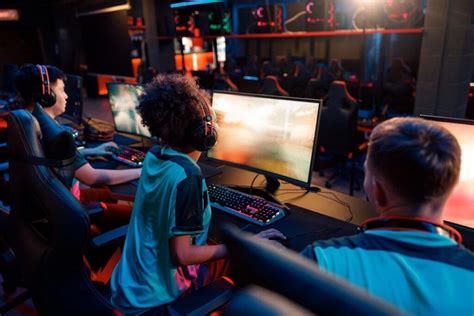
The Edge in Pixels: Mastering Your Monitor for Competitive Play
In the high-stakes world of competitive gaming, every millisecond and every pixel can mean the difference between victory and defeat. While a powerful PC is essential, your monitor acts as the window to the game, and its settings can significantly impact your performance. Optimizing your monitor’s refresh rate, response time, and leveraging adaptive sync technologies like G-Sync or FreeSync are paramount for gaining a true competitive edge.
Refresh Rate: The Foundation of Fluidity
The refresh rate, measured in Hertz (Hz), indicates how many times per second your monitor can draw a new image. A higher refresh rate translates to smoother motion, reduced motion blur, and a more responsive feel, allowing you to react faster to in-game events.
- 60Hz: Standard, but insufficient for competitive play as it introduces noticeable input lag and choppiness in fast-paced games.
- 120Hz/144Hz: This is generally considered the minimum for serious competitive gaming. It provides a significant visual and responsive upgrade over 60Hz.
- 240Hz/360Hz+: The current pinnacle for esports professionals. These ultra-high refresh rates offer unparalleled smoothness and minimal input lag, making fast-moving targets easier to track and giving you a decisive advantage in titles like CS:GO, Valorant, and Apex Legends.
Optimal Setting: Aim for 144Hz as a baseline, with 240Hz or higher being ideal if your GPU can consistently push frames at those rates.

Response Time: Banishing Ghosting and Blur
Monitor response time refers to how quickly a pixel can change from one color to another (typically grey-to-grey, or GtG). A low response time is crucial for competitive gaming as it minimizes motion blur, ghosting (streaking trails behind moving objects), and smearing, ensuring that fast-moving objects remain sharp and clear on your screen.
- GtG (Grey-to-Grey): This is the most common measurement. It indicates the time it takes for a pixel to transition from one shade of grey to another.
- MPRT (Moving Picture Response Time): Measures how long a pixel remains visible. Some monitors use techniques like backlight strobing to achieve lower MPRT, but this can sometimes cause flicker or reduce brightness.
Optimal Setting: Look for monitors with a 1ms GtG response time. While some 2ms or 4ms panels can perform well, 1ms is the gold standard for competitive play.

Adaptive Sync: G-Sync and FreeSync for Tear-Free Dominance
Screen tearing and stuttering are common visual artifacts that occur when your GPU’s frame output is out of sync with your monitor’s refresh rate. Adaptive sync technologies synchronize your monitor’s refresh rate with your GPU’s frame rate, eliminating these distractions and providing a consistently smooth visual experience without the input lag penalties of traditional V-Sync.
- NVIDIA G-Sync: A proprietary hardware solution found in G-Sync certified monitors. It offers excellent performance and ensures a tear-free, stutter-free, and low-latency gaming experience. Requires an NVIDIA GPU.
- AMD FreeSync: An open-standard technology that leverages DisplayPort Adaptive Sync. FreeSync monitors are typically more affordable and compatible with a wider range of AMD GPUs. Many NVIDIA GPUs are now also compatible with FreeSync monitors (known as ‘G-Sync Compatible’).
Optimal Setting: Always enable G-Sync or FreeSync if both your GPU and monitor support it. This ensures the smoothest possible gameplay by eliminating tearing and stuttering, allowing you to focus purely on the game.

Beyond the Big Three: Other Crucial Settings
- Overdrive/OD: Most gaming monitors have an ‘Overdrive’ or ‘Response Time’ setting. This feature accelerates pixel transitions to achieve lower response times. Experiment with this setting; too low and you get ghosting, too high and you might introduce inverse ghosting (artifacts where trails appear brighter than the original image).
- Panel Type: While IPS panels offer superior colors and viewing angles, and VA panels provide better contrast, TN (Twisted Nematic) panels traditionally offer the fastest response times and lowest input lag, making them a common choice for competitive gamers prioritizing speed above all else. Modern fast IPS and VA panels have significantly narrowed this gap.
- Input Lag: Separate from response time, input lag is the delay between an action (mouse click, key press) and its appearance on screen. Choose monitors with inherently low input lag, often correlated with higher refresh rates and effective adaptive sync implementations.
- Brightness, Contrast, and Color: Calibrate these settings for optimal visibility without eye strain. While not directly performance-enhancing, clear vision is vital. Some competitive players prefer higher brightness and specific color profiles for better enemy detection.
Bringing It All Together: Your Competitive Edge
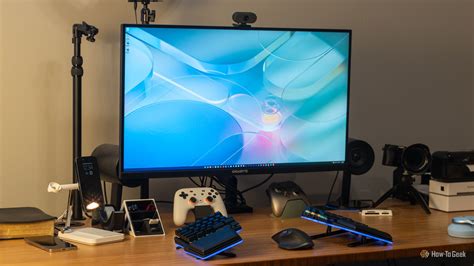
For competitive gaming, the optimal monitor settings prioritize speed, clarity, and synchronization. A monitor with a high refresh rate (144Hz+), a low response time (1ms GtG), and adaptive sync technology (G-Sync or FreeSync) will dramatically enhance your gameplay experience. Remember to configure these settings correctly within your monitor’s OSD (On-Screen Display) and your GPU’s control panel. Matching these monitor capabilities with a GPU powerful enough to consistently deliver high frame rates at your chosen resolution will truly unlock your full potential and give you that crucial competitive edge.


