





What refresh rate and panel type is ideal for competitive FPS gaming?

Understanding the Competitive Edge
Competitive First-Person Shooter (FPS) games demand lightning-fast reflexes, precise aim, and the ability to react to every subtle movement on screen. While skill and practice are paramount, your hardware setup plays a critical supporting role. Among the most crucial components for visual performance is your monitor, specifically its refresh rate and panel type. These two specifications directly impact how smoothly and clearly you perceive in-game action, potentially giving you the split-second advantage needed to secure a win.
This guide will dive deep into what refresh rate and panel type mean for competitive FPS players, helping you make an informed decision for your next gaming monitor.

Refresh Rate: The Higher, The Smoother
Refresh rate, measured in Hertz (Hz), indicates how many times per second your monitor can update its on-screen image. A 60Hz monitor refreshes 60 times per second, while a 144Hz monitor refreshes 144 times per second, and so on. For competitive FPS gaming, a higher refresh rate is almost universally superior.
Why Higher Refresh Rates Matter for FPS:
- Smoother Visuals: More frames per second translate to a significantly smoother visual experience. This reduces motion blur and makes enemy movements clearer and easier to track, especially during rapid camera movements.
- Reduced Input Lag (Perception): While refresh rate isn’t direct input lag, a higher refresh rate means the monitor displays the latest available frame sooner. This reduces the time between your action (mouse click) and seeing the result on screen, making the game feel more responsive.
- Better Target Tracking: In fast-paced firefights, the ability to smoothly track moving targets is vital. Higher refresh rates provide more visual information, making it easier to lead shots and maintain crosshair placement.
Common Refresh Rate Tiers:
- 60Hz: Standard, but generally considered inadequate for competitive FPS due to noticeable motion blur and lag compared to higher rates.
- 144Hz: A significant upgrade and often the sweet spot for many competitive players, offering a substantial smoothness improvement without breaking the bank.
- 240Hz: Provides a further noticeable improvement in smoothness and responsiveness over 144Hz. This is increasingly becoming the standard for professional esports players.
- 360Hz+: The absolute bleeding edge, offering marginal but potentially critical improvements for elite players. Requires a very powerful PC to consistently hit such high frame rates.
For competitive FPS, aim for at least 144Hz, with 240Hz being the ideal target if your budget and GPU can consistently push high frame rates.

Panel Types: Speed vs. Fidelity
The panel type refers to the underlying display technology that produces the image. Each type has its own strengths and weaknesses, impacting response time, color accuracy, viewing angles, and contrast.
TN (Twisted Nematic) Panels: The Speed Demon
- Pros: Historically the fastest response times (often 1ms GtG or lower), making them excellent for competitive gaming where every millisecond counts. They are also typically the most affordable.
- Cons: Poor viewing angles (colors and contrast shift significantly when viewed off-center) and generally less accurate color reproduction compared to other panel types.
Verdict for FPS: For a long time, TN panels were the undisputed choice for competitive FPS due to their unparalleled speed. While other panels have caught up, TN monitors still offer a great budget-friendly option for pure performance.
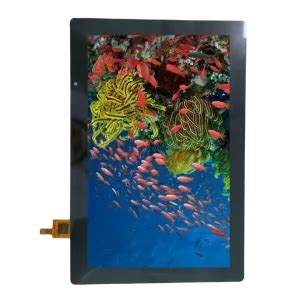
IPS (In-Plane Switching) Panels: The All-Rounder
- Pros: Superior color accuracy and vibrant visuals, along with excellent wide viewing angles. Modern IPS panels have made huge strides in response times, with many now offering 1ms GtG or lower.
- Cons: Traditionally slower than TN, leading to more motion blur. While much improved, some high-refresh IPS panels can exhibit “IPS glow” (a slight backlight bleed from corners) or less impressive contrast ratios than VA.
Verdict for FPS: High-refresh IPS panels are now a fantastic choice for competitive FPS gamers who want a balance of speed and visual quality. If you can afford it, a fast IPS monitor offers a premium experience without significant competitive disadvantage.

VA (Vertical Alignment) Panels: The Contrast King
- Pros: Excellent contrast ratios, leading to deeper blacks and more vibrant images than TN or IPS. Good viewing angles, better than TN but not quite IPS-level.
- Cons: Historically, VA panels struggle with slower response times and noticeable ghosting or black smearing, especially in dark scenes and with fast-moving objects. While improvements have been made, this can be a significant drawback for competitive FPS.
Verdict for FPS: Generally not recommended for highly competitive FPS gaming due to potential ghosting issues. While they offer a great immersive experience for single-player games, the responsiveness can be a liability in fast-paced titles.
Beyond Refresh Rate and Panel Type: Other Crucial Factors
- Response Time (GtG): This measures how quickly a pixel can change from one color to another (Gray-to-Gray). Lower is better, typically 1ms GtG is desired to minimize motion blur and ghosting.
- Input Lag: The total delay from when an input is received to when it’s displayed on screen. This is distinct from response time. Look for monitors with low input lag.
- Adaptive Sync (FreeSync/G-Sync): These technologies synchronize the monitor’s refresh rate with your GPU’s frame rate, eliminating screen tearing and stuttering. While beneficial, some competitive players opt to disable it in favor of absolute lowest input lag when frame rates are consistently very high.
The Ideal Monitor for Competitive FPS Gaming
Considering all factors, here’s the breakdown for the ideal competitive FPS monitor:
- Refresh Rate:
- Minimum: 144Hz
- Recommended: 240Hz
- Elite/Future-Proof: 360Hz+ (if your PC can handle it)
- Panel Type:
- Budget-Friendly/Pure Speed: TN with 1ms GtG
- Balanced Performance & Visuals: Fast IPS with 1ms GtG
- Avoid: VA for competitive FPS due to ghosting concerns.
- Response Time: 1ms Gray-to-Gray (GtG) is the gold standard.
- Input Lag: As low as possible. Research specific monitor reviews.
- Resolution: 1080p (Full HD) is often preferred for competitive FPS as it’s easier for GPUs to hit very high frame rates, which is crucial for high refresh rate benefits. 1440p (QHD) is viable with powerful GPUs.
Conclusion
For competitive FPS gaming, the priority is clear: speed and clarity. A high refresh rate monitor, ideally 240Hz, combined with a fast 1ms GtG response time panel, will provide the sharpest, smoothest, and most responsive visual experience. While TN panels remain a solid, affordable choice for raw speed, modern fast IPS panels now offer a compelling alternative that delivers excellent performance without sacrificing visual fidelity. Invest wisely, and you’ll equip yourself with a significant advantage on the virtual battlefield.


